
GPT Image 2AI 프롬프트
Surreal Cowboy Portrait — High-Fashion Sora 2 Prompt
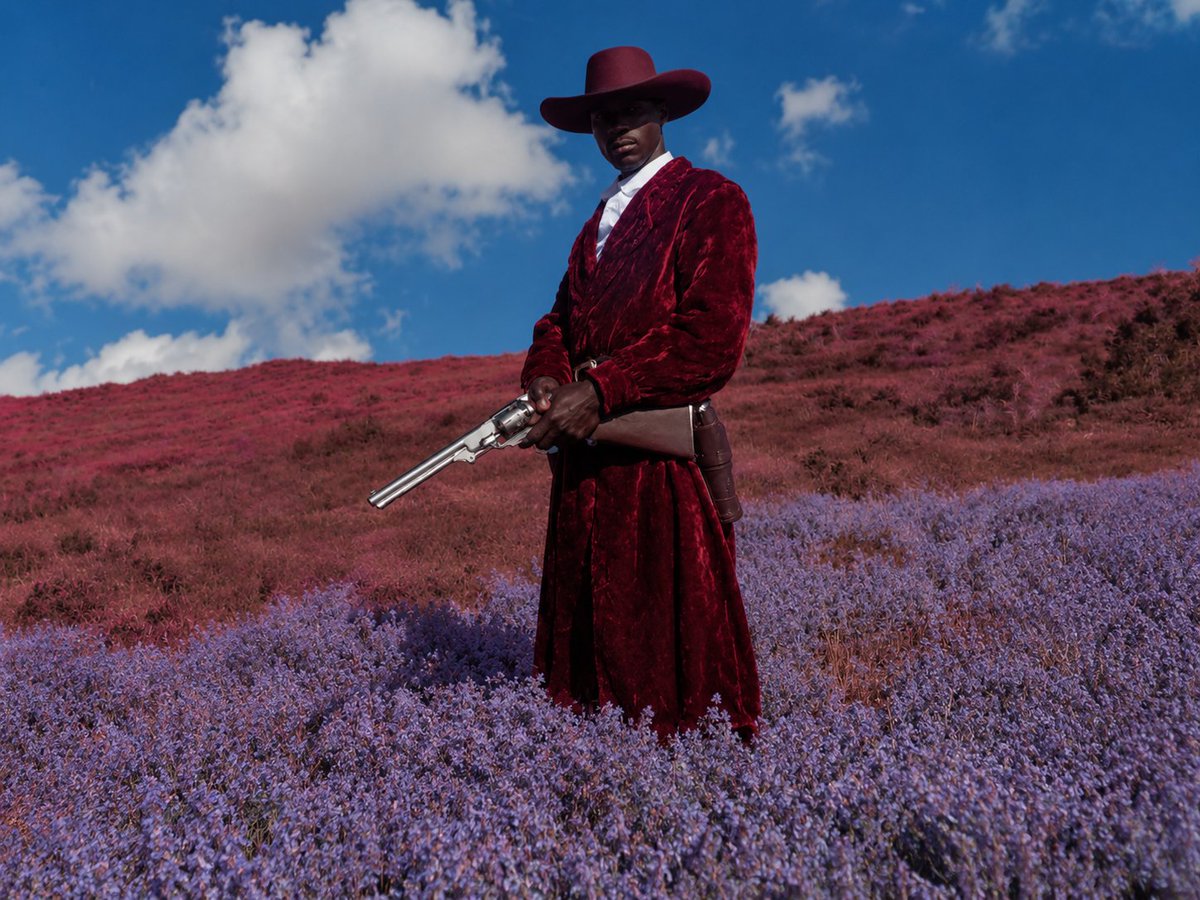
Create a cinematic, haute couture-style cowboy portrait with a blurred face, vibrant flower fields, and surreal color grading — perfect for fashion moodboards.
프롬프트 · EN
创作一张电影级超现实时尚西部肖像,画面中心为 argsubject: 一位高大的黑人牛仔 的全身像,伫立在广阔的繁花山坡上。主体佩戴一顶宽檐 arghat color: 深酒红色 牛仔帽,身穿 argcoat color: 深绯红色 长款毛绒丝绒风衣,内搭白色衬衫,系皮带及枪套,双手持一把抛光银色双管左轮手枪,枪口向下斜指。面部特意用柔和的矩形模糊处理,赋予人物一种匿名编辑感。景观呈现梦幻般的色彩偏移:前景为茂密的薰衣草紫野花,背景是柔和的红与洋红色草地连绵起伏,天空呈现饱和的亮蓝色,点缀着大朵柔和的白云。采用低位略微仰视的拍摄角度,中远景构图,清晰的日光,强烈的自然对比度,具有超现实色彩分级的写实摄影风格,高定时尚 moodboard 美学,戏剧性的静谧感,无文字,无其他人物。
프롬프트 소개
Create a cinematic, haute couture-style cowboy portrait with a blurred face, vibrant flower fields, and surreal color grading — perfect for fashion moodboards. Use it as a 컨셉 아트 starting point for GPT Image 2: keep the visual structure and style constraints intact, then swap in your own subject, brand, or scene.
Start by replacing subject, hat color, and coat color, then keep the camera, composition, and material cues in the same order. This makes the output easier to compare across variations.
이 프롬프트 사용법
- Copy the full prompt text from the page.
- Open your preferred AI image generator (e.g., Sora 2, Midjourney, DALL·E).
- Customize the variables like
{subject},{hat color}, and{coat color}to match your creative vision. - Paste the modified prompt into the model's input field.
- Generate and iterate — adjust colors or angles until you get your ideal cinematic cowboy portrait.


