
GPT Image 2AI 프롬프트
Neo-Noir Character Design — Cinematic & Cyberpunk
Generate a cinematic, photorealistic character sheet for a high-budget neo-noir film, featuring a moody cyberpunk city backdrop with dramatic lighting.
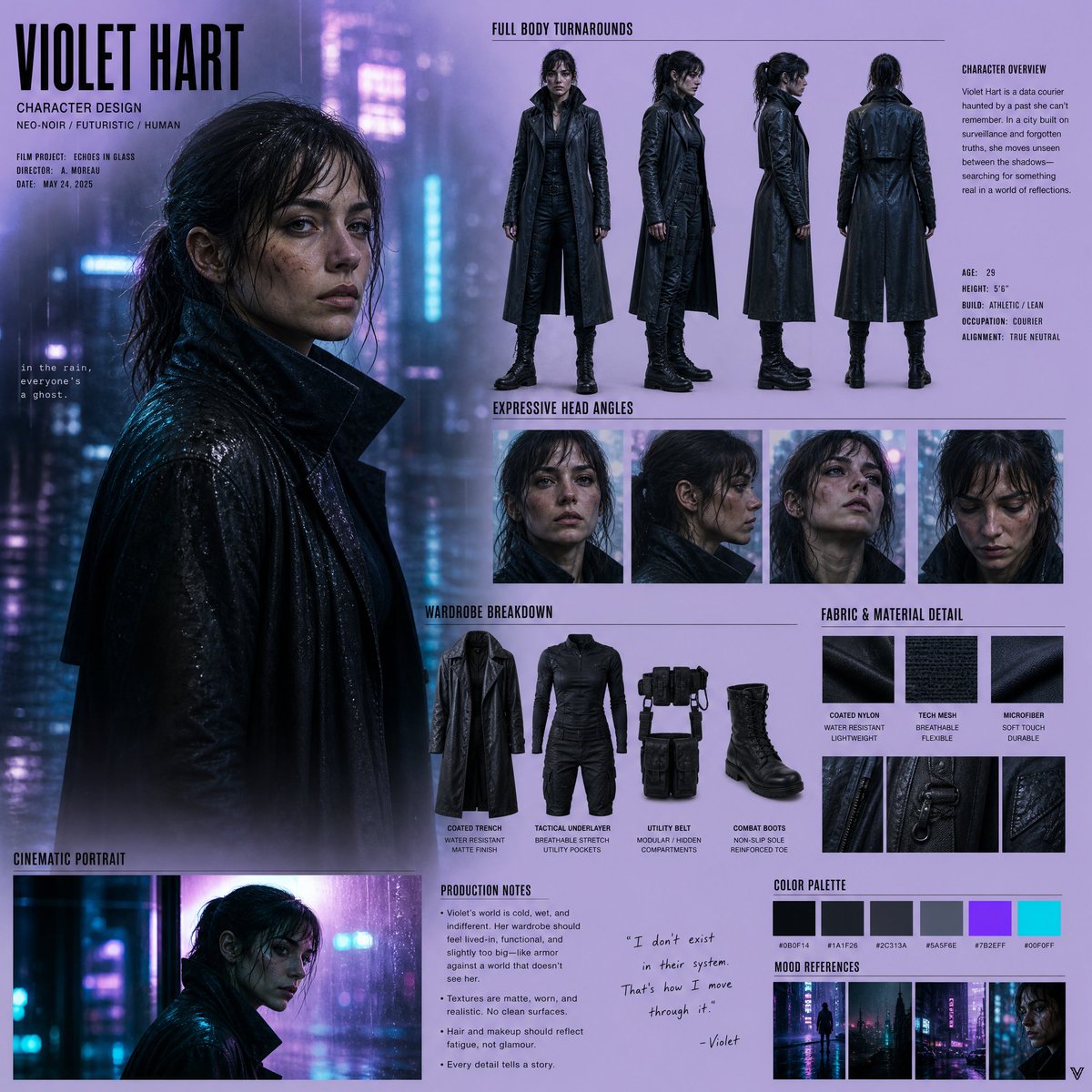
프롬프트 · EN
创建一个为高预算新黑色电影制作的电影级写实角色设计项目,背景设定在雨水浸润的未来城市。 使用深炭色和电青色的调色板,背景中带有霓虹灯反射。避免使用通用的网格或对称布局;构图应呈现出风格化的导演提案板效果。
设计一个扎实的人类角色,具备写实的解剖结构、细微的瑕疵以及强烈的个人情感表现。
包含全身三视图、富有表现力的头部角度、电影级肖像、服装拆解、织物纹理细节以及制作说明。
背景:模糊的赛博朋克城市灯光、湿润玻璃的反射、忧郁的氛围、柔和的霓虹光晕。
风格:半写实电影质感、高对比度光影、浅景深、胶片颗粒感、情感张力。
프롬프트 소개
Generate a cinematic, photorealistic character sheet for a high-budget neo-noir film, featuring a moody cyberpunk city backdrop with dramatic lighting. Use it as a 컨셉 아트 starting point for GPT Image 2: keep the visual structure and style constraints intact, then swap in your own subject, brand, or scene.
Start with small changes to subject, scene, camera, and color, then generate a few variations to compare composition and detail without turning the page copy into keyword stuffing.
이 프롬프트 사용법
- Copy the entire prompt text.
- Select a high-capability AI image generator (e.g., Sora, Midjourney v6).
- Paste the prompt and optionally tweak variables like the color palette or specific film grain.
- Generate the images, iterating on the output to refine the character's expression and the city ambiance.


