
GPT Image 2AI 프롬프트
Multi-Panel Image Grid Prompt — Nostalgic Theme Generator
Create a seamless grid of consistent, emotionally resonant images exploring a theme in a cinematic, nostalgic style.
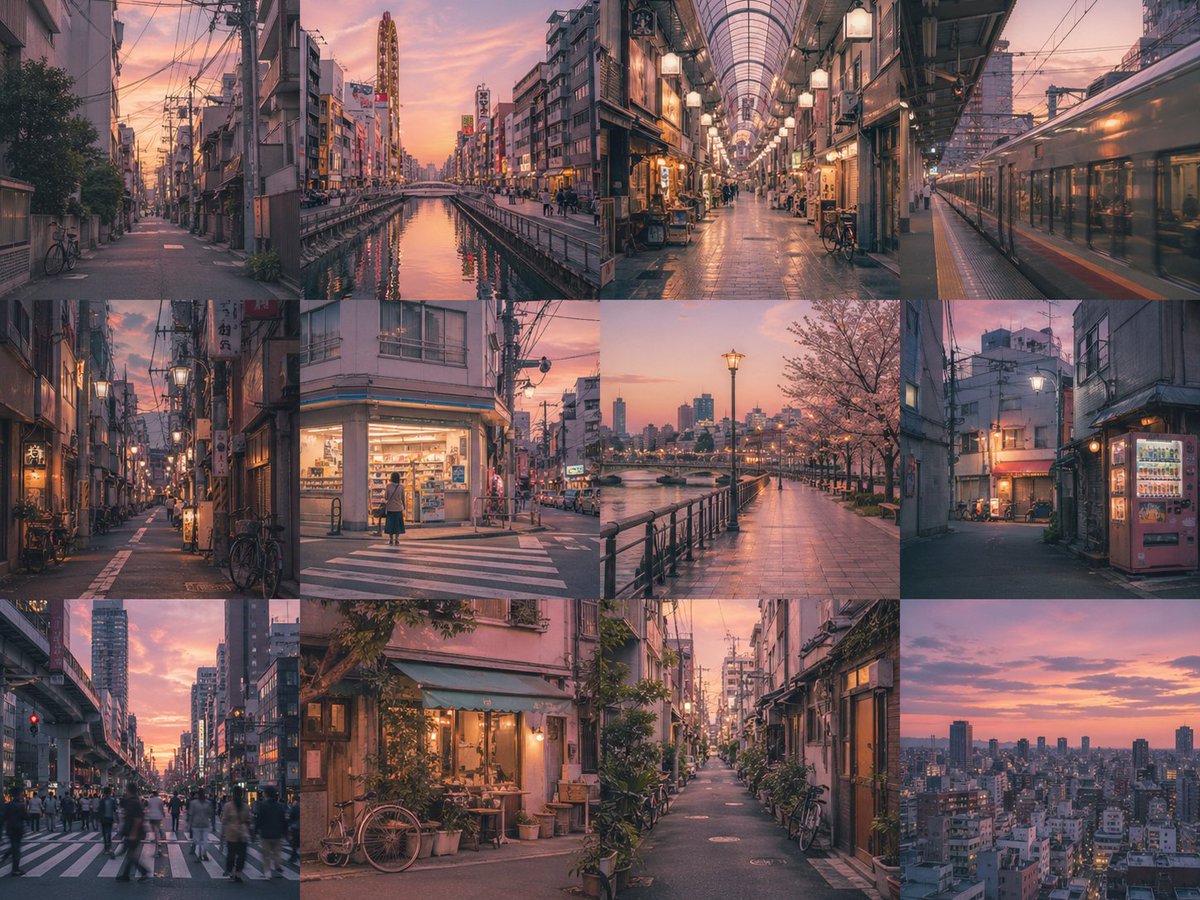
1 / 4
프롬프트 · EN
创建一个 arggrid layout: 4x3 无边框网格,其中每个面板都是 argsubject: 一位年轻女性 的独立图像。在所有面板中保持强烈的主体一致性,并确保色彩和光影统一。以 argstyle: 怀旧电影写实风格 风格,描绘 argtheme: 童年回忆 主题,并营造 argmood: 温暖、怀旧 的氛围。无文字。无间隙。
프롬프트 소개
Create a seamless grid of consistent, emotionally resonant images exploring a theme in a cinematic, nostalgic style. Use it as a 컨셉 아트 starting point for GPT Image 2: keep the visual structure and style constraints intact, then swap in your own subject, brand, or scene.
Start by replacing grid layout, subject, style, and theme, then keep the camera, composition, and material cues in the same order. This makes the output easier to compare across variations.
이 프롬프트 사용법
- Copy the prompt and its variables into a compatible AI image generator like Sora 2.
- Choose a model or style setting that supports cinematic or photo-realistic output.
- Tweak the arguments (grid layout, subject, theme, style, mood) to fit your specific project.
- Generate the image and iterate by adjusting variables for desired consistency and emotion.


