
GPT Image 2AI 프롬프트
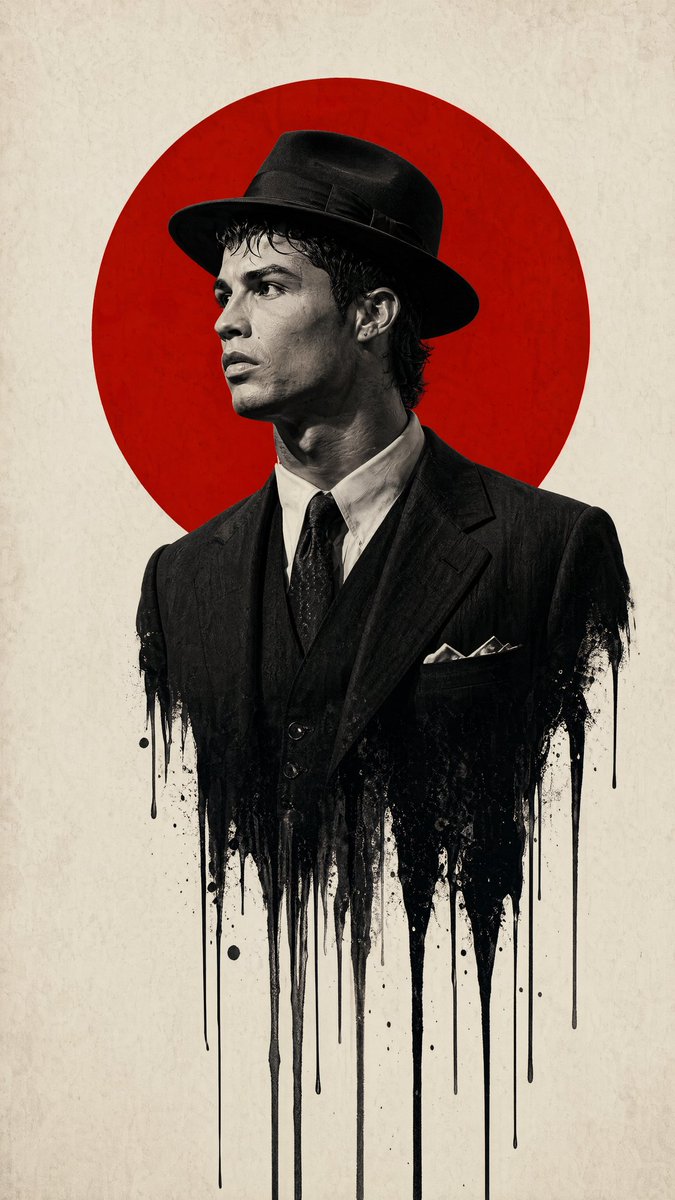
Noir Surrealist Poster — Ink-Melt Man with Red Halo
Generate a high-contrast, surreal fashion poster featuring a man in a fedora whose body melts into ink, set against a bold red circle.
프롬프트 · EN
主体与构图: 中心人物:argsubject profile: 一名戴着 1940 年代经典软呢帽、身穿正装的男子的侧脸轮廓。 融化效果:男子躯干的下半部分应溶解或“滴落”成细长的垂直黑色墨迹与飞溅效果,在背景上形成超现实的液体渗漏感。 图形元素:一个巨大的 argbackground shape: 纯色鲜红圆圈 位于男子头部和肩部正后方,形成类似“光环”或“旭日”的图案,作为构图的视觉锚点。 风格与配色: 配色方案:严格遵循 argcolor scheme: 由正红色、深黑色和米白色/奶油色组成的极简配色。 摄影风格:主体采用高对比度的黑白黑色电影摄影风格。质感应呈现出高分辨率时尚大片的观感,并带有浅景深效果。 背景:干净且带有轻微纹理的米白色纸张或画布背景,赋予其高级的实体海报质感。 技术细节: 光影:强烈的“伦勃朗”布光以勾勒面部轮廓,通过深邃的阴影强调鼻梁和下颌线。 氛围:忧郁、知性且充满悬疑感。设计既要现代,又要符合 20 世纪中叶的时代特征。 构图:垂直海报方向(A 型),左右两侧留有大量的负空间,以突出中心垂直轴线。 纵横比为 9:16
프롬프트 소개
Generate a high-contrast, surreal fashion poster featuring a man in a fedora whose body melts into ink, set against a bold red circle. Use it as a 컨셉 아트 starting point for GPT Image 2: keep the visual structure and style constraints intact, then swap in your own subject, brand, or scene.
Start by replacing subject profile, background shape, and color scheme, then keep the camera, composition, and material cues in the same order. This makes the output easier to compare across variations.
이 프롬프트 사용법
- Copy the entire prompt below.
- Select a capable image generation model like Sora 2.
- Customize the subject profile, background shape, or color scheme variables as desired.
- Generate the image to obtain a vertical, moody, poster-style result.


