
High-Fashion Coral Monochrome Campaign — Sora 2 Prompt
Generate an ultra-realistic high-fashion commercial with oversized product display, coral studio, and dramatic wide-angle perspective, keeping the model's exact features.
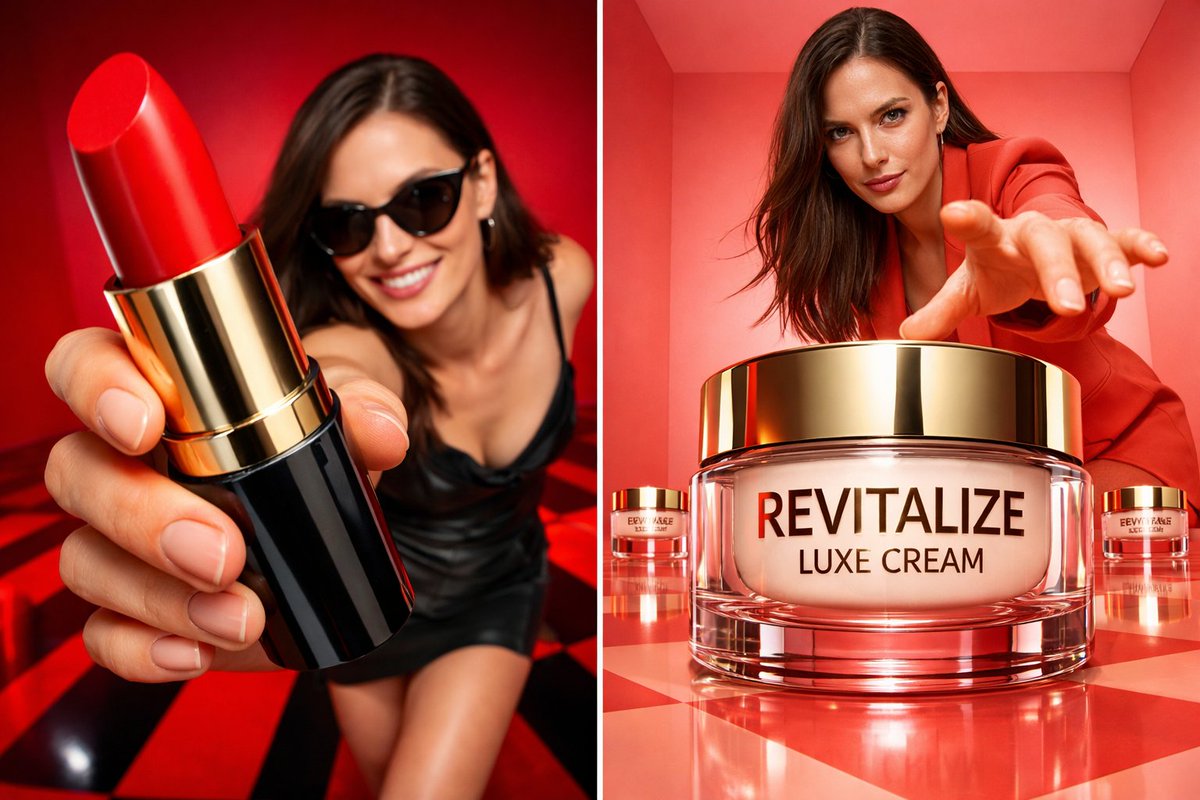
Ultra-realistic high-fashion commercial campaign using the uploaded model photo as strict identity reference. Preserve exact facial features, proportions and natural skin texture — no retouching, no reshaping. Scene: coral monochrome studio box with glossy reflective checker or minimal polished floor. Clean geometric walls with soft light gradients. Product: the product placed oversized in the center foreground, dominating the frame due to wide-angle perspective. The packaging is ultra-sharp, fully readable, realistic reflections and material texture. Smaller product units can be placed symmetrically in the background. Model pose: standing behind the product, slightly crouched or leaning forward, one hand reaching toward the camera to create depth. Strong confident expression, fashion attitude. Camera: low-angle 24–35mm lens look, dramatic perspective distortion, deep focus on both product and model. Lighting: bright commercial studio lighting, soft shadows, glossy highlights on packaging, high-end campaign finish. 4K–8K realism, no watermark, no embedded text.i ar 9:13
프롬프트 소개
Generate an ultra-realistic high-fashion commercial with oversized product display, coral studio, and dramatic wide-angle perspective, keeping the model's exact features. Use it as a 컨셉 아트 starting point for an AI model: keep the visual structure and style constraints intact, then swap in your own subject, brand, or scene.
Common directions include chatgpt, 商业摄影, 时尚大片, and 超高清. Treat these tags as creative cues; the prompt structure and preview image are the more useful guide.
Start with small changes to subject, scene, camera, and color, then generate a few variations to compare composition and detail without turning the page copy into keyword stuffing.
이 프롬프트 사용법
- Copy the prompt from the box above.
- Open Sora 2 or any compatible AI image tool (e.g., DALL·E 3).
- Upload your model photo and adjust the aspect ratio to 9:13.
- Generate the image; tweak product placement or lighting if necessary.
- Export in 4K for high-end commercial use.


