
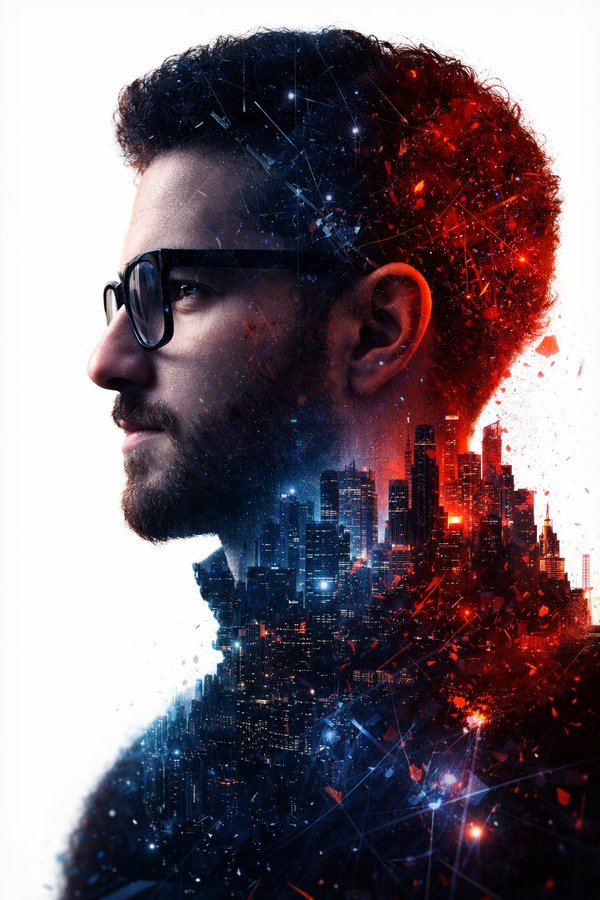
Double Exposure Portrait: Man & Futuristic City — Sora 2 Prompt
Create a hyper-realistic double exposure portrait blending a man's profile with a futuristic city, featuring dramatic red-blue lighting and cinematic detail.
프롬프트 소개
Create a hyper-realistic double exposure portrait blending a man's profile with a futuristic city, featuring dramatic red-blue lighting and cinematic detail. Use it as a 컨셉 아트 starting point for an AI model: keep the visual structure and style constraints intact, then swap in your own subject, brand, or scene.
This prompt is organized as structured JSON with fields such as prompt, negative prompt, resolution, style, background, and lighting. Keeping that hierarchy helps the model separate the subject, layout, interface elements, and detail constraints.
Start with small changes to subject, scene, camera, and color, then generate a few variations to compare composition and detail without turning the page copy into keyword stuffing.
이 프롬프트 사용법
- Copy the full prompt text from above.
- Open your preferred AI image generator (e.g., Sora, Midjourney, DALL·E).
- Paste the prompt and set resolution to 8K for optimal detail.
- Optionally, adjust keywords like color contrast or background to suit your vision.
- Generate the image and refine with slight prompt tweaks if needed.


