
GPT Image 2AI 프롬프트
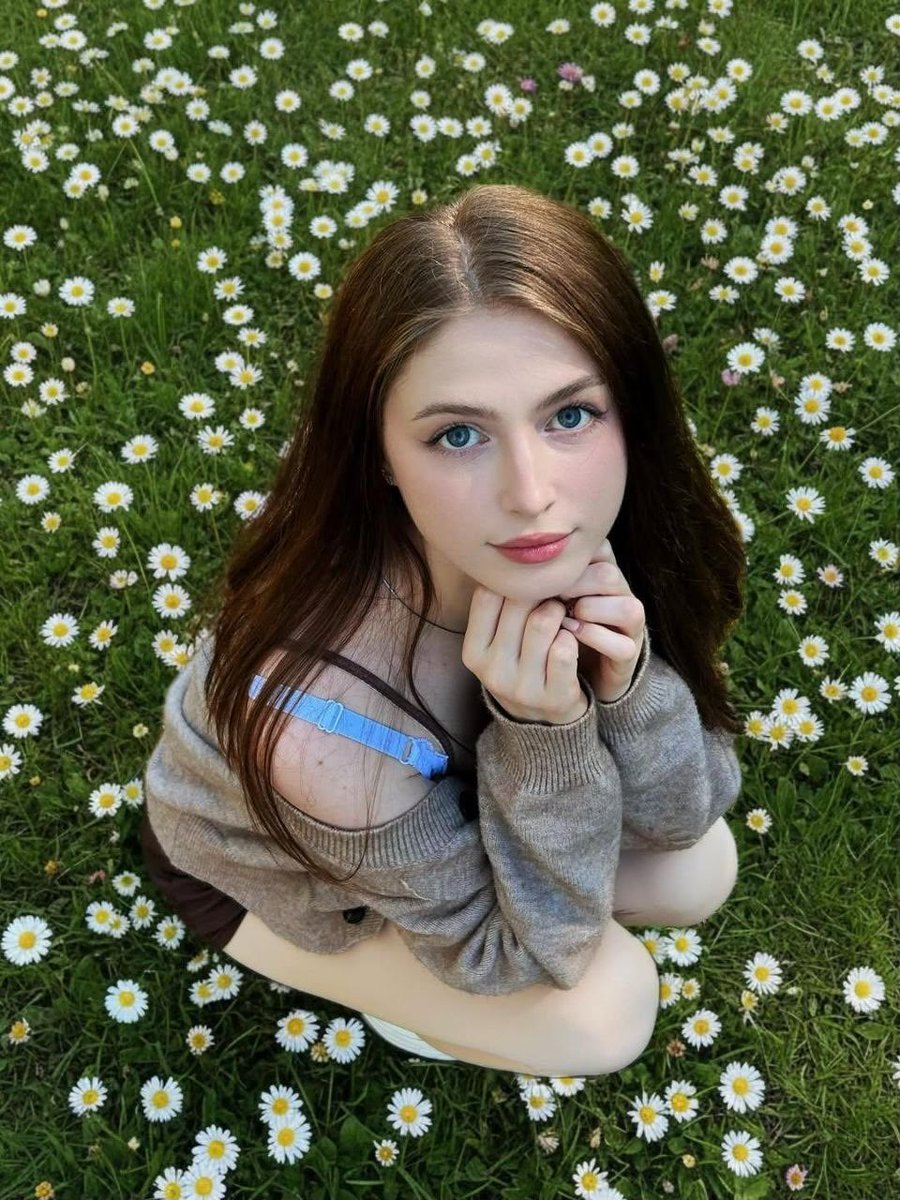
Daisy Field Portrait — Whimsical Sora 2 Prompt
Create a dreamy, photo-realistic portrait of a woman relaxing in a sunlit daisy meadow, featuring soft focus, natural light, and a gentle, intimate atmosphere.
1 / 2
프롬프트 · EN
一张柔和、自然的肖像,主角是 argsubject: 一位年轻女性,她正坐在 argenvironment: 一片开满小白雏菊的郁郁葱葱的草地 上。她抬头看向镜头,有着 argeye details: 明亮的大眼睛 和温柔平静的表情。她棕色的长发自然地垂落在肩头。她双手托腮,手肘内收,姿态放松而亲密。她穿着一件宽松的米色露肩毛衣,毛衣微微滑落,露出里面浅蓝色的肩带。光线为自然日光,柔和均匀,没有强烈的阴影。视角略微俯拍,营造出一种梦幻、奇妙的感觉。背景中密布着雏菊和绿草,营造出充满活力的清新春日氛围。高细节,浅景深,柔焦,照片级真实感,电影级调色。
프롬프트 소개
Create a dreamy, photo-realistic portrait of a woman relaxing in a sunlit daisy meadow, featuring soft focus, natural light, and a gentle, intimate atmosphere. Use it as a 컨셉 아트 starting point for GPT Image 2: keep the visual structure and style constraints intact, then swap in your own subject, brand, or scene.
Start by replacing subject, environment, and eye details, then keep the camera, composition, and material cues in the same order. This makes the output easier to compare across variations.
이 프롬프트 사용법
- Copy the entire prompt text, including the variables in curly braces.
- Paste it into your preferred AI image generator, such as Sora, Midjourney, or DALL-E.
- Customize the variables (e.g., {subject}, {environment}) to change the subject or setting to your liking.
- Generate the image and adjust the prompt if needed to refine the style or composition.
- Experiment with different models to see which one best captures the soft, cinematic look.


