
GPT Image 2AI 프롬프트
Retro Kawaii Tokyo Skyline — Sora 2 AI Prompt
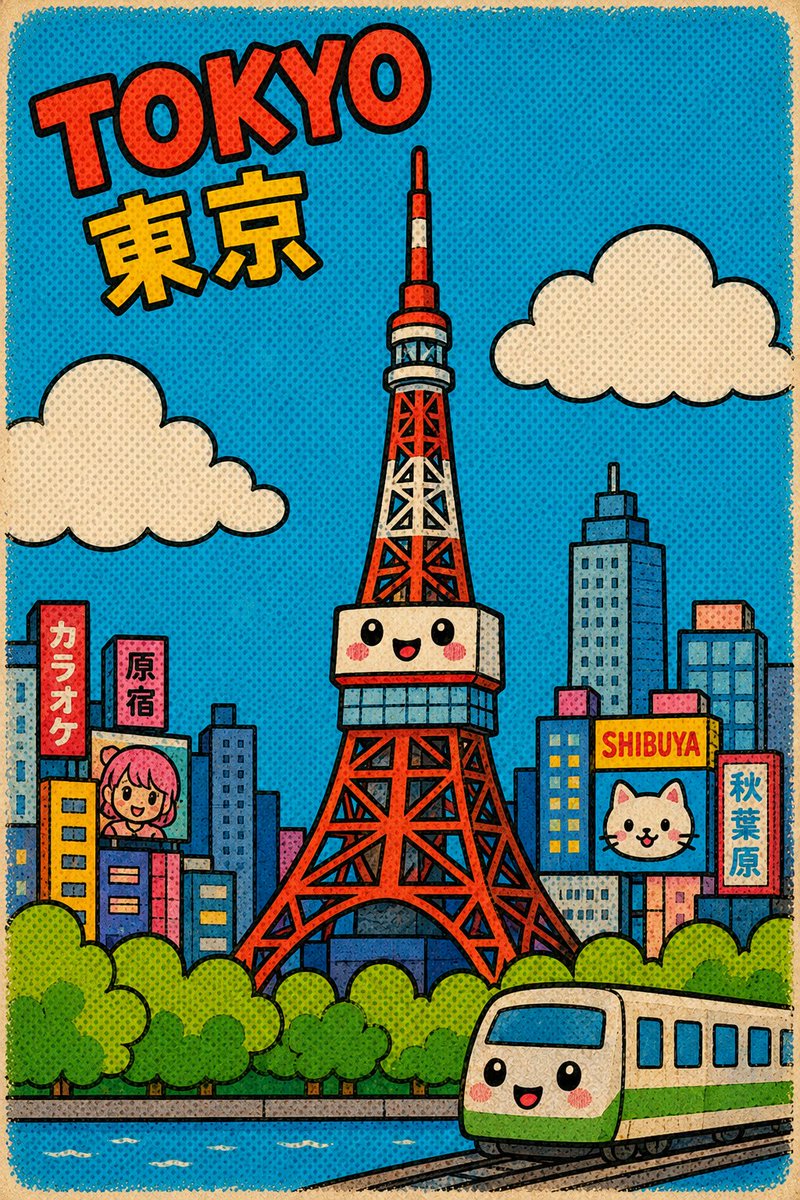
Create an adorable retro comic-style Tokyo cityscape poster featuring the iconic Tokyo Tower with kawaii faces, playful signs, clouds, and a cartoon train.
프롬프트 · EN
创作一张 argcity name: 东京 的可爱复古卡通城市景观,采用天真烂漫的儿童绘本风格,建筑极度简化,使用厚实的几何形状、夸张的比例以及粗犷的黑色轮廓线。采用竖版海报构图,背景为明亮的青蓝色网点天空,并带有磨损的米色纸张边框。将 arglandmark: 东京塔 作为清晰的视觉中心:一座高大的红白格纹塔,观景台上绘有微笑的卡哇伊表情、红润的脸颊、简单的黑眼睛和小巧的张开嘴。在左上方,添加醒目的倾斜漫画字体,用红橙色书写 argheadline text: TOKYO 并带有黑色轮廓,下方用厚实的黄色字体配黑色轮廓标注日文「東京」。包含 2 朵巨大的奶油色圆形云朵,左右各一。塔的周围环绕着简化的天际线,由蓝色、粉色、黄色和橙色的矩形建筑组成。包含 5 个清晰可见的招牌:一个写有「カラオケ」的红色竖招牌,一个写有「原宿」的粉色竖招牌,一个写有 "SHIBUYA" 的黄色横招牌,一个写有「秋葉原」的红色竖招牌,以及一个展示粉色头发可爱角色肖像的广告牌。在 SHIBUYA 招牌旁边额外添加一个带有可爱白猫脸的广告牌。前景展示一排圆润的绿树、一条带有白色小波纹的蓝色河流或运河,以及一列从右下角弯曲轨道驶入的奶油配绿色卡通火车,火车同样带有微笑的卡哇伊表情和红润脸颊。应用带有可见网点、略显粗糙的墨迹边缘、饱和色彩、趣味比例的复古漫画印刷质感,且不包含任何写实元素。
프롬프트 소개
Create an adorable retro comic-style Tokyo cityscape poster featuring the iconic Tokyo Tower with kawaii faces, playful signs, clouds, and a cartoon train. Use it as a 컨셉 아트 starting point for GPT Image 2: keep the visual structure and style constraints intact, then swap in your own subject, brand, or scene.
Start by replacing city name, landmark, and headline text, then keep the camera, composition, and material cues in the same order. This makes the output easier to compare across variations.
이 프롬프트 사용법
- Copy the entire prompt text from the page.
- Choose an AI image generation model like Sora 2 or similar.
- Customize the variables: change the city name (default: Tokyo), landmark (default: Tokyo Tower), and headline text.
- Paste the prompt into your chosen model and generate the image.
- Adjust parameters or regenerate until you get the perfect retro cartoon poster.


