
GPT Image 2AI 프롬프트
Bangkok Night Market Street Photography Prompt
Create hyper-realistic street photography with dual-tone lighting, natural skin texture, and film grain for authentic night market scenes.
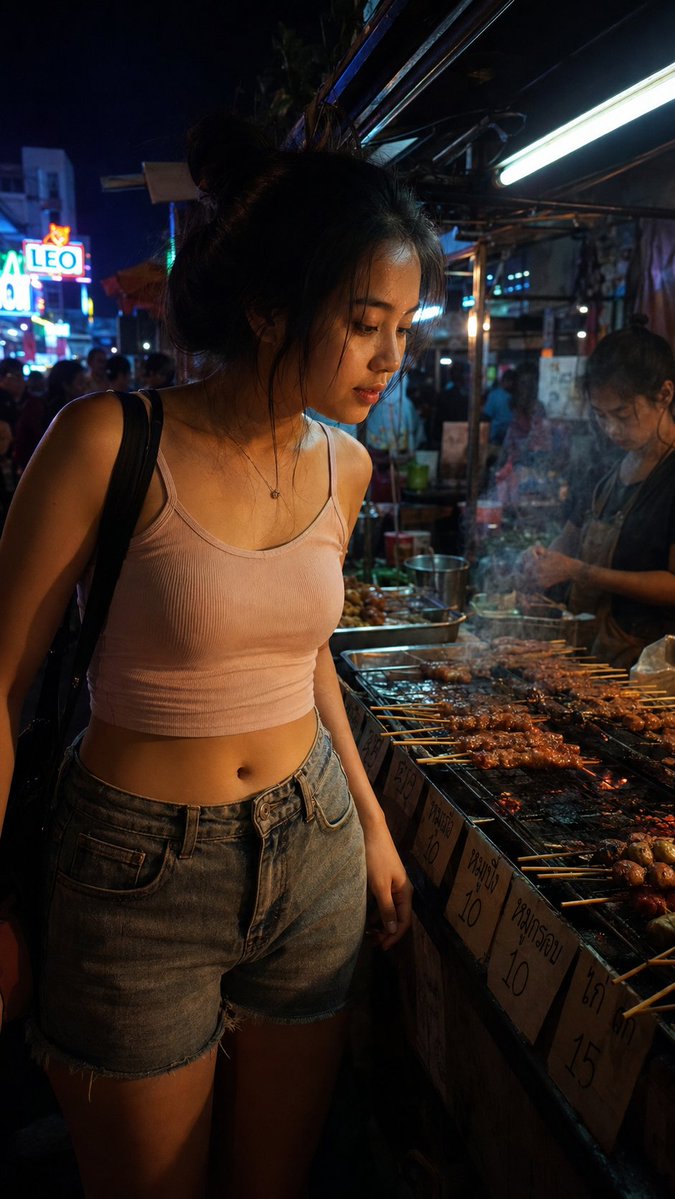
1 / 2
프롬프트 · EN
一张在午夜时分,于 arglocation: 曼谷夜市小吃摊 拍摄的 argsubject: 年轻泰国女性 的真实街头摄影。主体微微前倾,正在端详 argfood item: 炭烤串,身穿休闲露脐上衣和牛仔短裤,表情放松且完全自然,非摆拍。场景为狭窄的市场小巷:炭火烟雾从烤架升起,手写的泰文价签贴在摊位边缘,远景中隐约可见霓虹灯啤酒招牌。光线来自她脸部下方琥珀色的炭火烤架,与摊位上方冷色调的日光灯管交织,在她的颈部和下颌处形成双色调阴影。构图:中近景,平视视角,主体占据画面左侧三分之二,模糊的摊贩和夜市人群填充右侧。色调:温暖的琥珀色、深邃的阴影区、远处微妙的冷色霓虹点缀,以及柔和的大地色系。渲染要求:具备摄影真实感,整体带有细腻的胶片颗粒感,避免过度平滑的 CG 质感,保留自然的瑕疵。皮肤应呈现次表面散射和微观纹理,而非数字平滑处理。头发:呈现微妙的自然不完美感,而非几何般的完美。照片级渲染,无水印。
프롬프트 소개
Create hyper-realistic street photography with dual-tone lighting, natural skin texture, and film grain for authentic night market scenes. Use it as a 컨셉 아트 starting point for GPT Image 2: keep the visual structure and style constraints intact, then swap in your own subject, brand, or scene.
Start by replacing location, subject, and food item, then keep the camera, composition, and material cues in the same order. This makes the output easier to compare across variations.
이 프롬프트 사용법
- Copy the full prompt from the page.
- Choose an AI image generator like Sora 2, DALL-E 3, or Midjourney.
- Adjust the variables in curly braces (location, subject, food item) to customize your scene.
- Generate the image and review the output for photorealism and natural imperfections.
- Refine the prompt if needed for better results.


