
GPT Image 2AI 프롬프트
Encyclopedia-Style Infographic Generator — Sora 2 Prompt
Creates a high-quality, modular educational infographic resembling a museum chart or life knowledge card for any given theme.
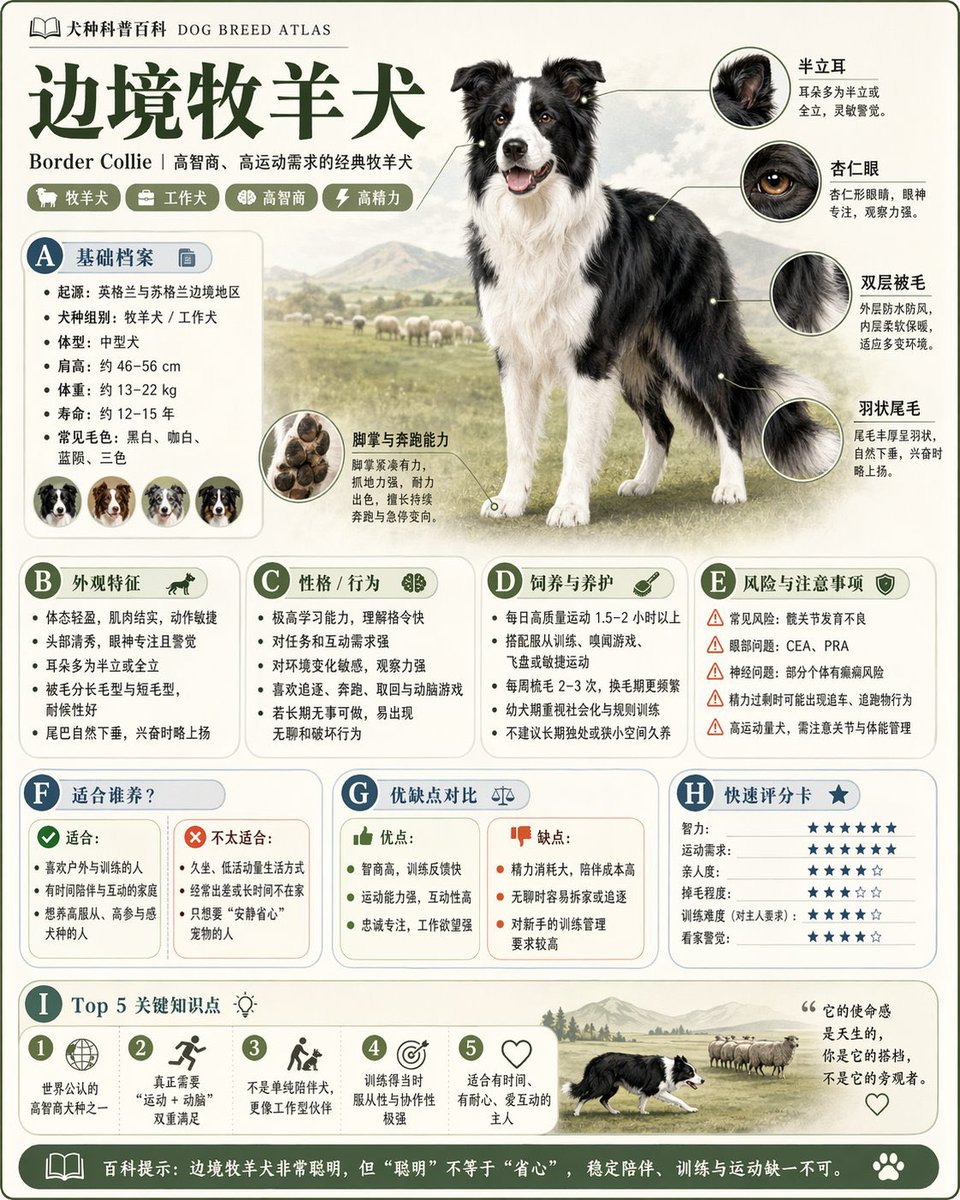
프롬프트 · EN
请根据 argtheme: animals 生成一张高质量的竖版“科普百科全书图片”。 这张图片不是普通的海报或简单的插画,而是一个具有“绘本感、百科全书感、信息结构化和收藏价值”的模块化科普信息图。整体风格应参考高端自然历史插画、现代百科全书页面、生活知识卡片以及易于在社交媒体分享的信息图的结合体。 画面中请包含:
- 清晰且美观的主体视觉形象
- 若干局部特征的放大细节
- 多个圆角模块化信息区域
- 清晰的标题层级和关键标签
- 简洁而丰富的内容说明
- 视觉评分、要点总结或 Top 5 模块 内容栏目应根据主题自动适配,优先从以下方向选择:基本概况、分类信息、外观特征、习性/生态、形成机制/结构、生长或使用条件、护理或维护建议、风险与注意事项、适用人群或场景、优缺点对比以及快速评分卡。 视觉要求:
浅色简洁背景,柔和的配色方案,轻微的阴影,精致的小图标,圆角信息框,布局整洁,信息密度高但不拥挤,阅读体验良好。最终效果必须看起来像一张真实的科学百科卡片,适合发布、阅读、收藏和系列化制作,而不是广告。 请不要将其制作成普通的商业宣传海报。突出“知识组织 + 模块化信息 + 插画风格展示”的特点。
프롬프트 소개
Creates a high-quality, modular educational infographic resembling a museum chart or life knowledge card for any given theme. Use it as a 컨셉 아트 starting point for GPT Image 2: keep the visual structure and style constraints intact, then swap in your own subject, brand, or scene.
Start by replacing theme, then keep the camera, composition, and material cues in the same order. This makes the output easier to compare across variations.
이 프롬프트 사용법
- Copy the entire prompt template.
- In your AI model (like Sora 2), select an image generation mode.
- Replace the
{theme}variable with your desired subject (e.g., 'volcanoes', 'ancient Rome', 'human heart'). - Adjust any specific visual preferences if needed.
- Generate and download your structured, knowledge-rich infographic.


