
GPT Image 2AI 프롬프트
Minimalist Fashion Split-Panel — Sora 2 Prompt
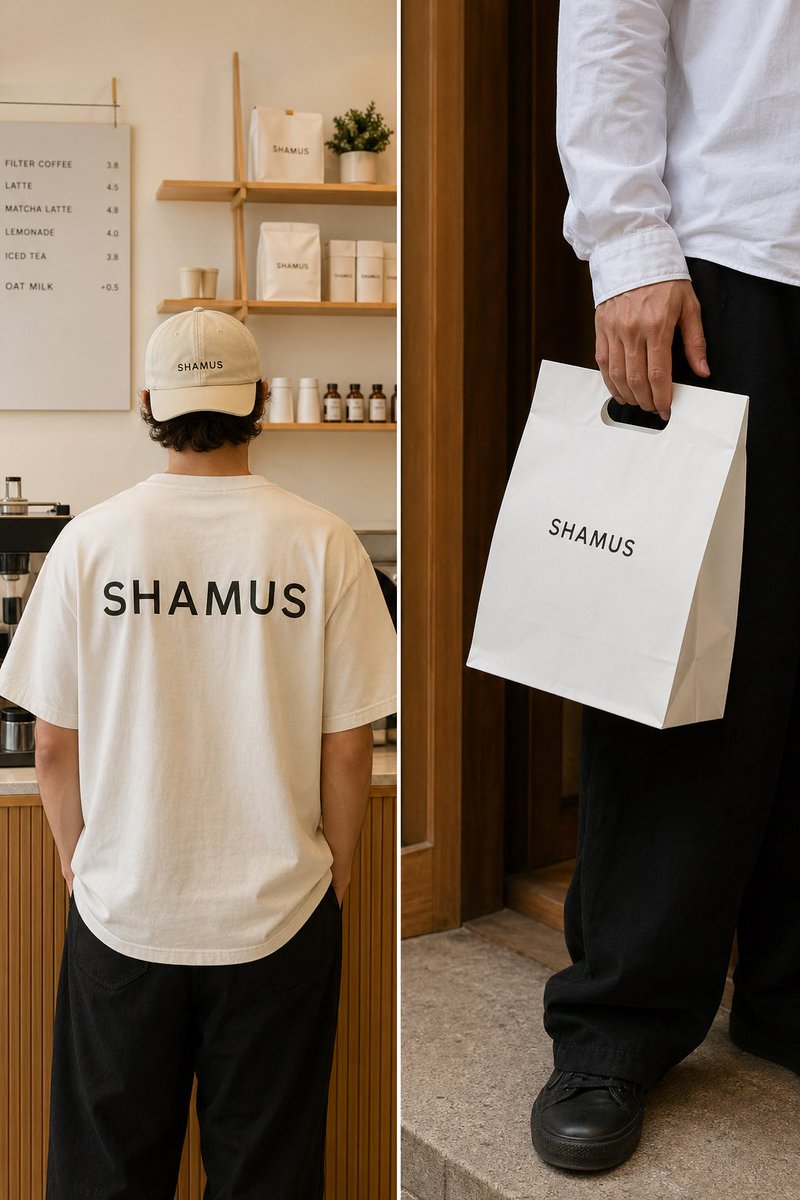
Create a stylish dual-panel image featuring a minimalist cafe interior and a lifestyle close-up for brand-focused fashion photography.
프롬프트 · EN
左侧面板:展示一名年轻男性的背影,他站在 argsetting: 干净、极简的咖啡馆或外卖店内部 中。他身穿一件 argoutfit: 米白色廓形 T 恤,背面印有大号 " arglogo: SHAMUS " 品牌标识,并佩戴一顶带有 SHAMUS 标识的浅米色同款鸭舌帽。环境应包含浅色木质柜台和货架,采用温暖的自然光,背景货架上陈列着极简风格的品牌包装。整体氛围应显得干净、通透且具有现代感。右侧面板:展示一张生活方式特写,拍摄对象站在木质门廊或墙壁旁,身穿白色长袖衬衫和黑色宽松长裤,手提一个带有模切提手的白色纸质外卖袋。" SHAMUS " 标识清晰可见。仅展示下半身和手部,以呈现时尚的编辑风格构图。
프롬프트 소개
Create a stylish dual-panel image featuring a minimalist cafe interior and a lifestyle close-up for brand-focused fashion photography. Use it as a 컨셉 아트 starting point for GPT Image 2: keep the visual structure and style constraints intact, then swap in your own subject, brand, or scene.
Start by replacing setting, outfit, and logo, then keep the camera, composition, and material cues in the same order. This makes the output easier to compare across variations.
이 프롬프트 사용법
- Copy the full prompt text.
- Select your preferred AI video or image model (e.g., Sora 2).
- Adjust the variables in curly braces, such as {setting} or {outfit}, to customize the scene.
- Generate the content to produce the dual-panel composition.


