
GPT Image 2AI 프롬프트
Dark-Style Ramen Shop Poster — Cinematic Chef & Steam
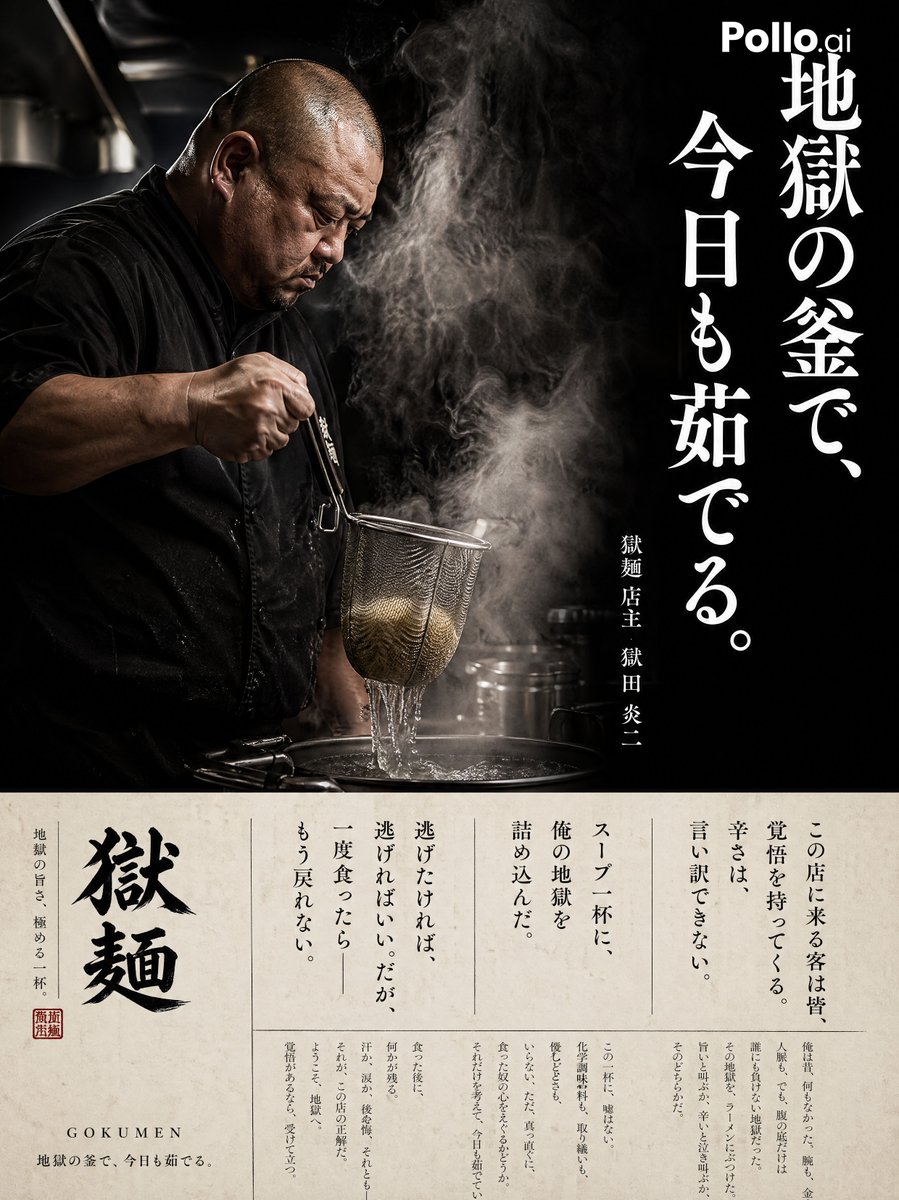
Generate a high-end, editorial-style vertical poster featuring a dramatic ramen chef, cinematic steam, and a magazine-style interview layout.
프롬프트 · EN
一张名为“argshop name: Gokumen”的拉面专卖店竖版商业海报。左侧:一位身材魁梧、剃着光头、身着黑色厨师服的中年日本男厨师侧影。他正处于“甩面(Yugiri)”的动作中,用滤网捞起面条。周围弥漫着极具张力的蒸汽。背景为暗色调厨房,采用电影级布光。质感如同专业纪录片摄影作品。右侧:一行巨大的白色竖排标语:“argcatchphrase: 在炼狱般的锅中,我今日再次沸腾。”。下方小字:argshop name: Gokumen 店主 argowner name: Enji Gokuda。背景:近乎黑色的朦胧氛围。底部 30% 区域:米白色部分。采用报纸或杂志风格的栏目排版,印有小号竖排访谈文字:“每一位来到这家店的客人都带着决心。对于辣度,没有任何借口。我将我的地狱浓缩进了每一碗汤里。如果你想逃跑,尽管去吧。但一旦你尝过——就再也回不去了。”使用优雅的小号明朝体,分多栏排版。整体效果:一张高端的拉面店暗色调编辑风海报。
프롬프트 소개
Generate a high-end, editorial-style vertical poster featuring a dramatic ramen chef, cinematic steam, and a magazine-style interview layout. Use it as a 컨셉 아트 starting point for GPT Image 2: keep the visual structure and style constraints intact, then swap in your own subject, brand, or scene.
Start by replacing shop name, catchphrase, and owner name, then keep the camera, composition, and material cues in the same order. This makes the output easier to compare across variations.
이 프롬프트 사용법
- Copy the full prompt from the page.
- Select a capable image generation model like Sora 2 or another advanced AI.
- Edit the variables in the curly braces
{}to customize the shop name, owner name, and catchphrase. - Paste the modified prompt into the AI model's interface.
- Generate the image and review the cinematic, dark-tone result.


