
GPT Image 2AI 프롬프트
Home Appliance Ad Poster — Sora 2 Commercial Prompt
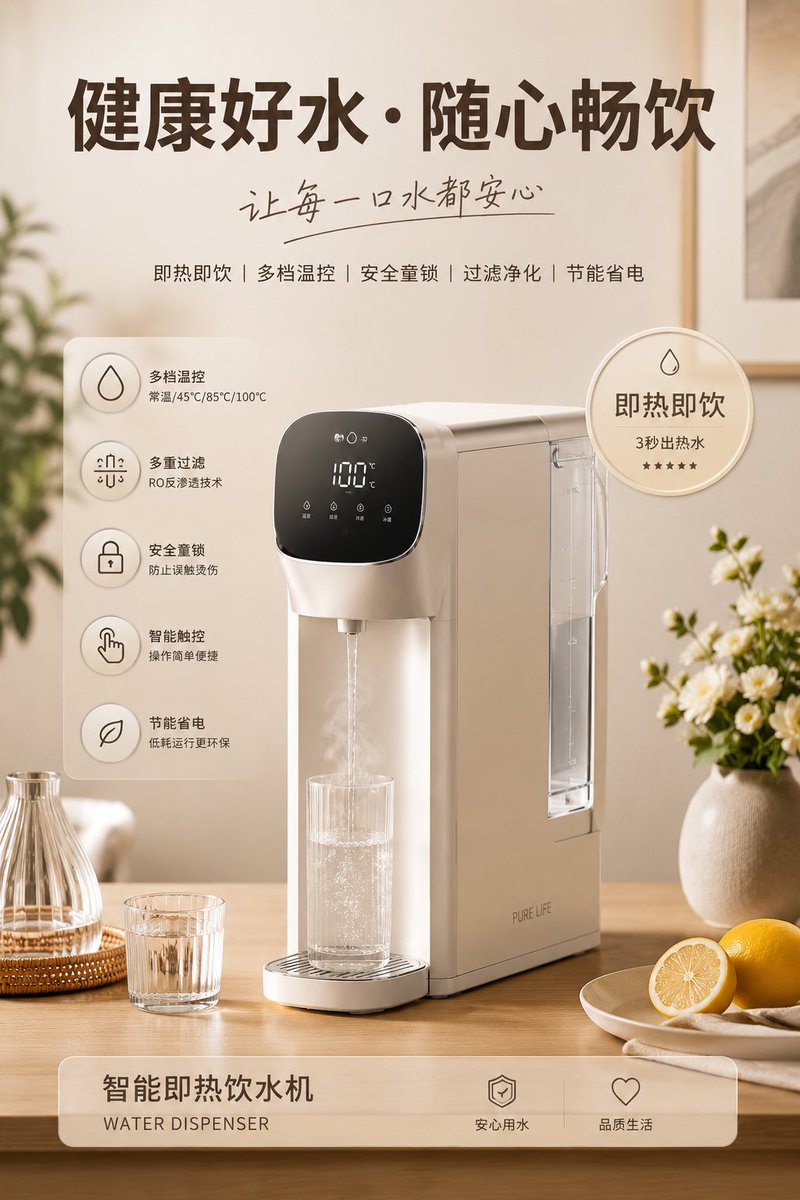
Generate a premium 4K appliance ad poster with lifestyle scenes, feature badges, and modern commercial layout — perfect for e-commerce and social media.
1 / 3
프롬프트 · EN
请生成一张高质量的家电产品广告海报,主题为“argsubject: 咖啡壶”。以该主题为视觉核心,自动适配其对应的生活化场景、辅助物品、装饰元素、关键词、卖点徽章、功能图标说明以及整体色彩风格。布局要求为:顶部大标题 + 手写体副标题 + 关键词;中心放置处于符合使用逻辑的精致生活场景中的主产品;左右两侧添加圆形卖点徽章及 4~5 个功能图标说明;底部展示产品名称标签。整体风格要求温馨治愈、柔和暖光、材质真实、现代简洁排版、商业广告级质感、低饱和度协调配色,以及 4K 超高清画质,适用于品牌推广、电商海报及社交媒体视觉展示。所有元素均围绕主题自动生成并服务于主题,避免喧宾夺主、杂乱无章或质量低劣。
프롬프트 소개
Generate a premium 4K appliance ad poster with lifestyle scenes, feature badges, and modern commercial layout — perfect for e-commerce and social media. Use it as a 컨셉 아트 starting point for GPT Image 2: keep the visual structure and style constraints intact, then swap in your own subject, brand, or scene.
Start by replacing subject, then keep the camera, composition, and material cues in the same order. This makes the output easier to compare across variations.
이 프롬프트 사용법
- Copy the full prompt and paste it into your preferred AI image generator (Sora 2, DALL·E, Midjourney, etc.).
- Replace the
{subject}variable with your desired product — e.g., coffee maker, air fryer, toaster. - Optionally adjust scene details, color palette, or badge keywords to match your brand identity.
- Select a high-resolution or 4K output setting if available.
- Generate and refine — iterate with slight tweaks for the perfect commercial-grade poster.


