
Sora2 Hub
Sora2 Hub
  • 프롬프트 라이브러리
  • 가격
  • 쇼케이스
Sora2 Hub
Sora2 Hub
Sora2 Hub

Sora2 Hub

Sora 2, Veo 3.1, Nano Banana Pro로 구동되는 전문 AI 창작 플랫폼입니다. 고급 제어, HD 화질, 워터마크 없는 놀라운 동영상과 스튜디오급 이미지를 제작하세요.

Email:support@sora2hub.org

AI 비디오 생성

  • 텍스트에서 비디오
  • 이미지에서 비디오
  • Veo 3.1
  • Sora 2
  • Kling 3.0
  • Kling 2.6
  • Kling 2.5
  • Runway
  • Wan 2.6
  • Seedance 2.0
  • Hailuo 2.3
  • Grok Imagine
  • HappyHorse-1.0

AI 이미지 생성기

  • 텍스트에서 이미지
  • 이미지에서 이미지
  • Nano Banana Pro
  • Nano Banana
  • 4o Image
  • Flux Kontext
  • Z Image
  • Seedream 4.5
  • Seedream 5.0 Lite
  • Nano Banana 2
  • GPT Image 2
  • AI 이미지 업스케일러

AI 효과

  • AI 나이 필터
  • AI 성별 변환
  • AI 키스
  • AI 허그
  • 지브리 이미지
  • AI 인어 필터
  • AI 바디쉐이크
  • 스마일 필터
  • AI 뚱뚱하게
  • 액션 피규어

제품

  • 기능
  • 쇼케이스
  • 가격

회사

  • 소개
  • 문의

© 2025 • Sora2 Hub ORG 모든 권리 보유.

  • 개인정보 처리방침
  • 서비스 약관
  • 환불 정책
  1. 홈
  2. /
  3. 프롬프트
  4. /
  5. GPT Image 2
  6. /
  7. Hand-Torn Paper Collage Art Generator — Sora 2 Prompt
GPT Image 2AI 프롬프트

Hand-Torn Paper Collage Art Generator — Sora 2 Prompt

Transform any image into a realistic hand-torn paper collage with textured edges, wrinkles, and glue marks for authentic mixed-media art.
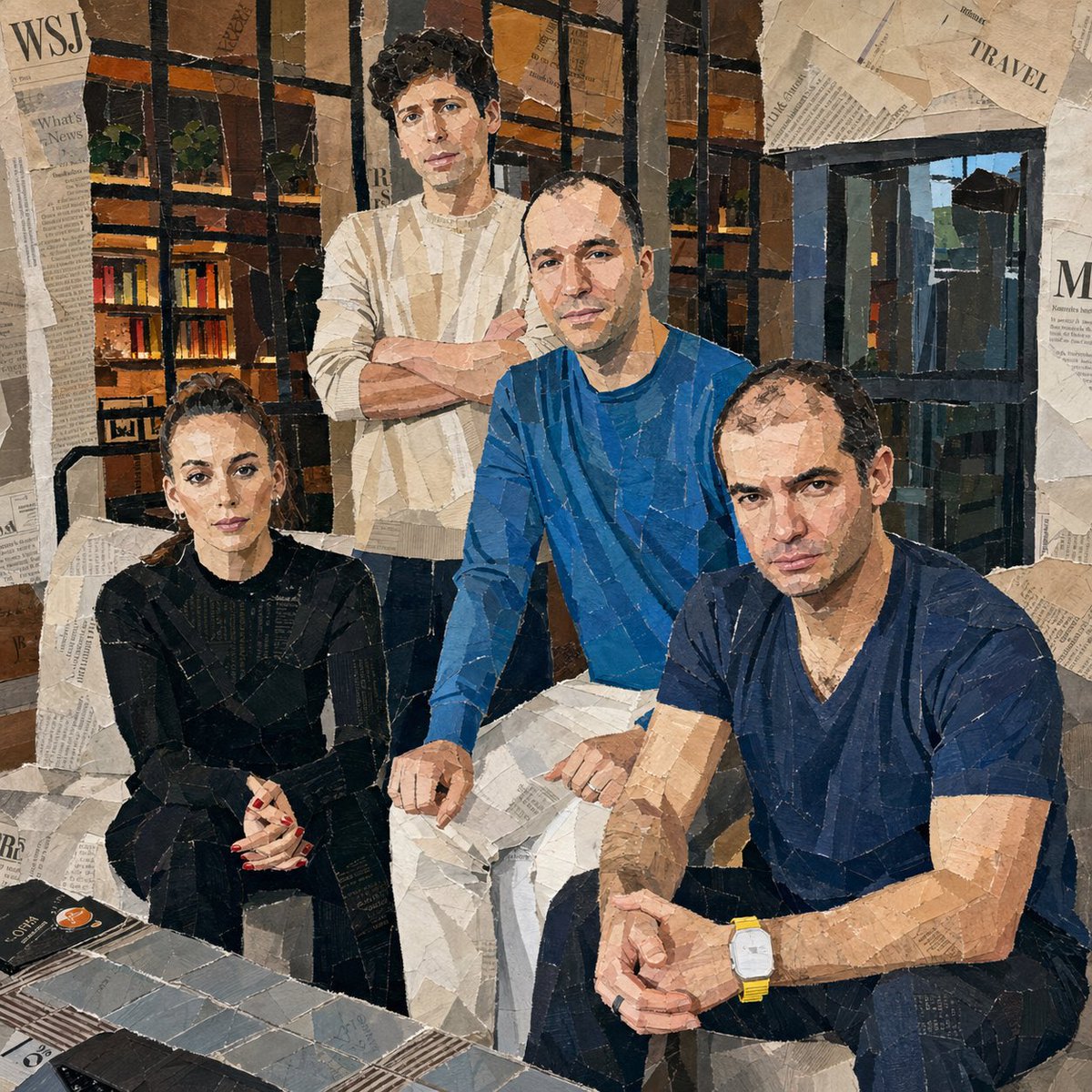
Hand-Torn Paper Collage Art Generator — Sora 2 Prompt
1 / 4
프롬프트 · EN
将附带的图像转换为拼贴艺术作品。使其看起来像是从报纸、杂志和传单上手撕下来并粘贴而成。每一个表情都应使用大块的撕纸来完成。详细呈现纸张上的撕裂边缘、褶皱、重叠部分和胶水痕迹。使用相对较大的纸块,不要太小,并将它们随机放置在不同的角度和方向上,纸张方向要随意旋转。创作出看起来像是人工粗略手工粘贴的真实拼贴画效果。

프롬프트 소개

Transform any image into a realistic hand-torn paper collage with textured edges, wrinkles, and glue marks for authentic mixed-media art. Use it as a 컨셉 아트 starting point for GPT Image 2: keep the visual structure and style constraints intact, then swap in your own subject, brand, or scene.

Start with small changes to subject, scene, camera, and color, then generate a few variations to compare composition and detail without turning the page copy into keyword stuffing.

이 프롬프트 사용법

  1. Copy the full prompt text and paste it into your preferred AI image generation model (Sora 2, Midjourney, DALL·E, etc.).
  2. Attach or reference the source image you want to convert into a collage style.
  3. Adjust style keywords if desired — try adding "vintage," "punk zine," or "colorful" for different vibes.
  4. Set your preferred aspect ratio and resolution for the output.
  5. Generate the image and iterate by tweaking paper size, rotation angles, or layering depth.

FAQ

Sigrid Jin 🌈🙏

@realsigridjin→

게시일
2026년 5월 15일
원본 언어
EN
모델
GPT Image 2
카테고리
컨셉 아트
GPT Image 2컨셉 아트gpt-image-2twitter
조회
4.3K
복사
637
좋아요
304

공유

GPT Image 2의 더 많은 프롬프트

전체 보기
Anime Idol Profile Page — Lavender Art Style Prompt

Anime Idol Profile Page — Lavender Art Style Prompt

@uzuyanurp
Anime Schoolgirls Sharing Transparent Umbrella — Sora 2 Prompt

Anime Schoolgirls Sharing Transparent Umbrella — Sora 2 Prompt

@yB7CqdfoDmrbhgD
Anime Reaction Thumbnail Prompt — Neon Edgy VTuber

Anime Reaction Thumbnail Prompt — Neon Edgy VTuber

@abdiisan

Sora2Hub 프롬프트로 더 빠르게 제작하세요.

검색 가능한 프롬프트 페이지에서 시작해 적합한 모델 컨텍스트로 바로 생성하세요.

프롬프트 탐색

