
GPT Image 2AI 프롬프트
Neon Travel Poster Generator — Sora 2 Prompt
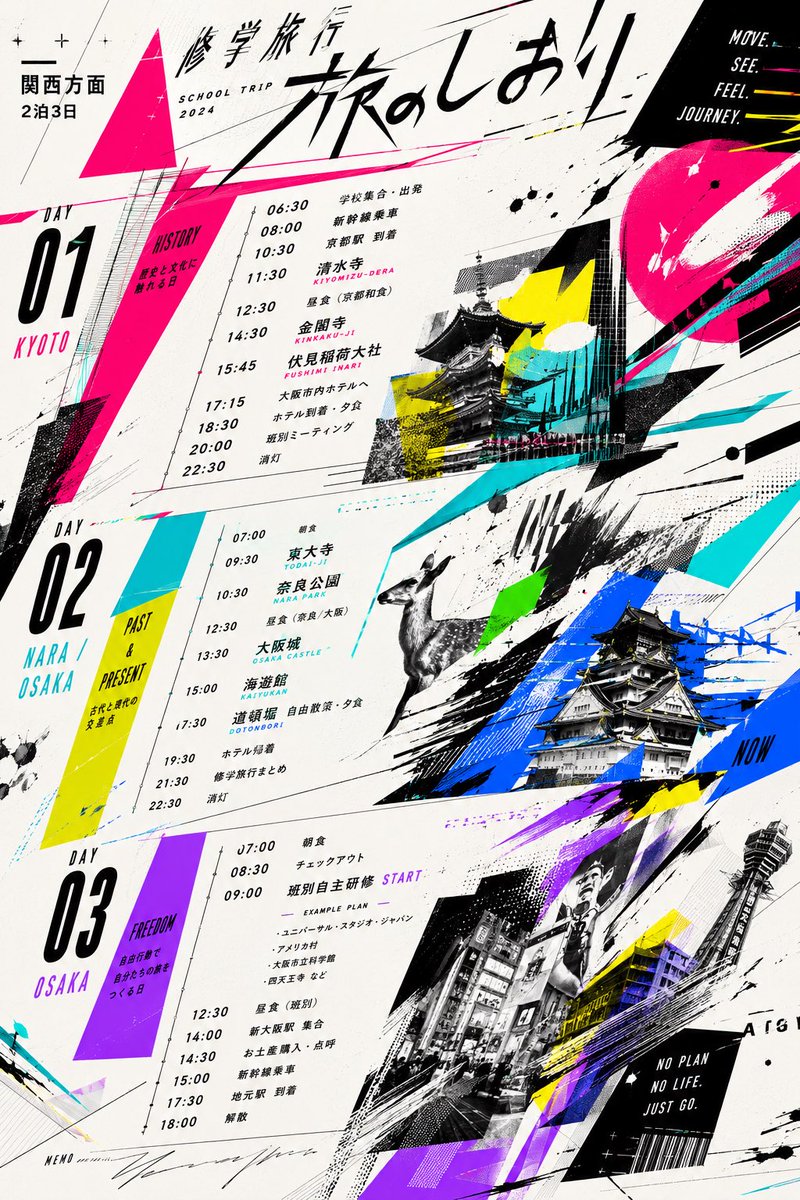
Transforms a dull school trip itinerary into a vibrant, modern magazine-style travel poster with bold collage aesthetics and neon accents.
프롬프트 · EN
使用提供的参考时间表,将其转化为大胆且现代的图形化旅行海报或杂志排版设计,同时保留修学旅行的整体日程结构和关键行程信息。将原本平淡的文档布局替换为动态的对角线构图,使用超大号毛笔书法风格的日语标题 argheadline text: 旅のしおり,以及针对 argtrip duration: 2泊3日 前往 argdestination area: 関西方面 旅行的小标题。将日程精确划分为 3 个大型垂直日期板块:Day 01 京都、Day 02 奈良 / 大阪、Day 03 大阪,保留参考资料中的时间和主要活动,但以简洁的海报文本形式排版,并配以细线条的时间轴。添加高对比度的霓虹色调装饰图形,包括亮粉色、青色、黄色、蓝色、绿色和紫色,并融入尖角三角形、泼墨效果、速度线、半调纹理、箭头、涂鸦以及拼贴风格的覆盖层。添加参考资料中未包含的摄影或插画类旅行图像:京都的寺庙与神社建筑、奈良的鹿、大阪城、繁华的大阪街景以及通天阁/塔楼图像,以倾斜的单色或双色调剪裁面板形式呈现。加入简短的英文标语,如 "SCHOOL TRIP 2024"、"MOVE. SEE. FEEL. JOURNEY."、"NO PLAN NO LIFE JUST GO.",以及如 HISTORY、PAST & PRESENT 和 FREEDOM 等日期主题标签。背景主要采用米白色纸张质感,搭配黑色字体,呈现出充满活力的编辑类街头设计风格,使最终成品看起来像是一份精致的青年旅行手册封面或日程海报,而非正式的讲义。
프롬프트 소개
Transforms a dull school trip itinerary into a vibrant, modern magazine-style travel poster with bold collage aesthetics and neon accents. Use it as a 컨셉 아트 starting point for GPT Image 2: keep the visual structure and style constraints intact, then swap in your own subject, brand, or scene.
Start by replacing headline text, trip duration, and destination area, then keep the camera, composition, and material cues in the same order. This makes the output easier to compare across variations.
이 프롬프트 사용법
- Copy the entire prompt text into your AI model's input field. 2. Select a model like Sora 2 or DALL-E 3 optimized for graphic design and poster layout. 3. Customize the variables
headline text,trip duration, anddestination areato match your specific trip details. 4. Generate the image and iterate on the design by adjusting the style descriptors for your preferred level of neon, texture, or collage intensity.


