
MacBook Neo Technical Exploded View — Sora 2 Prompt
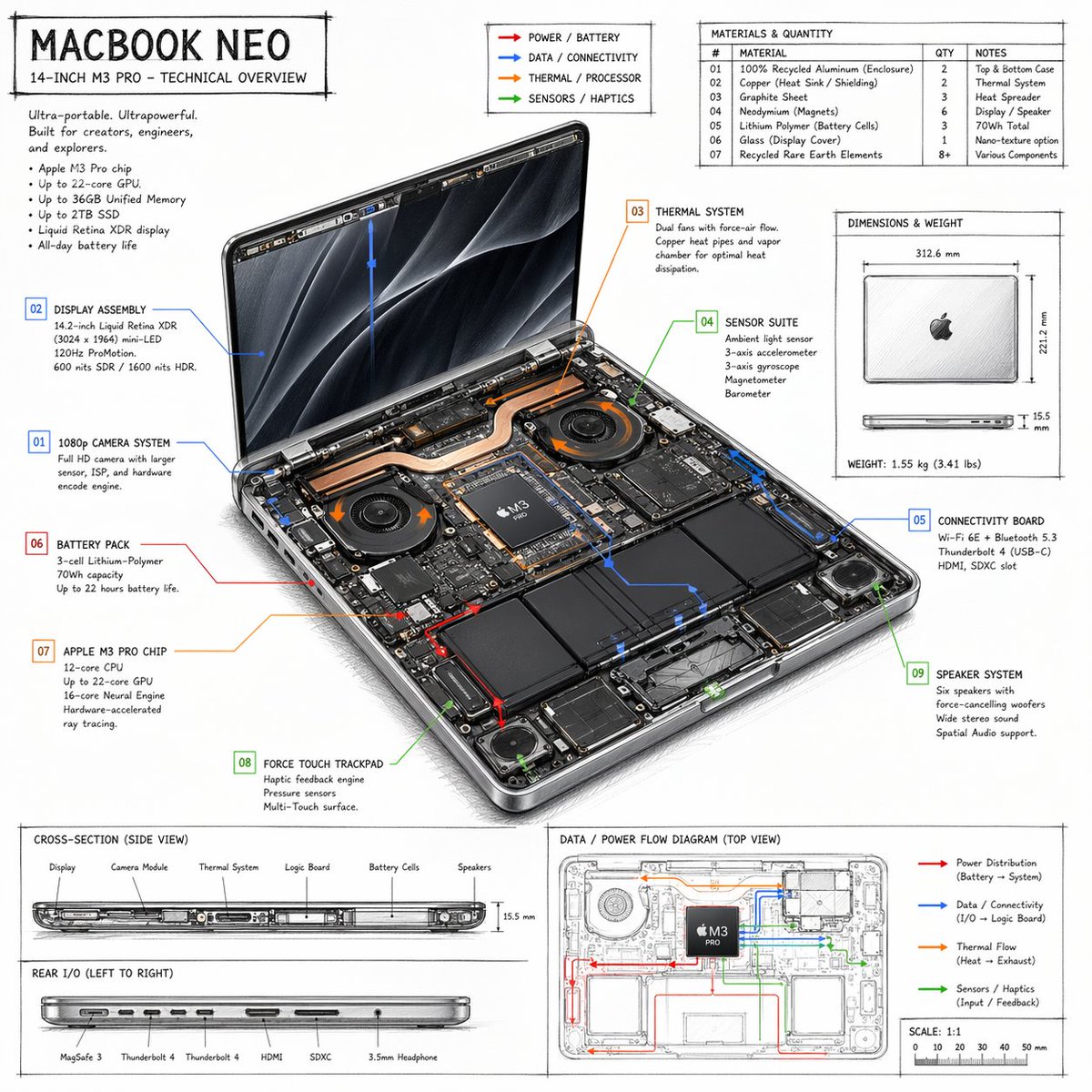
Generate a hand-drawn technical overview infographic of a laptop, complete with labeled internal components, material specs, and data flow diagrams.
프롬프트 소개
Generate a hand-drawn technical overview infographic of a laptop, complete with labeled internal components, material specs, and data flow diagrams. Use it as a 컨셉 아트 starting point for GPT Image 2: keep the visual structure and style constraints intact, then swap in your own subject, brand, or scene.
This prompt is organized as structured JSON with fields such as type, style, product, and layout. Keeping that hierarchy helps the model separate the subject, layout, interface elements, and detail constraints.
Start with small changes to subject, scene, camera, and color, then generate a few variations to compare composition and detail without turning the page copy into keyword stuffing.
이 프롬프트 사용법
- Copy the JSON prompt block.
- Paste it into an AI model like Sora 2 that supports structured prompts.
- Edit the "default" values in curly braces
{}to customize the product name, processor, or accent colors. - Submit the prompt to generate a detailed technical blueprint-style image.
- Use the resulting infographic for presentations, design mockups, or technical documentation.


