
GPT Image 2AI 프롬프트
Surreal Poolside Soda Accident — Sora 2 AI Prompt
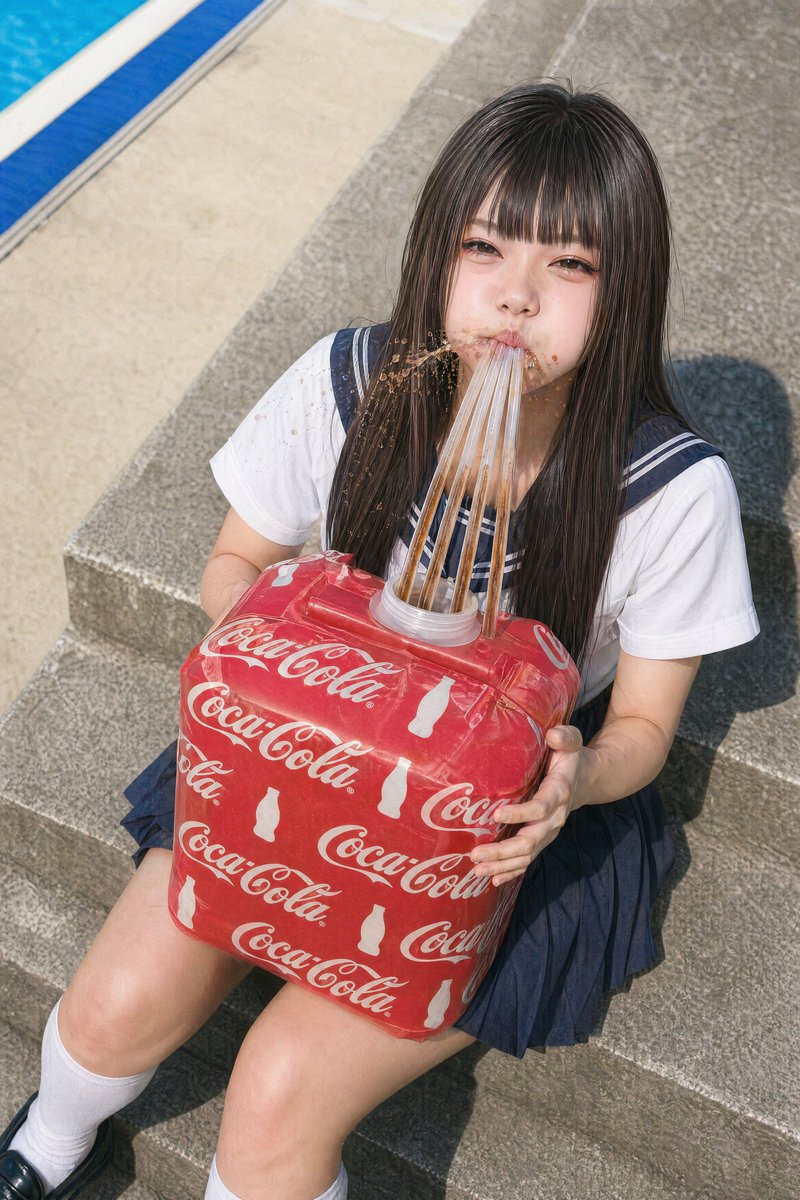
Generate a hyper-realistic, awkwardly comedic photo of a student with a giant branded soda cube and splashing straws for surreal ad or lifestyle art.
프롬프트 · EN
A candid summer photo shot from a slightly high angle of a argsubject age and type: teenage Japanese schoolgirl sitting on wide gray concrete steps beside a bright blue swimming pool. She wears a classic navy-and-white Japanese sailor school uniform with short sleeves, a navy pleated skirt, white knee-high socks, and dark loafers. Her hair is arghair color: long straight dark brown, falling over her shoulders and chest. She is holding an oversized soft cube-shaped drink container wrapped in a vivid red argbrand pattern: Coca-Cola print with repeated white logos and bottle silhouettes. The container has a round plastic opening at the top, and exactly 8 long transparent straws are inserted into the opening, extending upward toward her mouth area. Brown soda is splashing upward around the straws and onto her chest and hair, creating a messy, comedic accident effect. Strong midday sunlight, crisp shadows on the steps, realistic skin and fabric texture, documentary-style fashion photo realism, vertical composition, full seated body visible, poolside leisure setting, awkward surreal commercial-photo mood.
프롬프트 소개
Generate a hyper-realistic, awkwardly comedic photo of a student with a giant branded soda cube and splashing straws for surreal ad or lifestyle art. Use it as a 컨셉 아트 starting point for GPT Image 2: keep the visual structure and style constraints intact, then swap in your own subject, brand, or scene.
Start by replacing subject age and type, hair color, and brand pattern, then keep the camera, composition, and material cues in the same order. This makes the output easier to compare across variations.
이 프롬프트 사용법
- Copy the full prompt text from this page.
- Select your preferred AI image generator (e.g., Sora 2, Midjourney, DALL·E).
- Replace the variables in curly brackets (like
{subject age and type}) with your custom details. - Paste the customized prompt into the model's text field.
- Generate the image and iterate by adjusting the scene or subject descriptions.


