
GPT Image 2AI 프롬프트
Surreal Japanese Tech Poster — Sora 2 Prompt
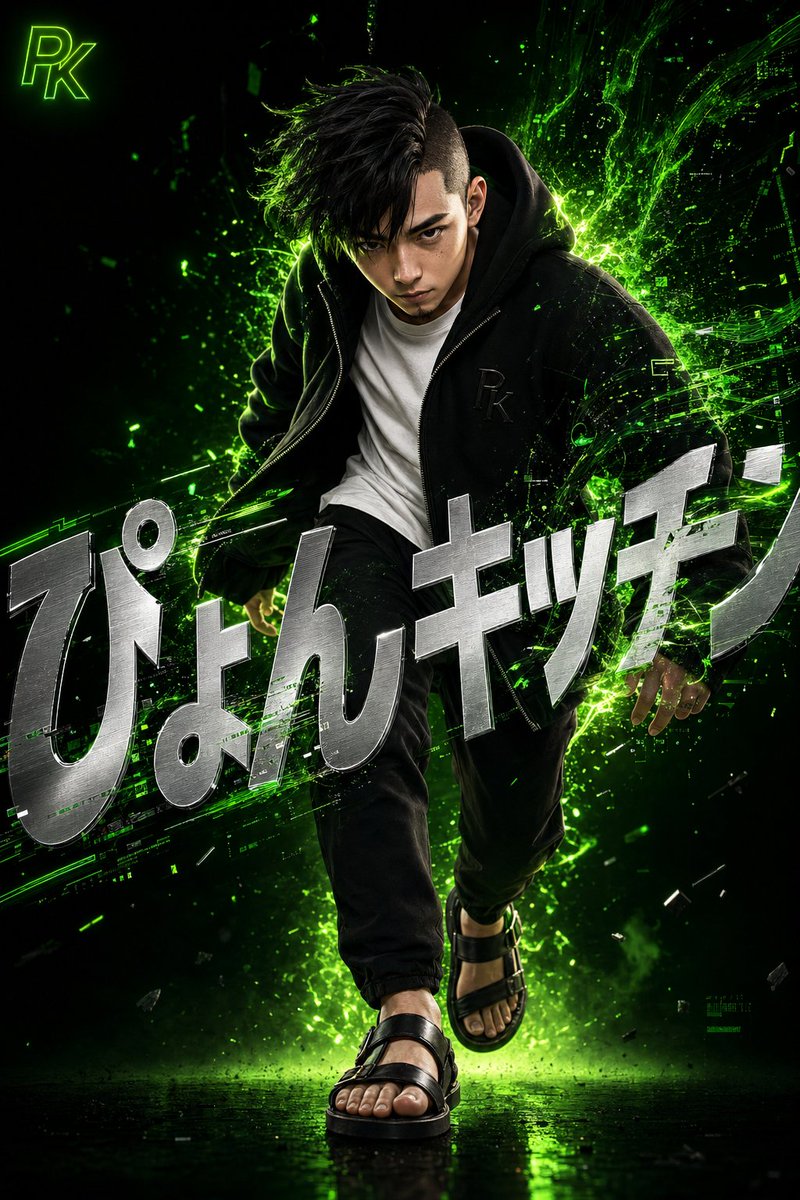
Create a highly detailed 3D digital art poster of a stylish Japanese male with neon green digital energy effects and integrated typography.
프롬프트 · EN
一幅极具细节的超现实动态风格 3D 数字艺术作品。画面捕捉了一位年轻日本男性的瞬间:他留着不对称的铲青黑发,神情锐利且专注,身体微微前倾,仿佛内心深处正迸发出沉稳的自信与能量。精准逼真的 3D 渲染,细腻呈现了皮肤纹理、毛孔及每一根发丝。他身穿一件宽松的黑色拉链连帽衫,胸前带有精致的“argmonogram: PK”浮雕字母,内搭一件简洁的白色圆领 T 恤。下身穿着修身黑色长裤,脚蹬皮凉鞋。鲜艳的霓虹绿数字能量与光粒子从他身后剧烈喷涌而出,盘旋并交织成故障艺术风格的数据流形状,与他的衣物和头发相互作用,象征着科技与人类的融合。背景采用从深黑到发光霓虹绿的深邃渐变,强调了极简而震撼的构图。屏幕上覆盖着巨大的金属银色粗体文字“argtitle: Pyon Kitchen”,采用锐利的现代无衬线字体,经过扭曲和倾斜处理以增强设计感,同时保持易读性,并部分融入能量特效与人物身后,使其成为场景中有机的一部分。在左上角,放置一个发光的霓虹绿小图标“arglogo: PK”。
프롬프트 소개
Create a highly detailed 3D digital art poster of a stylish Japanese male with neon green digital energy effects and integrated typography. Use it as a 컨셉 아트 starting point for GPT Image 2: keep the visual structure and style constraints intact, then swap in your own subject, brand, or scene.
Start by replacing monogram, title, and logo, then keep the camera, composition, and material cues in the same order. This makes the output easier to compare across variations.
이 프롬프트 사용법
- Copy the entire prompt text.
- Select a suitable AI model (e.g., Sora 2 or a comparable text-to-image model).
- Customize the variables in curly braces
{}like{monogram}and{title}to personalize the design. - Paste the modified prompt into the AI model's input field.
- Generate the image and iterate by refining the prompt or variables for your desired result.


