
GPT Image 2AI 프롬프트
Anime Martial Artist Neon Kick — Sora 2 Dynamic Action Prompt
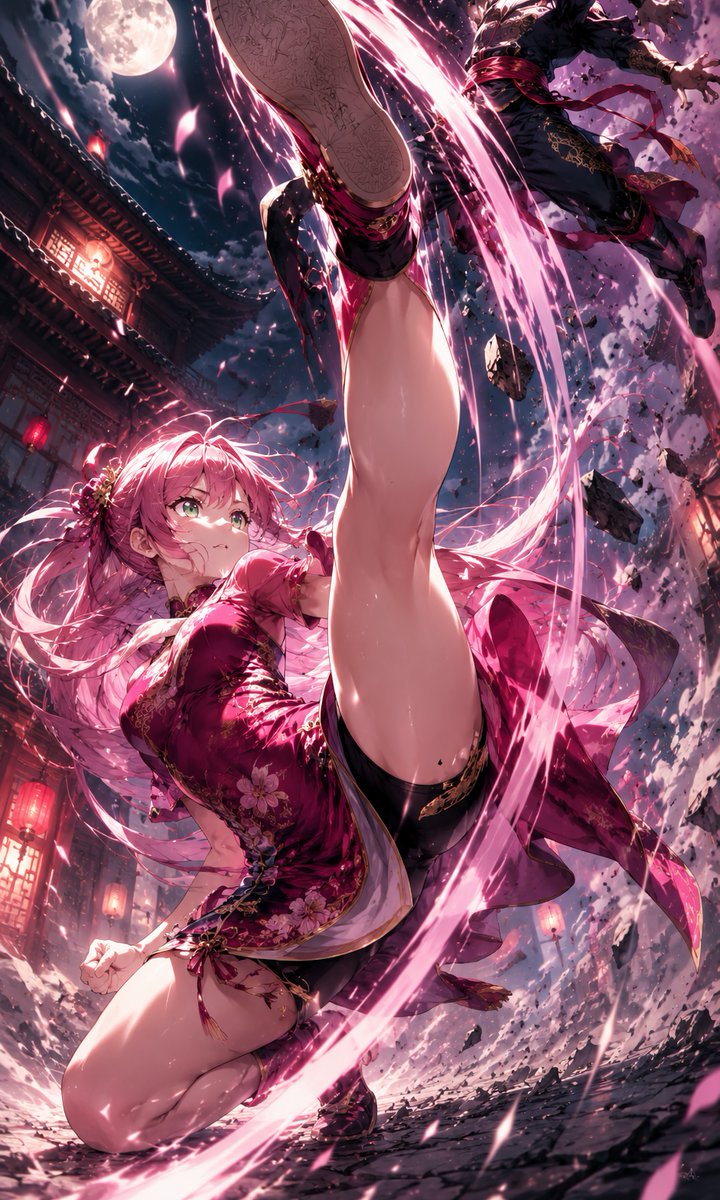
Generate a stunning vertical anime battle scene with a pink-haired martial artist executing a powerful neon energy kick under the moonlight.
프롬프트 · EN
创作一张动态竖屏动漫动作插画,主角是 argcharacter name: 一位粉色头发的女性武术家,采用极具张力的低角度构图。她身穿一件富有光泽的 argoutfit color: 深洋红色 花卉图案中式旗袍短裙,配有金色刺绣、黑色过膝袜、吊带细节和黑色鞋子。画面捕捉她侧身回旋高踢的瞬间,一条腿直接冲向镜头,脚底占据画面上方中心位置,另一条膝盖弯曲靠近地面,长长的粉色秀发和丝带随风飘动,她的脸部被一个平面的玫瑰粉色方形遮挡块刻意遮住。在她周围环绕着一道 argenergy color: 霓虹粉色 的圆形魔法斩击能量带,伴随着明亮的火花、动态轨迹、破碎的石块碎片和飞舞的粉色花瓣。画面右上角包含一个被踢击击退的 argopponent: 身着深色服装的男性忍者对手。场景设定在 argsetting: 月光下的古老东亚街道,背景包括瓦片屋顶、红灯笼光芒、木质建筑、云层密布的夜空中一轮巨大的满月、开裂的地面、电影感碎片、强烈的透视缩短效果、极具冲击力的视角、超精细动漫渲染、高对比度洋红色光影、戏剧性的动作模糊、光泽高光以及精致的奇幻战斗海报美学。
프롬프트 소개
Generate a stunning vertical anime battle scene with a pink-haired martial artist executing a powerful neon energy kick under the moonlight. Use it as a 컨셉 아트 starting point for GPT Image 2: keep the visual structure and style constraints intact, then swap in your own subject, brand, or scene.
Start by replacing character name, outfit color, energy color, and opponent, then keep the camera, composition, and material cues in the same order. This makes the output easier to compare across variations.
이 프롬프트 사용법
- Copy the entire prompt text from the page.
- Choose a compatible AI video or image model (like Sora 2).
- Replace the variables (e.g., {character name}, {outfit color}) with your desired details.
- Paste the customized prompt into your AI model's input field.
- Generate and refine until you achieve your perfect cinematic action shot.


