
GPT Image 2AI 프롬프트
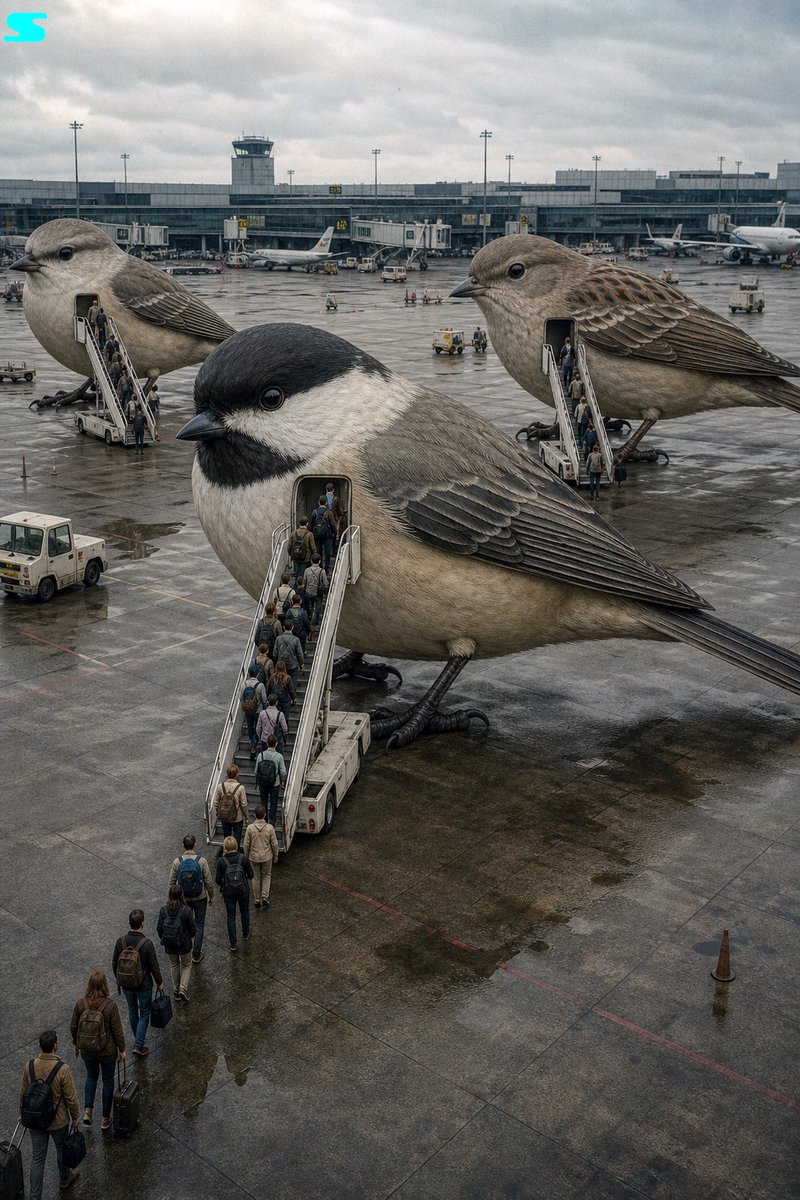
Surreal Giant Bird Airplane — Cinematic Vintage Prompt
Create a high-angle cinematic photo of a giant bird acting as an airplane at an airport, with passengers boarding via airstairs in a soft, retro Kodak film aesthetic.
프롬프트 · EN
[电影剧照], [高角度], [argmain subject: 充当飞机的超现实巨鸟], [穿着商务休闲装和旅行装、背着背包的微型人类乘客], [通过移动式机场登机梯登上巨鸟], [背景是带有航站楼的机场停机坪], [柔和的复古色调,带有去饱和的中性色], [阴天的自然光,氛围既异想天开又平凡], [轻微的胶片颗粒感和深景深], [argcamera settings: Kodak Portra 400 + 35mm 广角镜头]
프롬프트 소개
Create a high-angle cinematic photo of a giant bird acting as an airplane at an airport, with passengers boarding via airstairs in a soft, retro Kodak film aesthetic. Use it as a 컨셉 아트 starting point for GPT Image 2: keep the visual structure and style constraints intact, then swap in your own subject, brand, or scene.
Start by replacing main subject and camera settings, then keep the camera, composition, and material cues in the same order. This makes the output easier to compare across variations.
이 프롬프트 사용법
- Copy the full prompt text from the page.
- Choose an AI image generator that supports Sora 2 or similar long-form prompts (e.g., Sora, Runway Gen-3).
- Tweak the
{main subject}and{camera settings}variables to customize the bird species or film stock. - Paste the prompt into the model's input field and generate.
- Experiment with aspect ratios—wider formats enhance the cinematic airport scene.


