GPT Image 2AI 프롬프트
Watercolor & Fine Lines Art Prompt — Sora 2
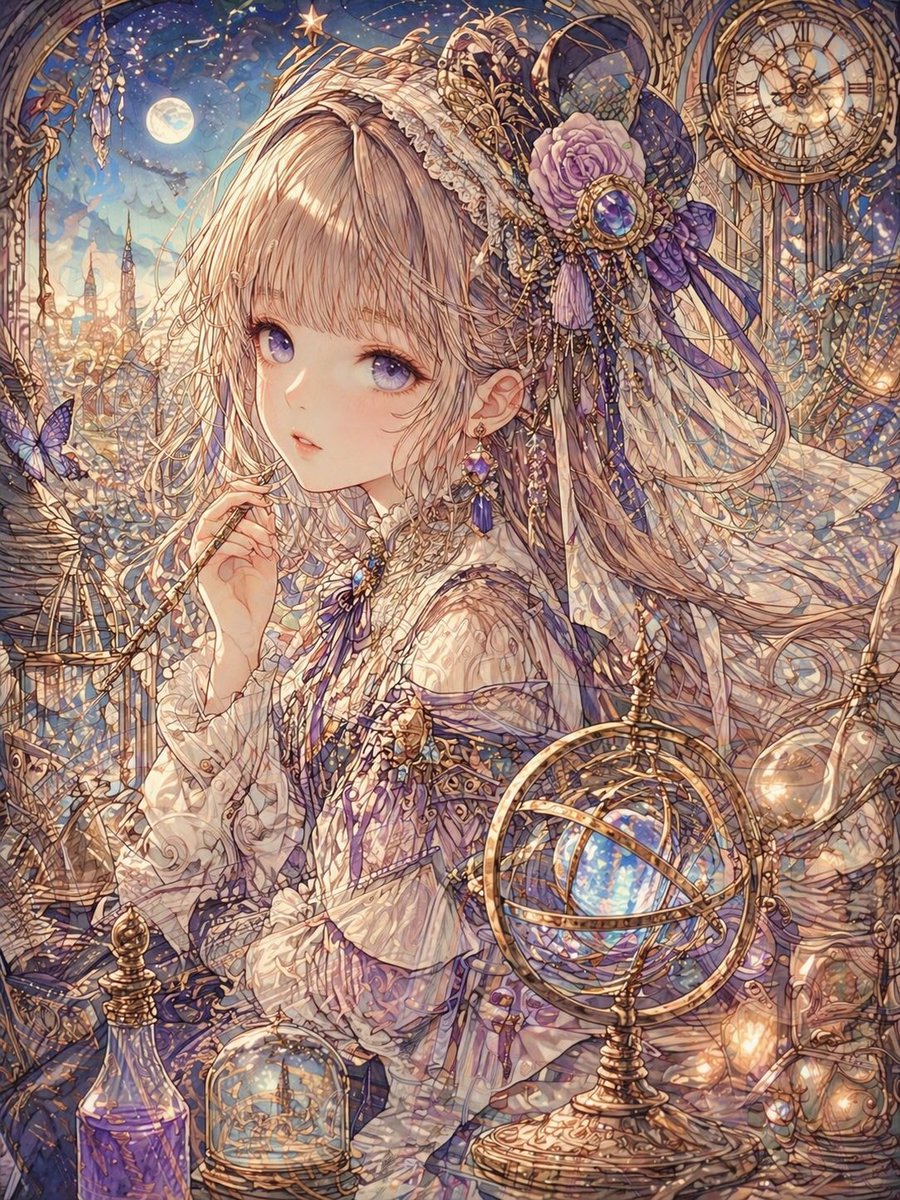
Create intricate fine-line art with watercolor glazes, metallic highlights, and soft glow effects for rich, layered digital illustrations.
프롬프트 · EN
超细均匀线条艺术,头发绘制为细密的重叠束状,水彩釉面呈现透明感,叠加发光效果营造柔和光影,金属部分带有 argmetallic texture: 金箔风格 的高光与反射,低对比度 argcolor scheme: 柔和色调与金色,装饰布局保持 argdecoration density: 高密度 的同时兼顾节奏感,利用空气透视和模糊效果增加深度,背景绘制密度与主体保持一致。
프롬프트 소개
Create intricate fine-line art with watercolor glazes, metallic highlights, and soft glow effects for rich, layered digital illustrations. Use it as a 컨셉 아트 starting point for GPT Image 2: keep the visual structure and style constraints intact, then swap in your own subject, brand, or scene.
Start by replacing metallic texture, color scheme, and decoration density, then keep the camera, composition, and material cues in the same order. This makes the output easier to compare across variations.
이 프롬프트 사용법
- Copy the full prompt text from the page.
- Paste it into your AI model (Sora 2, Midjourney, or compatible generator).
- Customize variables like metallic texture, color scheme, and decoration density to fit your vision.
- Generate and refine — adjust values and regenerate until the output matches your desired style and density.