
GPT Image 2AI 프롬프트
Anime Rainy Street Fashion with Rainbow — Sora 2 Prompt
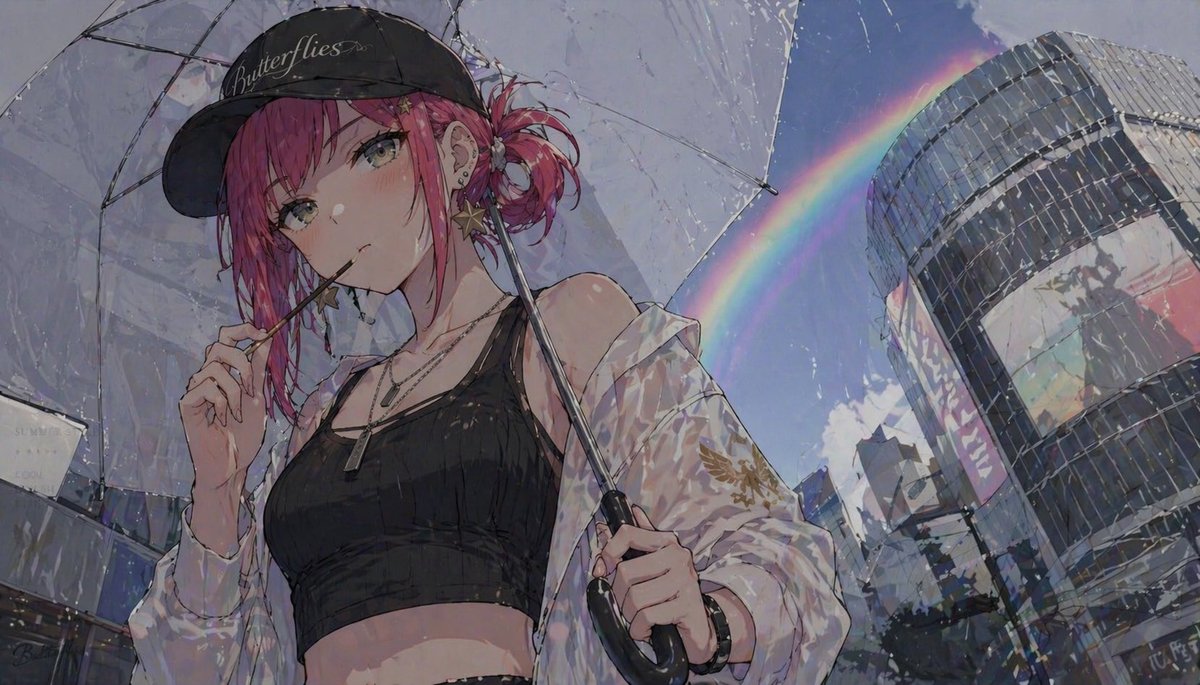
Generate a cinematic anime illustration of a girl with a transparent umbrella in the rain under a rainbow, ideal for music covers and character art.
프롬프트 · EN
一张时尚的动漫插画,描绘了一位年轻女性站在雨中的现代城市街道上,采用极具张力的低角度视角。她留着 arghair color: 鲜艳粉色 的头发,扎着凌乱的低侧发髻,几缕碎发垂在脸颊两侧,皮肤白皙,有着清冷而略显疏离的浅灰绿色双眸。她戴着一顶黑色棒球帽,上面用优雅的白色手写体写着 argcap text: Butterflies,耳朵上有多个小耳环,并佩戴着垂坠的金色星形耳饰。她嘴里随意地衔着一根细棍,像棒棒糖棍或糖果棒,末端带有小星星装饰,一只手轻轻触碰着它。她的装扮是街头时尚风格,在雨中泛着微微的光泽:黑色短款背心,一件从肩头滑落的超大款半透明白色外套,其中一只袖子上带有精致的金色图案,叠戴的银色项链,以及一只深色腕表。她右手握着一把透明雨伞,伞面可见湿润的反光和雨滴。背景右侧是一座巨大的弧形玻璃建筑,下方是模糊的城市建筑,雨过天晴,明亮的蓝天显露出来,一道鲜艳的彩虹在右上方的天空中划出一道弧线。强调闪烁的湿润表面、折射的光线、晶莹的雨丝、反光的玻璃以及略显明亮的虹彩光晕。高细节的漫画风格线条,柔和的绘画式阴影,亮丽的高光,电影级的构图,时尚的都市氛围,精致而华丽的质感。
프롬프트 소개
Generate a cinematic anime illustration of a girl with a transparent umbrella in the rain under a rainbow, ideal for music covers and character art. Use it as a 컨셉 아트 starting point for GPT Image 2: keep the visual structure and style constraints intact, then swap in your own subject, brand, or scene.
Start by replacing hair color and cap text, then keep the camera, composition, and material cues in the same order. This makes the output easier to compare across variations.
이 프롬프트 사용법
- Copy the prompt and paste it into your chosen AI image generator.
- Customize the
{hair color}(e.g., "vibrant pink") and{cap text}(e.g., "Butterflies") variables. - Use a model optimized for anime or high-detail illustration (e.g., Sora 2, Midjourney, Niji).
- Set your preferred aspect ratio and resolution, then generate.
- Experiment with different settings to refine the cinematic urban look.


