
GPT Image 2AI 프롬프트
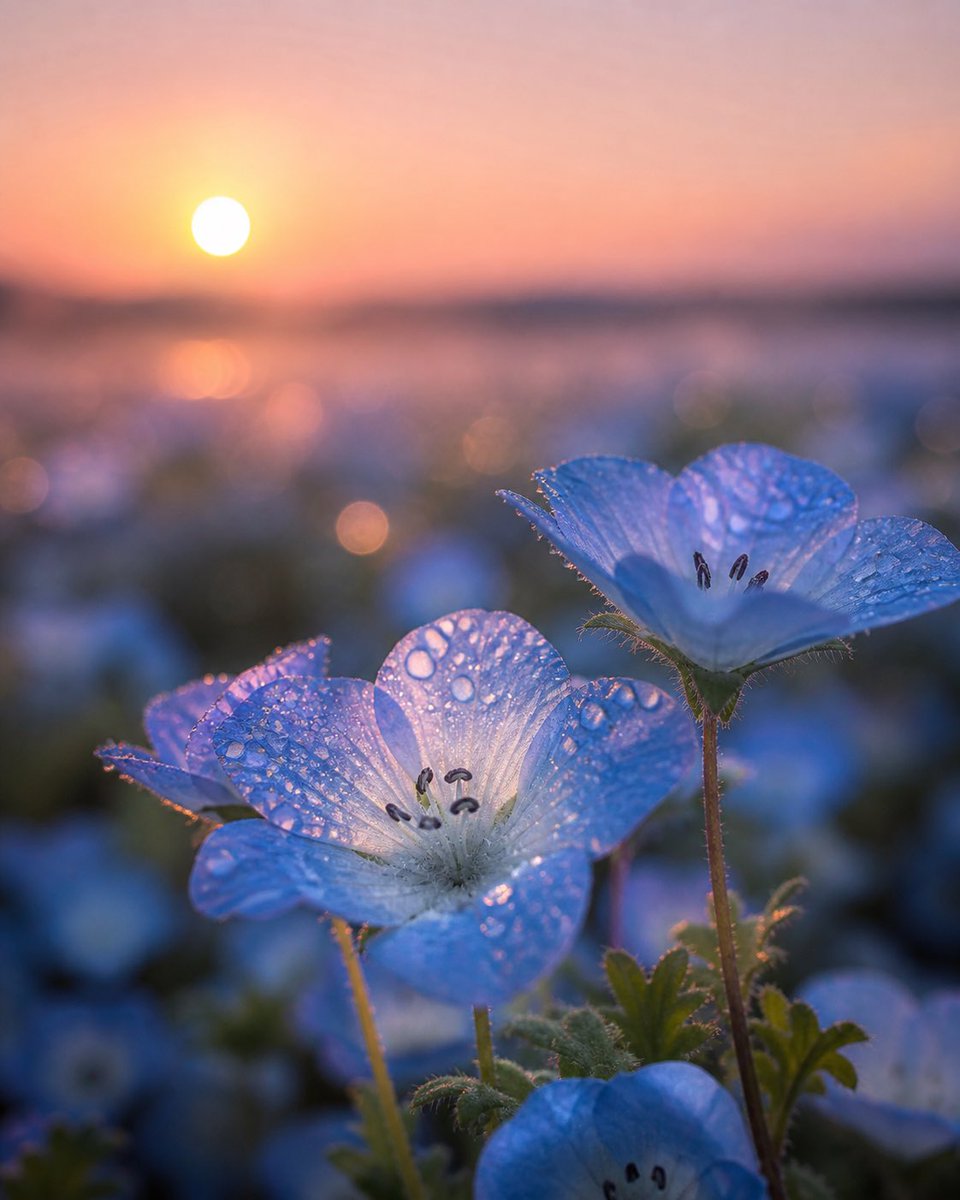
Dewy Blue Butterfly Flower Macro — Dawn Close-Up Sora 2 Prompt
Generate a hyper-realistic macro photo of dew-covered blue butterfly flowers at sunrise, with cinematic bokeh and golden rim lighting, perfect for ethereal botanical art.
프롬프트 · EN
创作一张 argflower type: 蓝色粉蝶花 的微距特写照片,拍摄于日出时分,采用极低角度穿梭于花丛中。前景中清晰可见 3 朵主体花卉:中间是一朵硕大的淡蓝色花朵,半透明的花瓣上布满圆润的露珠;右侧是一朵略高、焦点锐利且可见深色雄蕊的花朵;底部边缘处有一朵部分可见的花朵;其余花海则融入柔和的蓝绿色虚化背景中。使用温暖的 argsunrise color: 桃粉色与橙色 天空,太阳作为一轮微小的发光圆盘位于左上角地平线附近,将金色的边缘光投射穿过花瓣,使露珠闪烁。强调细腻的花瓣脉络、茎叶上的细小绒毛、晶莹的水滴、浅景深、梦幻的电影感氛围、自然镜头光晕、柔和的背景虚化、高动态范围、写实植物微距风格,采用竖构图,画面中无人、无建筑物、无文字。
프롬프트 소개
Generate a hyper-realistic macro photo of dew-covered blue butterfly flowers at sunrise, with cinematic bokeh and golden rim lighting, perfect for ethereal botanical art. Use it as a 컨셉 아트 starting point for GPT Image 2: keep the visual structure and style constraints intact, then swap in your own subject, brand, or scene.
Start by replacing flower type and sunrise color, then keep the camera, composition, and material cues in the same order. This makes the output easier to compare across variations.
이 프롬프트 사용법
- Copy the full prompt text from the page.
- Paste it into your chosen AI image generator (like Sora 2, Midjourney, or Stable Diffusion).
- Customize the
[flower type]and[sunrise color]variables to match your vision. - Generate and refine your image until you achieve the desired dreamy, detailed result.


