
GPT Image 2AI 프롬프트
Consistent Product Suite Photography — Sora 2 Prompt
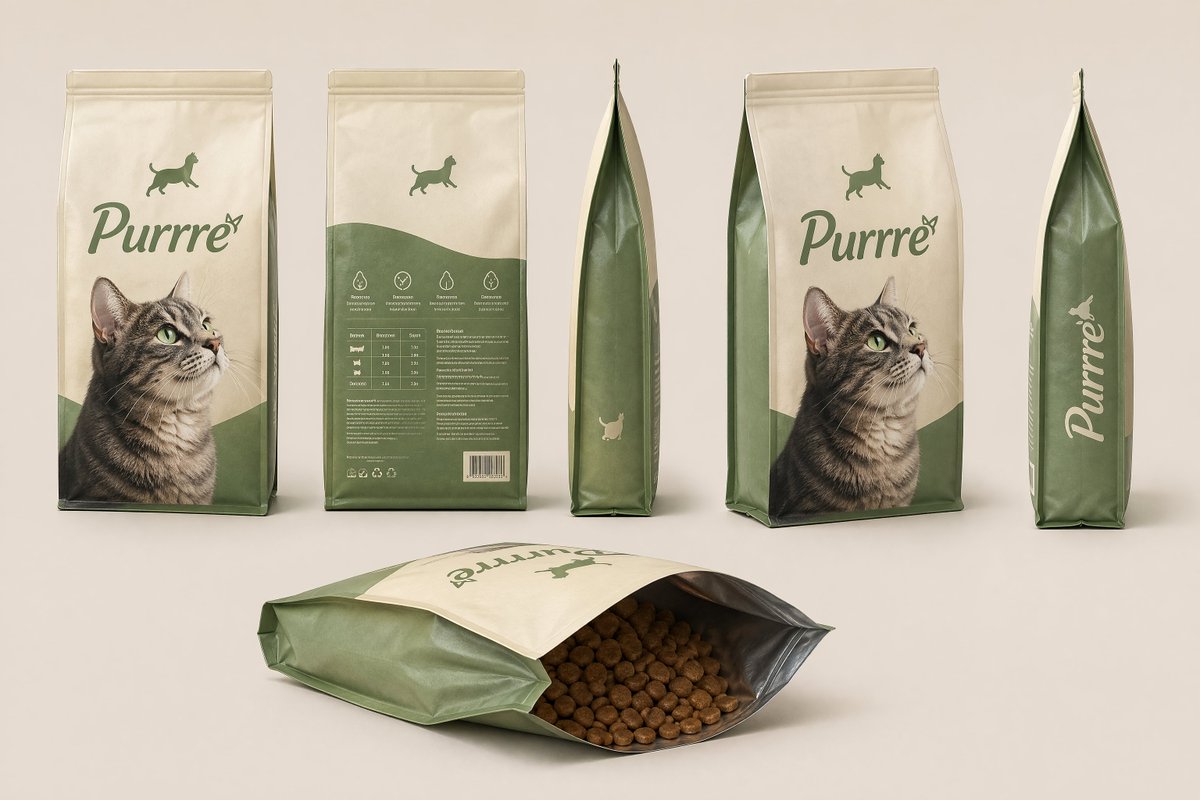
Generate a cohesive product photography suite with front, back, side, 3/4, and open-packaging views on a neutral background.
프롬프트 · EN
为“argproduct name: Purrre”(argproduct type: 猫粮)创建一个简洁的产品套件。展示同一产品在多个视角下的一致性视图(正面、背面、侧面、3/4 视角、包装打开状态)。风格:摄影棚产品摄影、中性背景、柔和光照、高细节、无设计偏差、无文字。
프롬프트 소개
Generate a cohesive product photography suite with front, back, side, 3/4, and open-packaging views on a neutral background. Use it as a 컨셉 아트 starting point for GPT Image 2: keep the visual structure and style constraints intact, then swap in your own subject, brand, or scene.
Start by replacing product name and product type, then keep the camera, composition, and material cues in the same order. This makes the output easier to compare across variations.
이 프롬프트 사용법
- Copy the prompt from this page.
- Paste it into a compatible AI image generator such as Sora 2, Midjourney, or Stable Diffusion.
- Replace the placeholder variables
{product name}and{product type}with your actual product name and type (e.g., "Purrre" and "cat food"). - Generate images, ensuring the model is set to produce high-detail, photorealistic output.
- Review the suite for consistency; if needed, tweak prompt details or regenerate individual views.


