
GPT Image 2AI 프롬프트
Cinematic Calligraphy Portrait Prompt
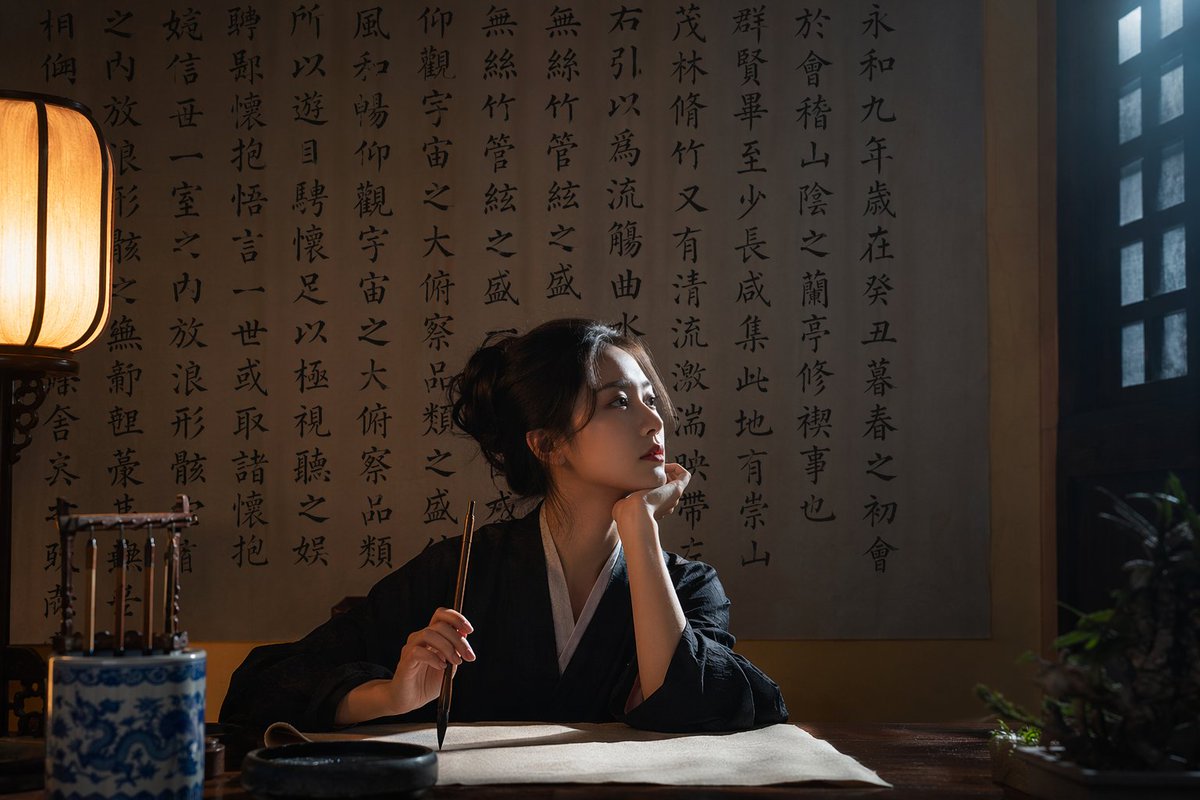
Generate a hyper-realistic, film-like image of a figure in traditional attire writing calligraphy in a moody study, ideal for artistic and concept art projects.
프롬프트 · EN
一张极具写实感、电影质感的照片,画面中 argsubject description: 一位年轻的亚洲女性 身着 argclothing: 传统的黑白汉服,坐在一间光线昏暗的传统书房的深色木桌前。她右手握着一支毛笔,悬于空白卷轴之上,左手托腮,神情 argexpression: 沉思且专注 地望向右侧的格栅窗。背景是一面挂满 argbackground calligraphy: 传统中国书法 的大墙。场景由 arglighting style: 具有冷暖对比的戏剧性电影光效 照亮,左侧的传统纸灯笼散发出温暖的光芒,而窗外射入冷色调的自然光。桌上摆放着砚台、青花瓷笔架和一盆小绿植,营造出一种质感精致、氛围浓郁的意境。
프롬프트 소개
Generate a hyper-realistic, film-like image of a figure in traditional attire writing calligraphy in a moody study, ideal for artistic and concept art projects. Use it as a 컨셉 아트 starting point for GPT Image 2: keep the visual structure and style constraints intact, then swap in your own subject, brand, or scene.
Start by replacing subject description, clothing, expression, and background calligraphy, then keep the camera, composition, and material cues in the same order. This makes the output easier to compare across variations.
이 프롬프트 사용법
- Copy the prompt and paste it into your preferred AI image generator (e.g., Sora, Midjourney, Stable Diffusion).
- Replace the sample variables (like subject description, clothing, expression) with your own descriptions to customize the scene.
- Select a model that excels in realism and cinematic lighting to achieve the intended atmosphere.
- Adjust the prompt’s arguments for different moods—try changing the lighting style or background calligraphy for variation.
- Generate the image and refine as needed, re-running with tweaked variables to perfect the composition.


