
GPT Image 2AI 프롬프트
Melancholy Puppet Watercolor — Sora 2 Prompt
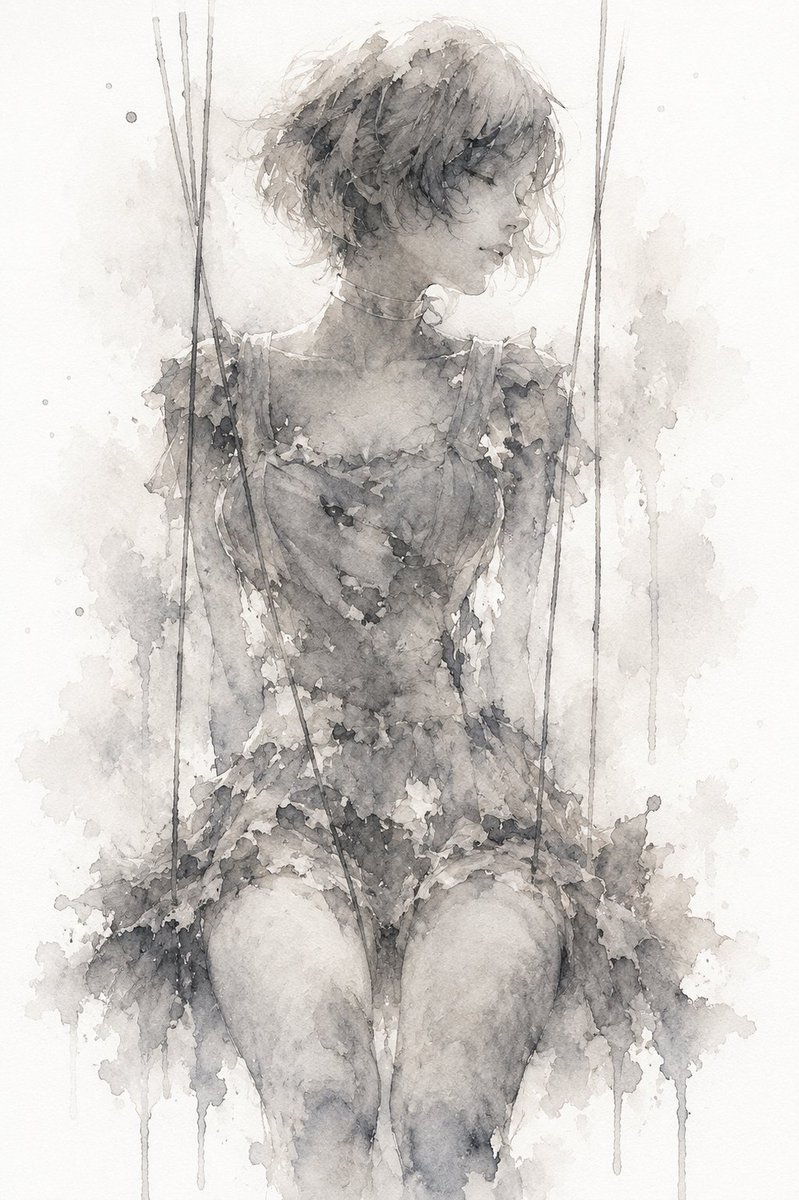
Generate a haunting monochrome watercolor illustration of a faceless marionette girl, perfect for creating poetic, dark, emotional concept art.
프롬프트 · EN
在纹理质感的灰白色纸张上创作一幅忧郁的单色水彩插画:一位脆弱的年轻木偶女性正面端坐,双膝并拢,露出从大腿到头部的躯干,由 6 根垂直的细木偶线悬挂,左侧 3 根,右侧 3 根,线条延伸至画纸上边缘之外。她穿着一件破旧的蕾丝风格无袖连衣裙,颜色为 argdress color: 水洗炭灰色,肩部、领口、腰部和裙摆处饰有撕裂的碎花褶边。她的姿态无力而顺从,双肩微微下垂,双臂垂在身体两侧,仿佛被绳线操控。为她设计 arghair color: 柔和灰白色 的凌乱短发,松散地挽成一个蓬乱的侧发髻,带有散落的发丝和模糊的水彩边缘。用一块平整且不透明的 argface censor color: 中灰色 正方形遮盖面部,居中覆盖在脸部区域,营造出一种匿名且令人不安的氛围。使用细腻的墨水质感铅笔线条勾勒绳线和轮廓,叠加灰色水洗效果、颗粒感颜料、晕染、纸张污渍、水彩滴落痕迹,并在身体周围添加喷溅纹理。背景保持大面积留白,带有淡灰色水洗云雾和垂直滴落效果,强调孤独感、控制感以及木偶自以为自由却身不由己的情绪。画面中无任何可读文字,无边框,无鲜艳色彩,非写实摄影风格。
프롬프트 소개
Generate a haunting monochrome watercolor illustration of a faceless marionette girl, perfect for creating poetic, dark, emotional concept art. Use it as a 컨셉 아트 starting point for GPT Image 2: keep the visual structure and style constraints intact, then swap in your own subject, brand, or scene.
Start by replacing dress color, hair color, and face censor color, then keep the camera, composition, and material cues in the same order. This makes the output easier to compare across variations.
이 프롬프트 사용법
- Copy the entire prompt text from the page.
- Open your chosen AI image generation tool (e.g., Sora 2, Midjourney).
- Customize the variables like
{dress color}and{hair color}to your desired palette. - Paste the prompt into the generation field and run it.
- Iterate on the output by tweaking the prompt details for your ideal melancholic artwork.


