
GPT Image 2AI 프롬프트
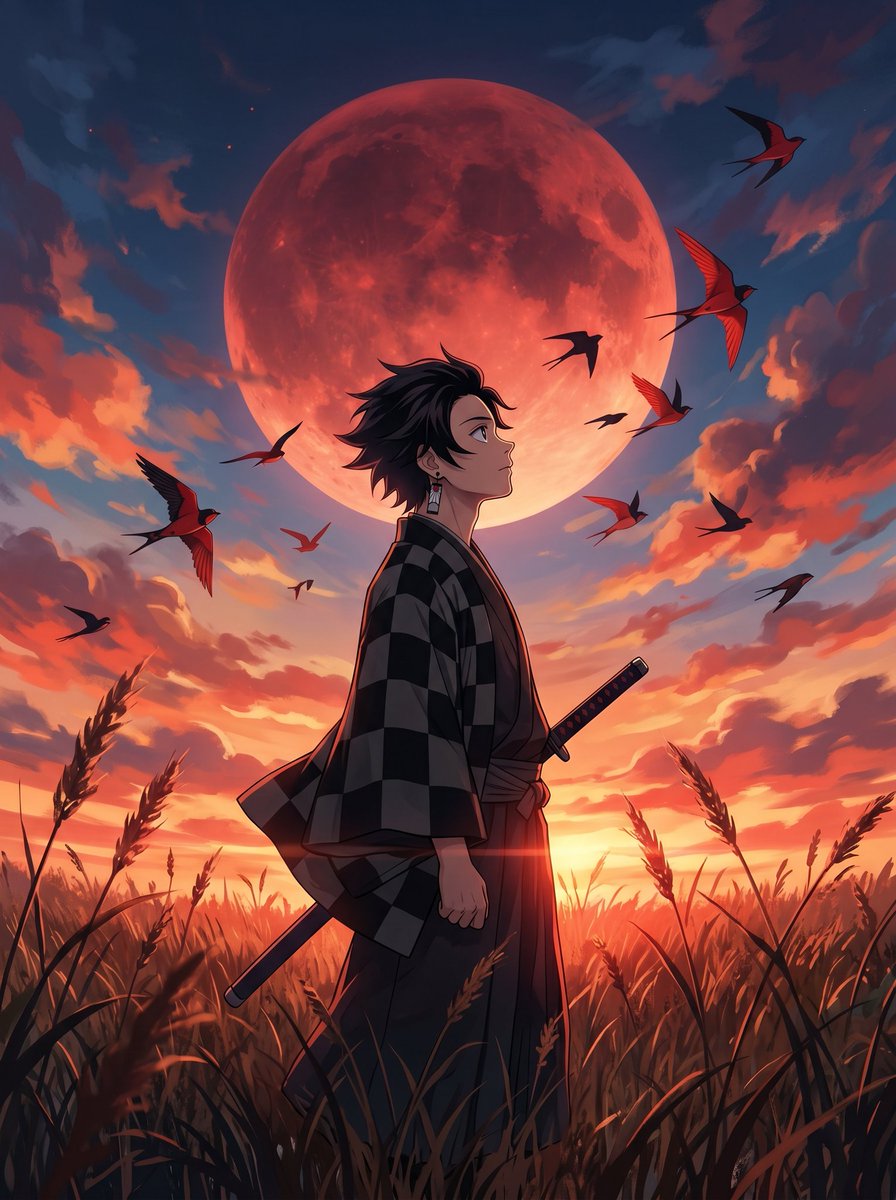
Cinematic Anime Warrior Under Crimson Moon — Sora 2 Prompt
Create a stunning cinematic anime scene of a warrior standing in golden grasslands beneath a giant crimson moon, featuring dramatic sunset skies and dynamic bird silhouettes.
1 / 2
프롬프트 · EN
一位 argsubject: 年轻的男性动漫战士 伫立在 arglandscape: 广阔的金色野草地 中,采用低角度侧面拍摄视角。他身穿深黑灰格子羽织/和服,腰间别着一把武士刀。他短促的黑色刺猬头随风微动,佩戴着小巧的长方形垂坠耳环。他抬头望向天空,神情平静而坚定。在他身后,一轮 argbackground feature: 巨大的深绯红色满月 占据了背景天空。天空呈现出鲜艳的日落色调——炽热的橙色、珊瑚红和深靛蓝色——地平线上散布着富有戏剧性的绘画感云层。一群翅膀尖锐的红黑色鸟类(燕子/雨燕)在天空中向四面八方动态飞翔,为画面增添了动感与活力。前景中,野草和麦秆沐浴在温暖的红橙色逆光下,营造出电影般的剪影效果。艺术风格:电影感动漫插画、超精细 2D 数字绘画、赛璐珞风格结合柔和的绘画质感、充满情绪的氛围光、逆光黄金时刻与深邃的阴影对比、绯红、琥珀色、靛蓝和炭灰色的鲜艳饱和色调。长宽比:9:16 竖屏。氛围:史诗感、沉思、忧郁。
프롬프트 소개
Create a stunning cinematic anime scene of a warrior standing in golden grasslands beneath a giant crimson moon, featuring dramatic sunset skies and dynamic bird silhouettes. Use it as a 컨셉 아트 starting point for GPT Image 2: keep the visual structure and style constraints intact, then swap in your own subject, brand, or scene.
Start by replacing subject, landscape, and background feature, then keep the camera, composition, and material cues in the same order. This makes the output easier to compare across variations.
이 프롬프트 사용법
- Copy the full prompt text from the page.
- Select your preferred AI video/image model (e.g., Sora 2, Runway Gen-3, Kling).
- Customize the bracketed variables like
{subject},{landscape}, and{background feature}to fit your creative vision. - Paste the prompt into the model's input field and set the aspect ratio to 9:16 vertical.
- Generate the image or video and refine by adjusting style keywords if needed.


