
GPT Image 2AI 프롬프트
Rinpa Gold-Leaf Portrait — Sora 2 Prompt
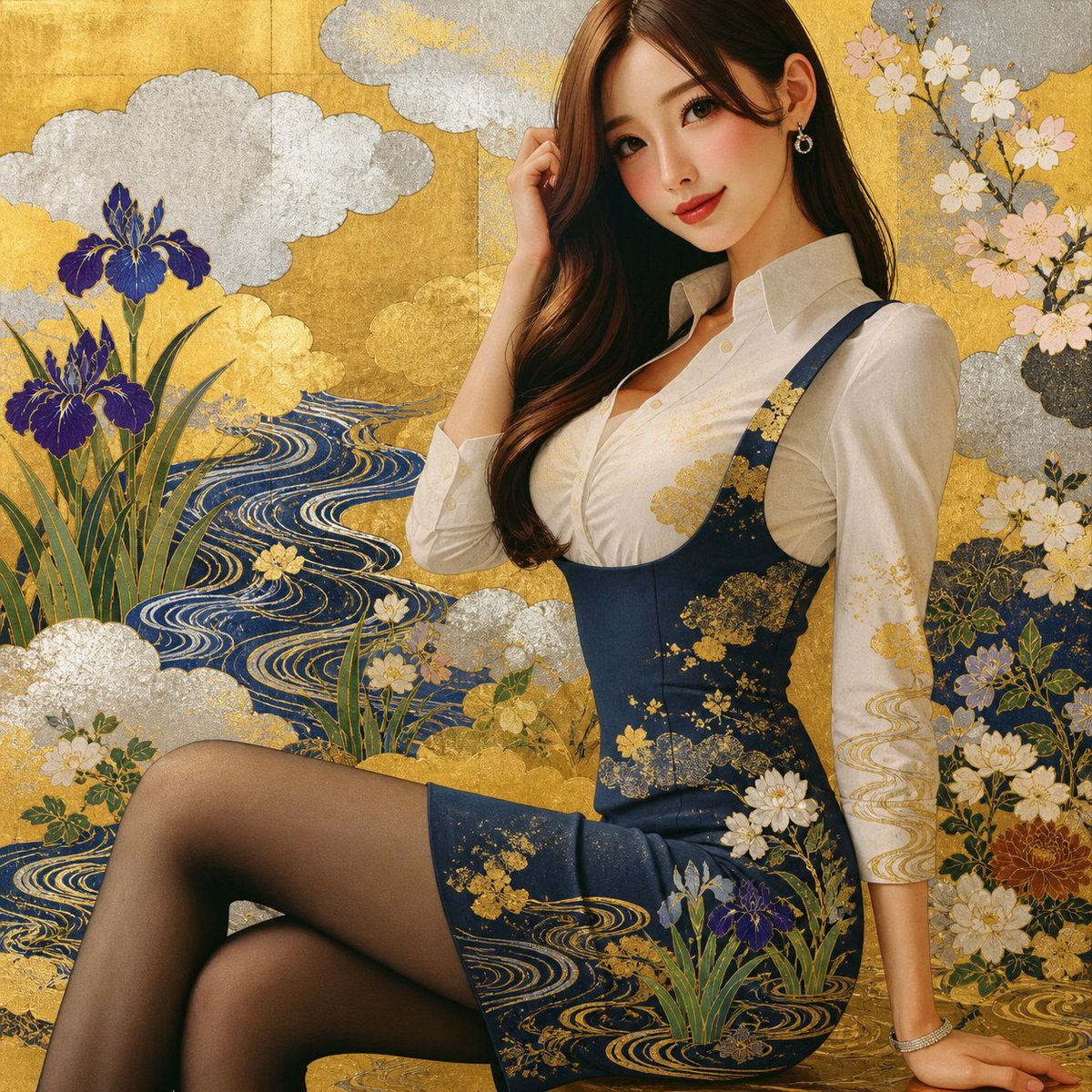
Transforms any portrait into a lavish Japanese Rinpa-school gold-leaf screen painting with ornate floral and wave motifs.
프롬프트 · EN
Using the provided reference image, transform it into an ornate Japanese Rinpa-school decorative painting style while preserving the woman’s pose, proportions, outfit silhouette, anonymized face block, and overall framing. Replace the modern office/window background with a lavish gold-leaf folding-screen composition. Add 5 main decorative motif groups: 1) textured gold and silver leaf cloud shapes, 2) flowing deep-blue stylized water with gold wave lines, 3) purple irises with long green leaves on the left and lower foreground, 4) pale cherry blossoms on branches in the upper right, and 5) layered white, gold, and muted floral clusters around the lower and right edges. Integrate the same Rinpa motifs onto the navy dress and white blouse as if painted or gilded on the fabric, especially gold floral sprays and wave patterns, while keeping the subject photorealistic enough to match the reference. Use rich metallic texture, elegant Japanese screen-painting ornamentation, dense decorative layering, and a harmonious gold, navy, ivory, green, and violet palette.
프롬프트 소개
Transforms any portrait into a lavish Japanese Rinpa-school gold-leaf screen painting with ornate floral and wave motifs. Use it as a 컨셉 아트 starting point for GPT Image 2: keep the visual structure and style constraints intact, then swap in your own subject, brand, or scene.
Start with small changes to subject, scene, camera, and color, then generate a few variations to compare composition and detail without turning the page copy into keyword stuffing.
이 프롬프트 사용법
- Copy the full prompt text above.
- Open your preferred AI image model (e.g., Sora 2, Midjourney, DALL-E).
- Paste the prompt and attach your reference portrait image.
- Adjust the outfit colors, motif placement, or floral species to taste.
- Generate and upscale for best metallic texture detail.


