
Rust Harsh Wilderness Screenshot — Sora 2 Prompt
Generate a realistic Rust screenshot featuring makeshift bases, resource gathering, and the game's distinctive post-apocalyptic wilderness with authentic lighting.
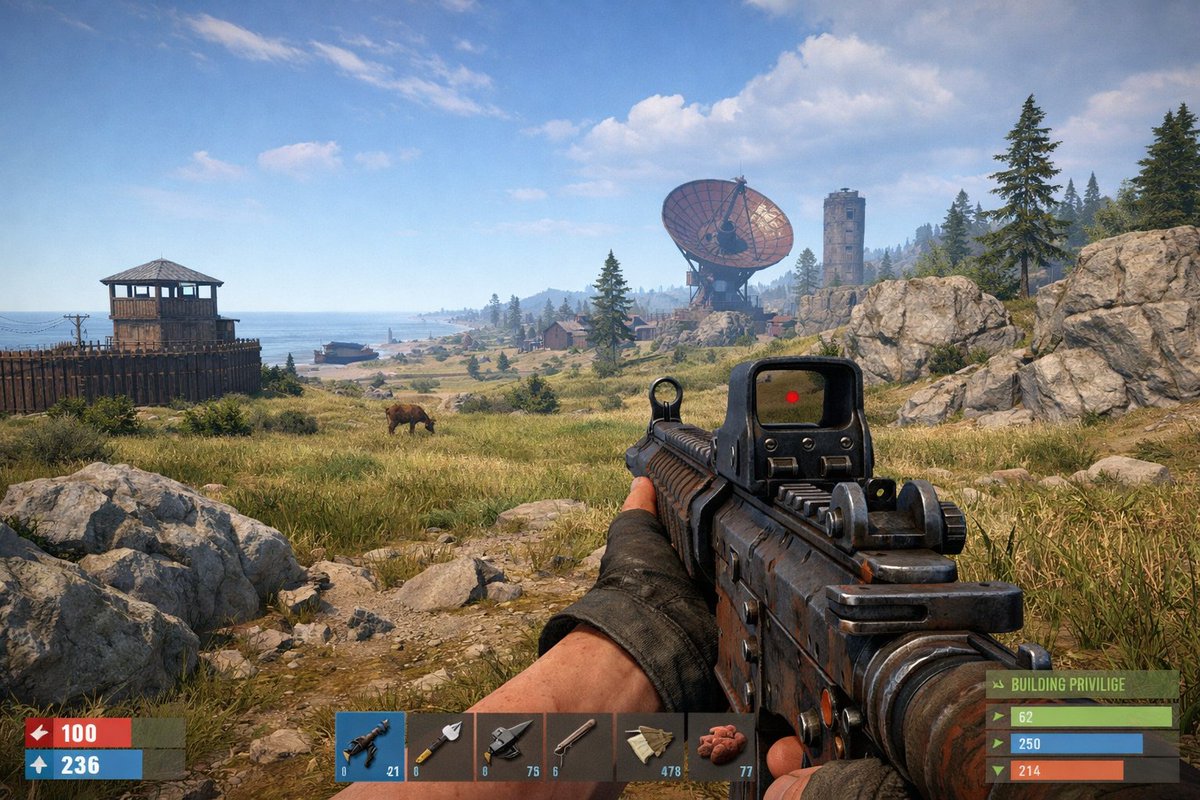
An in-game screenshot of Rust. Capture the survival game's distinctive visual style with its harsh environment, makeshift structures, rugged terrain, and characteristic lighting. Include typical gameplay elements like base buildings, resource gathering areas, and the game's signature post-apocalyptic wilderness atmosphere.
프롬프트 소개
Generate a realistic Rust screenshot featuring makeshift bases, resource gathering, and the game's distinctive post-apocalyptic wilderness with authentic lighting. Use it as a 컨셉 아트 starting point for GPT Image 2: keep the visual structure and style constraints intact, then swap in your own subject, brand, or scene.
Common directions include community showcase, beginner, gaming, and screenshot. Treat these tags as creative cues; the prompt structure and preview image are the more useful guide.
Start with small changes to subject, scene, camera, and color, then generate a few variations to compare composition and detail without turning the page copy into keyword stuffing.
이 프롬프트 사용법
- Copy the provided prompt text.
- Open your preferred AI image generation model (e.g., Sora, DALL-E, Midjourney).
- Paste the prompt and adjust any settings like resolution or aspect ratio.
- Generate the image and review the result.
- Tweak the prompt or settings as needed to refine the output.


