
Director Storyboard Infographic — AI Prompt for Educational Poster
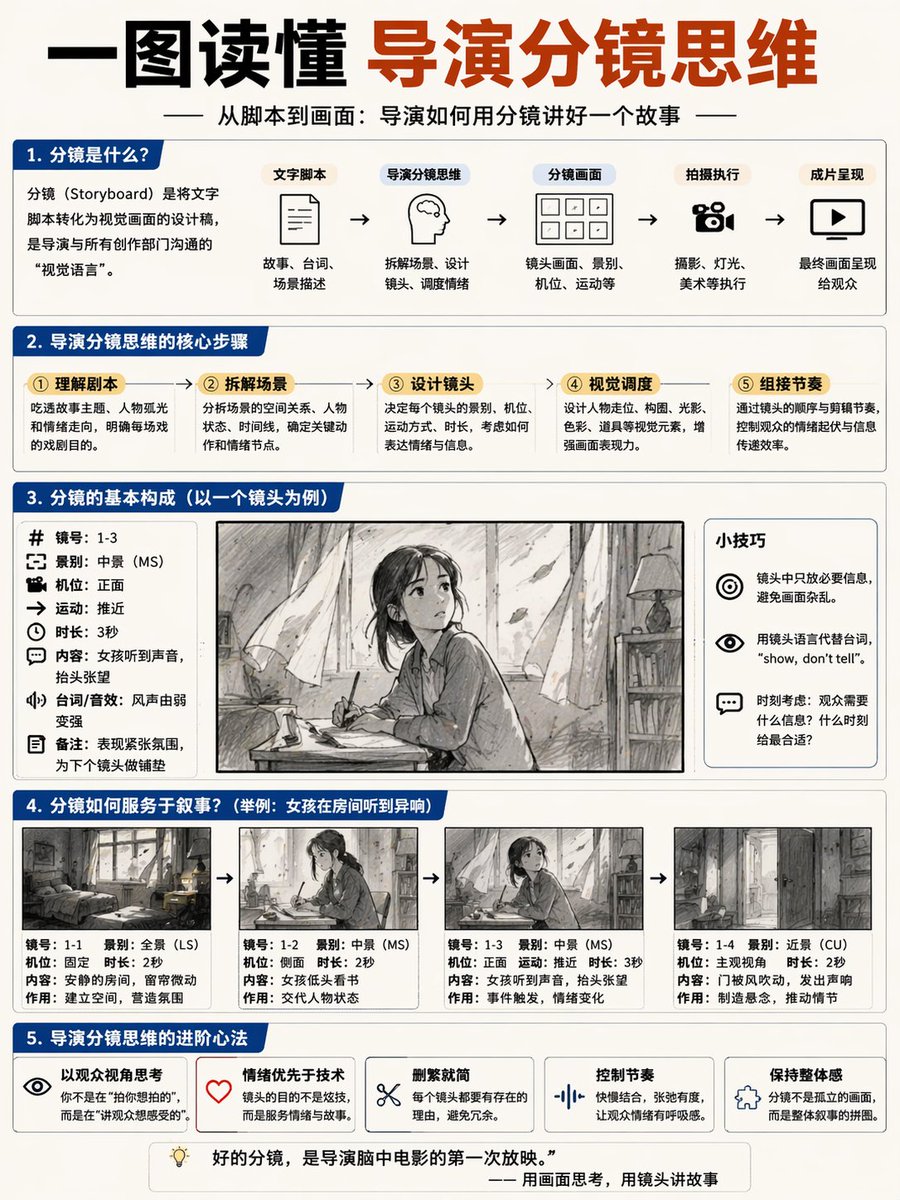
Creates a detailed 5-part educational poster explaining the director's storyboard process, complete with flowcharts, breakdowns, and a visual example.
프롬프트 소개
Creates a detailed 5-part educational poster explaining the director's storyboard process, complete with flowcharts, breakdowns, and a visual example. Use it as a 컨셉 아트 starting point for GPT Image 2: keep the visual structure and style constraints intact, then swap in your own subject, brand, or scene.
This prompt is organized as structured JSON with fields such as type, header, layout, and style. Keeping that hierarchy helps the model separate the subject, layout, interface elements, and detail constraints.
Start with small changes to subject, scene, camera, and color, then generate a few variations to compare composition and detail without turning the page copy into keyword stuffing.
이 프롬프트 사용법
- Copy the entire prompt JSON object.
- Choose an AI image generator that supports complex JSON prompts (e.g., Sora 2).
- Customize the default Chinese text and character scene by editing the
{argument}variables in the prompt. - Submit the prompt to generate a clean, corporate-style infographic in blue and white.
- Use the output for film education, presentations, or creative planning.


