
TikTok-Style Video UI Overlay — Sora 2 Prompt
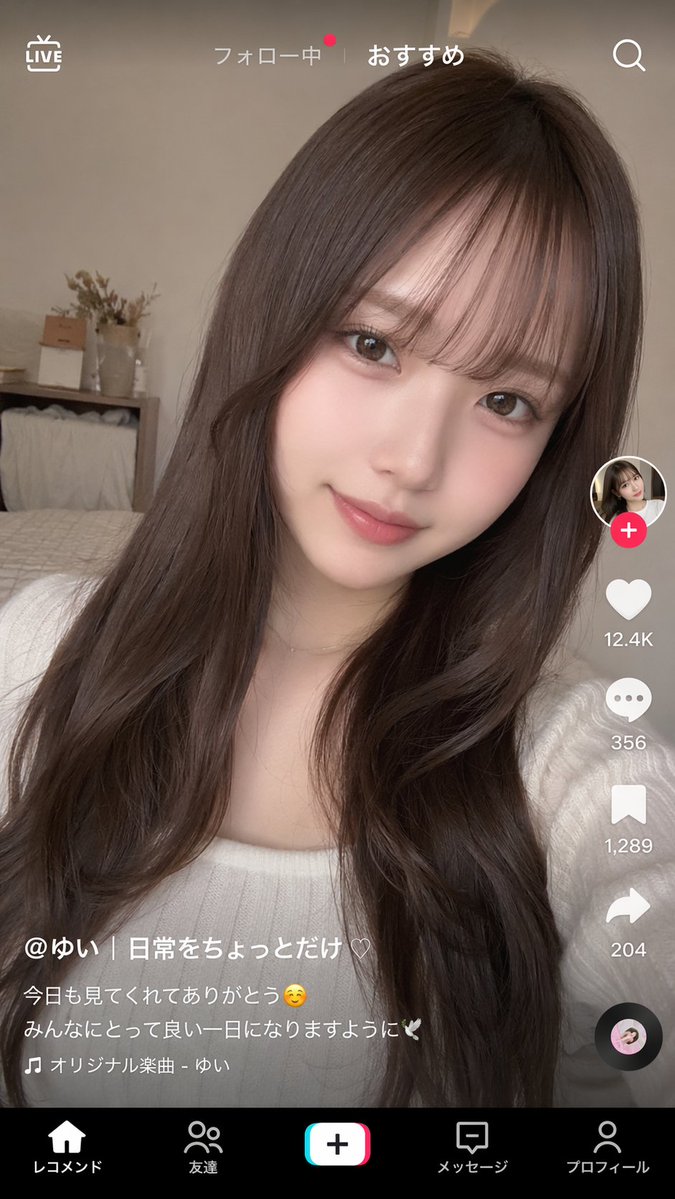
Generate a realistic short-video app interface overlaid on any portrait photo, complete with TikTok-style UI elements and customizable captions.
프롬프트 소개
Generate a realistic short-video app interface overlaid on any portrait photo, complete with TikTok-style UI elements and customizable captions. Use it as a 컨셉 아트 starting point for GPT Image 2: keep the visual structure and style constraints intact, then swap in your own subject, brand, or scene.
This prompt is organized as structured JSON with fields such as type, background image, and ui overlay. Keeping that hierarchy helps the model separate the subject, layout, interface elements, and detail constraints.
Start with small changes to subject, scene, camera, and color, then generate a few variations to compare composition and detail without turning the page copy into keyword stuffing.
이 프롬프트 사용법
- Copy the entire prompt into your AI model (e.g., Sora, DALL·E 3, or a compatible text-to-image tool).
- Customize the background subject by modifying the
subject descriptionargument—use any portrait idea you like. - Tweak the UI variables such as
username,like count,caption text, andactive tabto fit your brand or project. - Generate the image; the model will composite the interface over the background automatically.
- Download and use the mockup for presentations, social media, or design iterations.


