Sora2 Hub
Sora2 Hub
  • 프롬프트 라이브러리
  • 가격
  • 쇼케이스
Sora2 Hub
Sora2 Hub
Sora2 Hub

Sora2 Hub

Sora 2, Veo 3.1, Nano Banana Pro로 구동되는 전문 AI 창작 플랫폼입니다. 고급 제어, HD 화질, 워터마크 없는 놀라운 동영상과 스튜디오급 이미지를 제작하세요.

Email:support@sora2hub.org

AI 비디오 생성

  • 텍스트에서 비디오
  • 이미지에서 비디오
  • Veo 3.1
  • Sora 2
  • Kling 3.0
  • Kling 2.6
  • Kling 2.5
  • Runway
  • Wan 2.6
  • Seedance 2.0
  • Hailuo 2.3
  • Grok Imagine
  • HappyHorse-1.0

AI 이미지 생성기

  • 텍스트에서 이미지
  • 이미지에서 이미지
  • Nano Banana Pro
  • Nano Banana
  • 4o Image
  • Flux Kontext
  • Z Image
  • Seedream 4.5
  • Seedream 5.0 Lite
  • Nano Banana 2
  • GPT Image 2
  • AI 이미지 업스케일러

AI 효과

  • AI 나이 필터
  • AI 성별 변환
  • AI 키스
  • AI 허그
  • 지브리 이미지
  • AI 인어 필터
  • AI 바디쉐이크
  • 스마일 필터
  • AI 뚱뚱하게
  • 액션 피규어

제품

  • 기능
  • 쇼케이스
  • 가격

회사

  • 소개
  • 문의

© 2025 • Sora2 Hub ORG 모든 권리 보유.

  • 개인정보 처리방침
  • 서비스 약관
  • 환불 정책
  1. 홈
  2. /
  3. 프롬프트
  4. /
  5. GPT Image 2
  6. /
  7. Watercolor Coffee Picnic Flyer Mockup — Two-Sided
GPT Image 2AI 프롬프트

Watercolor Coffee Picnic Flyer Mockup — Two-Sided

Generates a cozy, two-sided watercolor event flyer mockup with illustrated picnic scenes, vendor lists, and schedules for coffee festival marketing.
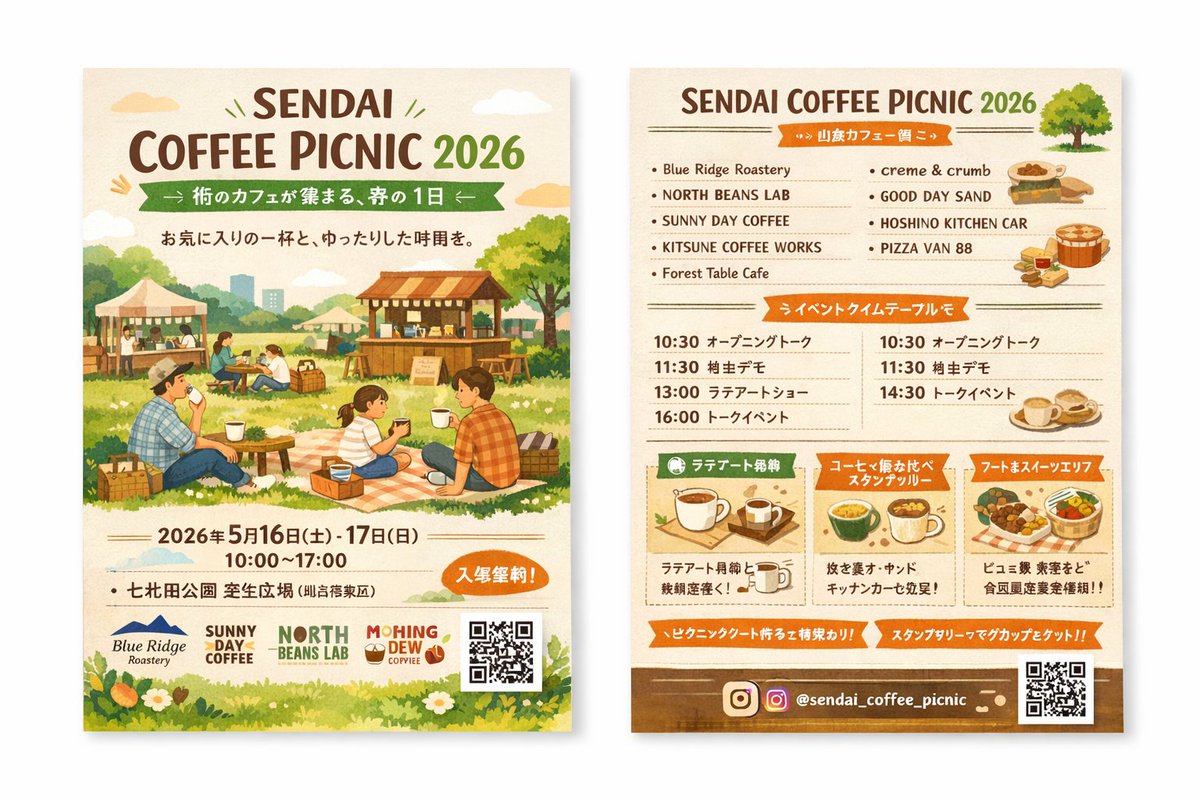
Watercolor Coffee Picnic Flyer Mockup — Two-Sided
프롬프트 · EN
type
two-sided event flyer mockup
style
watercolor illustration, warm earthy tones, cozy, inviting, rustic
left_side_front
header
title
{argument name="event name" default="SENDAI COFFEE PICNIC 2026"}
subtitle
{argument name="subtitle" default="街のカフェが集まる、春の1日"}
tagline
A relaxing time with your favorite cup
main_illustration
People enjoying a picnic on a grassy field. A family sitting on a checkered blanket drinking coffee. Background features wooden coffee stalls, tents, trees, and a distant city skyline.
event_info
date
{argument name="event date" default="2026年5月16日(土) - 17日(日)"}
time
10:00 - 17:00
location
{argument name="location" default="七北田公園 芝生広場"}
badge
Orange oval badge with text for free entry
footer
sponsor_logos
4
elements
item 1
QR code
item 2
grass and white flowers border
right_side_back
header
title
{argument name="event name" default="SENDAI COFFEE PICNIC 2026"}
illustration
small green tree
sections
item 1
title
Vendor List
layout
2 columns
count
9
labels
item 1
Blue Ridge Roastery
item 2
NORTH BEANS LAB
item 3
SUNNY DAY COFFEE
item 4
KITSUNE COFFEE WORKS
item 5
Forest Table Cafe
item 6
creme & crumb
item 7
GOOD DAY SAND
item 8
HOSHINO KITCHEN CAR
item 9
PIZZA VAN 88
illustrations
item 1
sandwiches
item 2
pizza
item 3
coffee cups
item 2
title
Event Timetable
layout
2 columns
count
7
description
Schedule with times like 10:30, 11:30, 13:00, 14:30, 16:00 and event names
item 3
title
Feature Highlights
layout
3 horizontal boxes
count
3
labels
item 1
Latte Art Experience
item 2
Coffee Tasting Stamp Rally
item 3
Food & Sweets Area
illustrations
item 1
single coffee cup
item 2
multiple coffee cups
item 3
food basket
footer
social_media
{argument name="social handle" default="@sendai_coffee_picnic"}
icons
item 1
Instagram logo
elements
item 1
QR code
item 2
brown background strip

프롬프트 소개

Generates a cozy, two-sided watercolor event flyer mockup with illustrated picnic scenes, vendor lists, and schedules for coffee festival marketing. Use it as a 컨셉 아트 starting point for GPT Image 2: keep the visual structure and style constraints intact, then swap in your own subject, brand, or scene.

This prompt is organized as structured JSON with fields such as type, style, left side front, and right side back. Keeping that hierarchy helps the model separate the subject, layout, interface elements, and detail constraints.

Start with small changes to subject, scene, camera, and color, then generate a few variations to compare composition and detail without turning the page copy into keyword stuffing.

이 프롬프트 사용법

  1. Copy the prompt JSON block into your preferred AI image generator (e.g., Midjourney, Stable Diffusion, or Sora 2).
  2. Choose your model; for best results, select one with strong illustration and text rendering capabilities.
  3. Edit the default arguments (like event name, date, location) to match your event details.
  4. Adjust the style keywords (e.g., 'warm earthy tones', 'rustic') if you need a different aesthetic.
  5. Generate the image and review both the front and back sides for layout and text accuracy.
FAQ

さとこよ

@prompts→

게시일
2026년 4월 30일
원본 언어
EN
모델
GPT Image 2
카테고리
컨셉 아트
GPT Image 2컨셉 아트gpt-image-2gptimage2api promptsgptimage2apien
조회
2.5K
복사
126
좋아요
108

공유

GPT Image 2의 더 많은 프롬프트

전체 보기
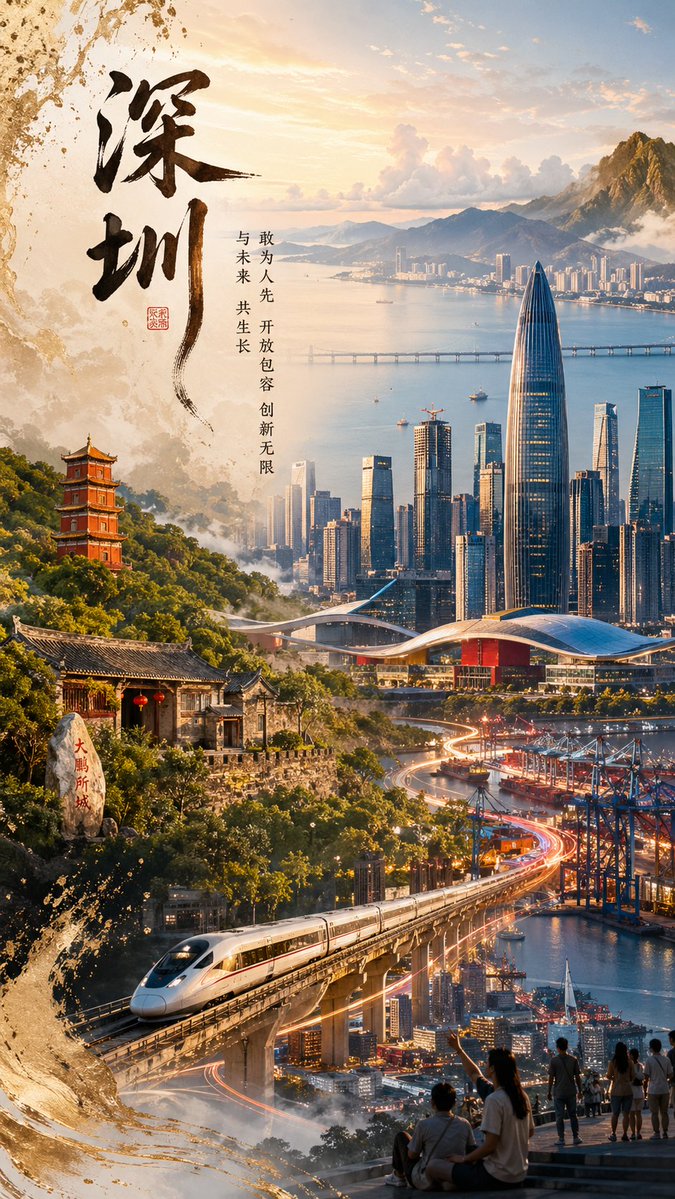
Shenzhen Golden Hour City Prompt: Futuristic Heritage Poster

Shenzhen Golden Hour City Prompt: Futuristic Heritage Poster

@ivanalog_com
AI-Generated Crossover Fighter Screenshot — Sora 2 Prompt

AI-Generated Crossover Fighter Screenshot — Sora 2 Prompt

@momoringo_sub
Gothic Anime Girl with Hidden Face — Sora 2 Prompt

Gothic Anime Girl with Hidden Face — Sora 2 Prompt

@hoshi122221

Sora2Hub 프롬프트로 더 빠르게 제작하세요.

검색 가능한 프롬프트 페이지에서 시작해 적합한 모델 컨텍스트로 바로 생성하세요.

프롬프트 탐색