
GPT Image 2AI 프롬프트
APC UPS Spanish Setup Guide — Sora AI Prompt
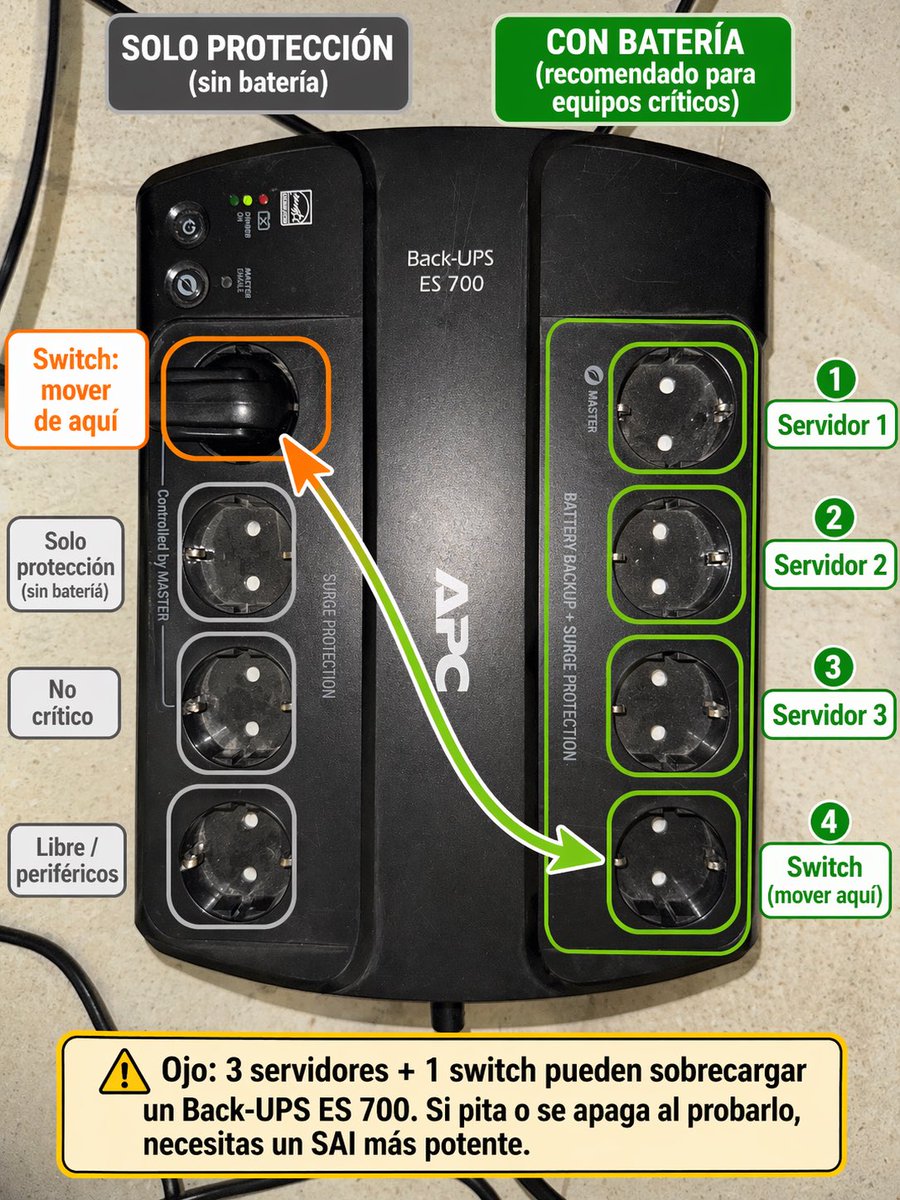
Transform a UPS reference photo into a clear Spanish-labeled setup guide with color-coded sockets and safety warnings.
프롬프트 · EN
使用提供的 APC Back-UPS 参考图片,将其转换为一张清晰的西班牙语标注设置指南,并直接覆盖在照片上。保持 UPS 照片真实且不变作为底图,但添加颜色编码的标注,以显示哪些插座是电池备份的,哪些仅提供浪涌保护。在顶部添加 2 个标题框:左侧为深灰色框,文字为“SOLO PROTECCIÓN (sin batería)”,右侧为绿色框,文字为“CON BATERÍA (recomendado para equipos críticos)”。用绿色轮廓组和单独的绿色轮廓突出显示右侧的 4 个插座,并在右侧放置 4 个带编号的绿色标签:“1 Servidor 1”、“2 Servidor 2”、“3 Servidor 3”、“4 Switch (mover aquí)”。在左侧,用橙色轮廓突出显示当前使用的左上角插座,并添加一个橙色标注框,文字为“Switch: mover de aquí”,同时添加一条从该插座指向右侧绿色组底部插座的弯曲箭头。此外,用浅灰色勾勒出左下方的 3 个插座,并在左侧对齐添加 3 个灰色标签:“Solo protección (sin batería)”、“No crítico”和“Libre / periféricos”。在底部,添加一个带有警告图标的大型黄色警告框,文字如下:“Ojo: 3 servidores + 1 switch pueden sobrecargar un Back-UPS ES 700. Si pita o se apaga al probarlo, necesitas un SAI más potente.” 采用简洁的信息图风格,使用清晰易读的粗体排版、整洁的圆角矩形、高对比度以及实用的 IT 图表呈现方式。
프롬프트 소개
Transform a UPS reference photo into a clear Spanish-labeled setup guide with color-coded sockets and safety warnings. Use it as a 컨셉 아트 starting point for GPT Image 2: keep the visual structure and style constraints intact, then swap in your own subject, brand, or scene.
Start with small changes to subject, scene, camera, and color, then generate a few variations to compare composition and detail without turning the page copy into keyword stuffing.
이 프롬프트 사용법
- Copy the prompt into your multimodal AI model (e.g., Sora, DALL·E, or Gemini).
- Upload a clear, well-lit photo of an APC Back-UPS device.
- Optionally adjust the outlet labels or warning text to match your exact equipment.
- Generate the infographic and check that all labels and arrows render correctly.
- If needed, fine-tune the prompt for better text accuracy or color contrast.


