
GPT Image 2AI 프롬프트
Gothic Girl in the Rain — Cinematic Portrait Prompt
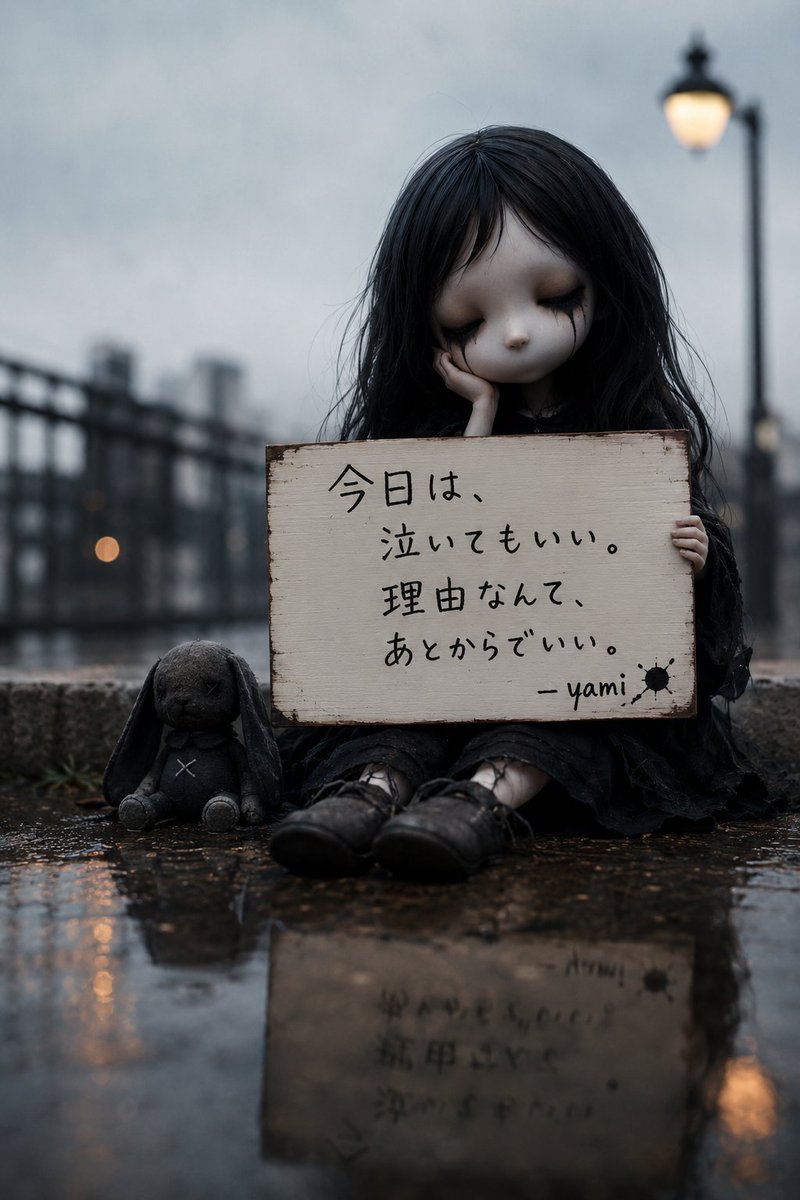
Create a hauntingly realistic, cinematic portrait of a gothic doll-like girl with a handwritten sign, a stitched bunny, and reflective rain-soaked city streets.
프롬프트 · EN
创作一幅充满电影感且写实的忧郁肖像,主角是 argcharacter name: Yami-chan,一个像哥特玩偶般的小女孩,坐在黄昏雨后潮湿的城市人行道上。画面居中,她留着凌乱的 arghair color: black 长发,穿着深色破旧蕾丝裙,面部被一个实心深色方块遮挡。她双手捧着一块边缘磨损的灰白色木牌遮在胸前;木牌上用黑色墨水手写着日文 argsign text: 今日は、泣いてもいい。理由なんて、あとからでいい。 - yami,签名旁有一个小小的黑色墨迹。在她的左侧放置 1 个毛绒玩具:一只磨损的深灰色长耳毛绒兔,胸部和脸上有缝合的 X 标记,坐在潮湿的地面上。标牌下方露出她的黑色玛丽珍鞋和浅色袜子。地面光亮,映出水洼,前景清晰可见标牌和人物的倒影。背景:失焦的雨中城市河岸或桥上步道,有金属栏杆和灰色建筑,右侧有 2 盏温暖的街灯,一盏较大且靠近右上角,另一盏较小且位于远处。采用浅景深、冷蓝灰色调、柔和雨雾、忧郁氛围、竖构图、写实纹理、低角度近地拍摄、高细节,画面中无其他人物,无额外文字。
프롬프트 소개
Create a hauntingly realistic, cinematic portrait of a gothic doll-like girl with a handwritten sign, a stitched bunny, and reflective rain-soaked city streets. Use it as a 컨셉 아트 starting point for GPT Image 2: keep the visual structure and style constraints intact, then swap in your own subject, brand, or scene.
Start by replacing character name, hair color, and sign text, then keep the camera, composition, and material cues in the same order. This makes the output easier to compare across variations.
이 프롬프트 사용법
- Copy the prompt text.
- Select your preferred AI image generator (e.g., Sora 2, Midjourney).
- Customize the
character name,hair color, orsign textvariables to personalize the scene. - Generate the image and refine the prompt if needed for your desired style.


