
GPT Image 2Prompt de IA
3D Witch Game UI Render with Start Menu — Sora 2 Prompt
Create a polished 3D witch character with a clean game UI featuring start, settings, credits, and multiplayer buttons—ideal for game concept art and mockups.
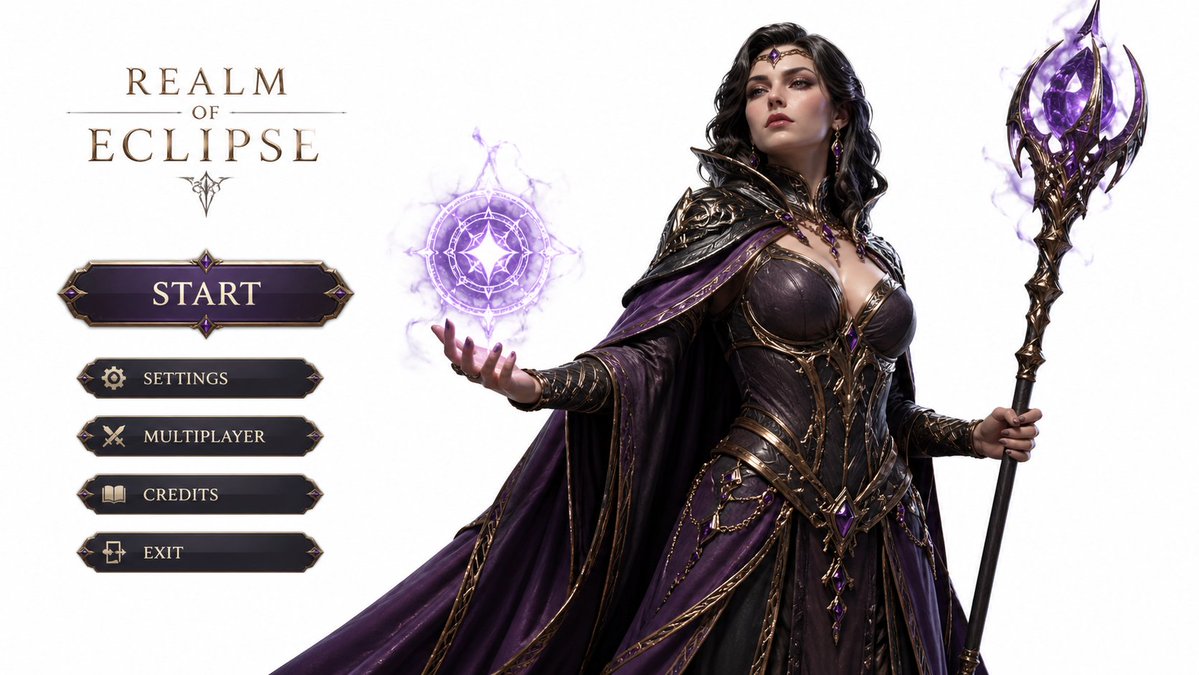
PROMPT · EN
一张高度精细的 3D 游戏角色渲染图,主角为 argcharacter description: 优雅而强大的女巫,背景为白色,左侧配有开始按钮以及设置、制作人员名单、多人游戏等选项,比例为 16:9
Sobre este prompt
Create a polished 3D witch character with a clean game UI featuring start, settings, credits, and multiplayer buttons—ideal for game concept art and mockups. Use it as a Arte Conceitual starting point for GPT Image 2: keep the visual structure and style constraints intact, then swap in your own subject, brand, or scene.
Start by replacing character description, then keep the camera, composition, and material cues in the same order. This makes the output easier to compare across variations.
Como usar este prompt
- Copy the prompt above, including the customizable
{character description}variable. - Paste it into an AI image/video generator such as Sora 2, Midjourney, or DALL·E.
- Replace the default character description with your own, e.g., "a fierce warrior elf" or keep "elegant and powerful witch".
- Ensure the output aspect ratio is set to 16:9 for correct UI layout.
- Generate the image, then iterate by tweaking the character or UI details as needed.


