
GPT Image 2Prompt de IA
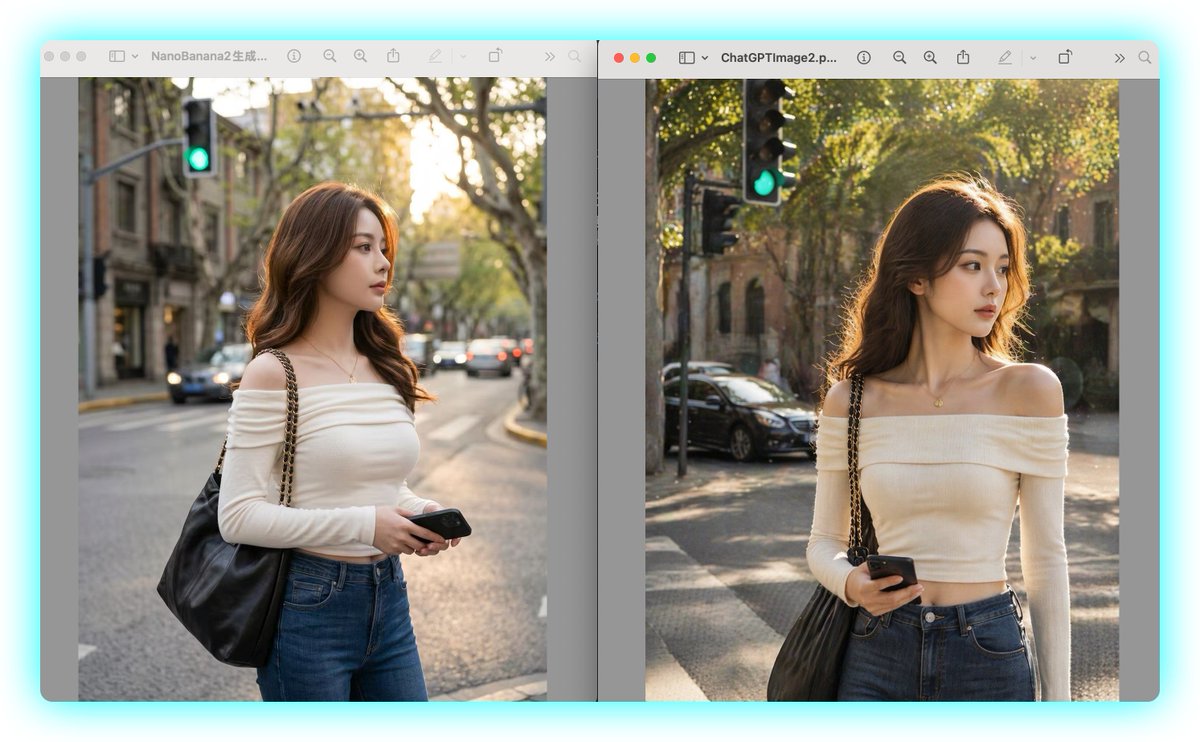
AI Portrait Side-by-Side: NanoBanana2 vs ChatGPTImage2
Showcase the differences between AI image models with this side-by-side windowed portrait comparison — ideal for model evaluation or social sharing.
PROMPT · EN
一张桌面侧边对比截图,在两个独立的 macOS 风格图像查看器窗口中展示两张几乎相同、由 AI 生成的街头人像,背景为浅青色。布局包含左右两个垂直图像面板,每个面板位于带有顶部工具栏的圆角灰色窗口内。左侧窗口标题以“NanoBanana2”开头,右侧窗口标题以“ChatGPTImage2”开头。两个面板均展示同一场景概念:一位时尚年轻女性站在黄金时段的城市街角,取景范围从大腿中部到头部,面部被柔和的矩形模糊块遮挡。她留着波浪形棕色长发,身材苗条,身穿露肩修身米色长袖上衣、高腰蓝色牛仔裤,佩戴精致的小吊坠项链,单肩背着一个带有金色链条的黑色大皮包。她的一只手拿着黑色智能手机,置于腰部附近。两个面板的背景均为高档绿树成荫的城市街道,温暖的阳光透过树叶洒下,具有浅景深效果,画面中有停放和行驶的车辆、古老的石砌建筑,每张图像左上角附近可见绿色的交通信号灯。保持两张人像非常相似但不完全相同:左侧图像色调稍冷、更柔和且更柔和,采用居中的街道视角;右侧图像色调稍暖、更明亮且更清晰,头发上的阳光感更强,虚化效果更具戏剧性。包含两个由窄垂直间隙隔开的查看器窗口,带有细腻的投影和简洁的科技对比展示效果,如同捕捉两个图像生成模型之间的视觉对比。
Sobre este prompt
Showcase the differences between AI image models with this side-by-side windowed portrait comparison — ideal for model evaluation or social sharing. Use it as a Arte Conceitual starting point for GPT Image 2: keep the visual structure and style constraints intact, then swap in your own subject, brand, or scene.
Start with small changes to subject, scene, camera, and color, then generate a few variations to compare composition and detail without turning the page copy into keyword stuffing.
Como usar este prompt
- Copy the prompt exactly from this page.
- Paste it into your preferred AI image generator (like DALL-E, Midjourney, or Stable Diffusion) – note that this prompt is designed for models that can generate textured, realistic scenes with multiple windows.
- If needed, adjust the window titles "NanoBanana2" and "ChatGPTImage2" to the names of the models you're comparing.
- Generate the image. For best results, use a model that supports detailed prompts and can render text accurately in window titles.
- Optionally, use the output for side-by-side model quality comparison on social media or presentations.


