
GPT Image 2Prompt de IA
Anime Tennis Player — Dynamic Outdoor Court Sora Prompt
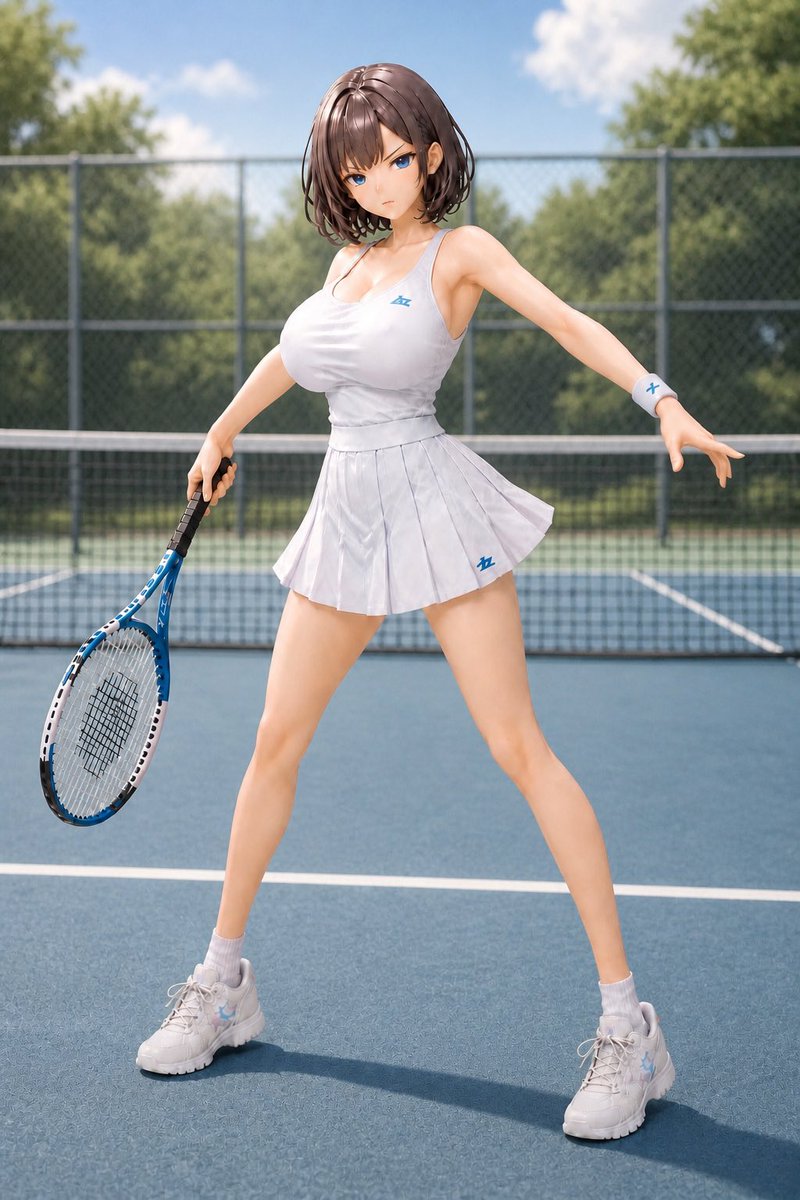
Create a polished, full-body anime-style 3D illustration of a customizable female tennis player on a sunny outdoor court with photorealistic details.
PROMPT · EN
Create a high-quality realistic anime-style 3D illustration of a young female tennis player on an outdoor tennis court in bright midday sunlight. She has arghair color: short glossy chestnut-brown bob hair with soft bangs, while her face is intentionally obscured by a smooth square blur censor block. Show her full body in a dynamic ready stance with legs spread wide, torso leaning slightly, right arm extended outward for balance, and left hand holding a blue-and-white tennis racket angled downward. She wears a fitted argtennis outfit color: white sleeveless athletic tennis dress with a scoop neckline, a pleated mini skirt, subtle blue sports logos on the chest and skirt, a white wristband with a small blue mark, white ankle socks, and chunky white tennis shoes with faint pastel blue accents. The scene is a blue hard-court tennis court with crisp white boundary lines, a tennis net behind her, a chain-link fence in the background, green trees beyond the fence, and a clear blue sky with soft white clouds. Use a slightly low, full-body portrait composition, shallow depth of field, realistic fabric folds, glossy hair highlights, soft skin shading, natural shadows on the court, vibrant summer colors, and polished gpt-image-2 photoreal anime rendering.
Sobre este prompt
Create a polished, full-body anime-style 3D illustration of a customizable female tennis player on a sunny outdoor court with photorealistic details. Use it as a Arte Conceitual starting point for GPT Image 2: keep the visual structure and style constraints intact, then swap in your own subject, brand, or scene.
Start by replacing hair color and tennis outfit color, then keep the camera, composition, and material cues in the same order. This makes the output easier to compare across variations.
Como usar este prompt
- Copy the entire prompt text above.
- Paste it into a compatible AI image generator like Sora 2.
- Customize the bracketed variables (e.g., hair color, outfit color) to your preference.
- Generate the image and review the output for your desired style and composition.
- Refine by adjusting details or regenerating for variations.


