
GPT Image 2Prompt de IA
Cinematic Tech Entrepreneur Portrait — Sora 2 Prompt
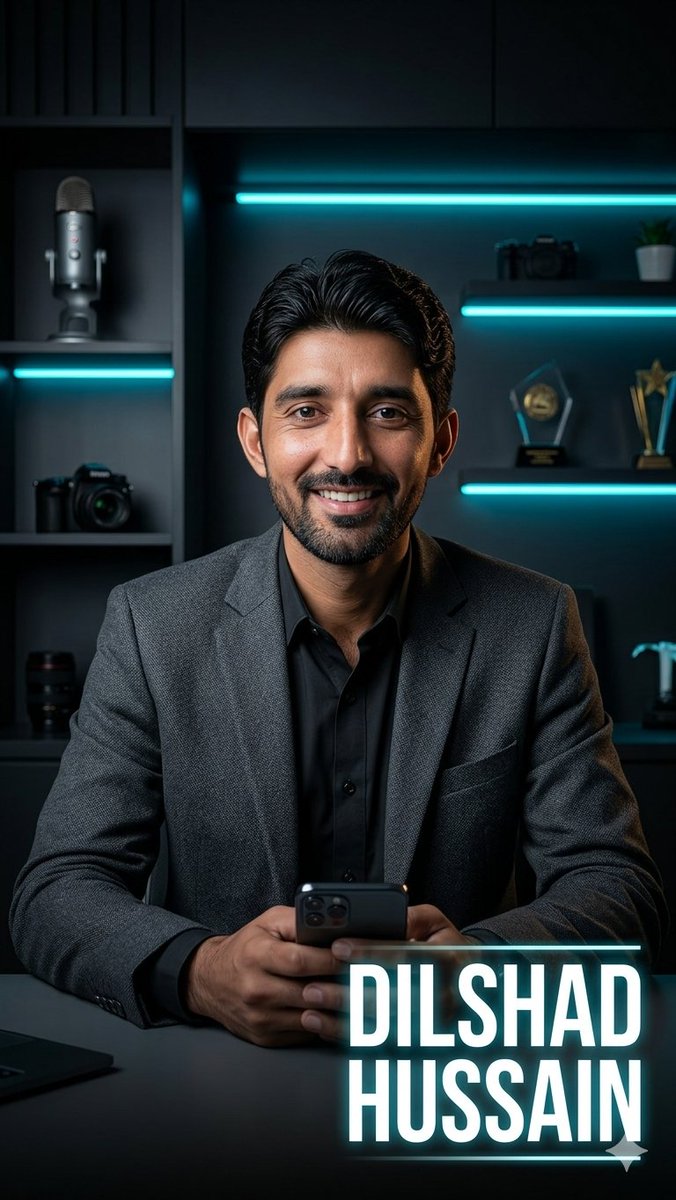
Generates a dramatic vertical executive portrait poster with moody teal lighting, studio props, and a customizable glowing name title for branding.
PROMPT · EN
Create a cinematic vertical portrait of a confident male tech entrepreneur seated at a dark desk in a modern studio office, centered in the frame from mid-torso up. He wears a textured argblazer color: charcoal gray blazer over a black button-up shirt, with neatly slicked-back black hair, hands clasped around a smartphone at the bottom center. The face area should be covered by a plain rectangular skin-tone placeholder block, as if reserved for a face-swap or uploaded portrait. The background is a moody black shelving wall with teal cyan LED strip lights: one long horizontal light behind the head, another on a left shelf, and two on the right shelves. Include visible studio props on the shelves: one large podcast microphone on the upper left, one camera on the middle left, one camera lens on the lower left, a camera and small plant on the upper right, two awards/trophies on the middle right, and a small metallic desk object on the lower right. Use dramatic low-key lighting, teal rim light, realistic shadows, glossy highlights, shallow depth of field, premium corporate branding aesthetic, ultra-realistic photography, sharp focus on the suit and hands. Add a bold glowing name title in the lower-right corner reading argname text: DILSHAD\nHUSSAIN, in large condensed white uppercase sans-serif letters with a cyan neon glow, thin cyan horizontal line above and below the text, and a small triangular accent under the lower line. Aspect ratio 9:16, high resolution, social-media poster style.
Sobre este prompt
Generates a dramatic vertical executive portrait poster with moody teal lighting, studio props, and a customizable glowing name title for branding. Use it as a Arte Conceitual starting point for GPT Image 2: keep the visual structure and style constraints intact, then swap in your own subject, brand, or scene.
Start by replacing blazer color and name text, then keep the camera, composition, and material cues in the same order. This makes the output easier to compare across variations.
Como usar este prompt
- Copy the prompt text from Sora2Hub.com.
- Paste it into your preferred AI image generator (e.g., Sora, Midjourney).
- Customize the
blazer colorandname textvariables with your details. - Generate the image and adjust as needed for your final portrait.


