
GPT Image 2Prompt de IA
Crumpled Flyer Front & Back — Realistic Paper Texture Prompt
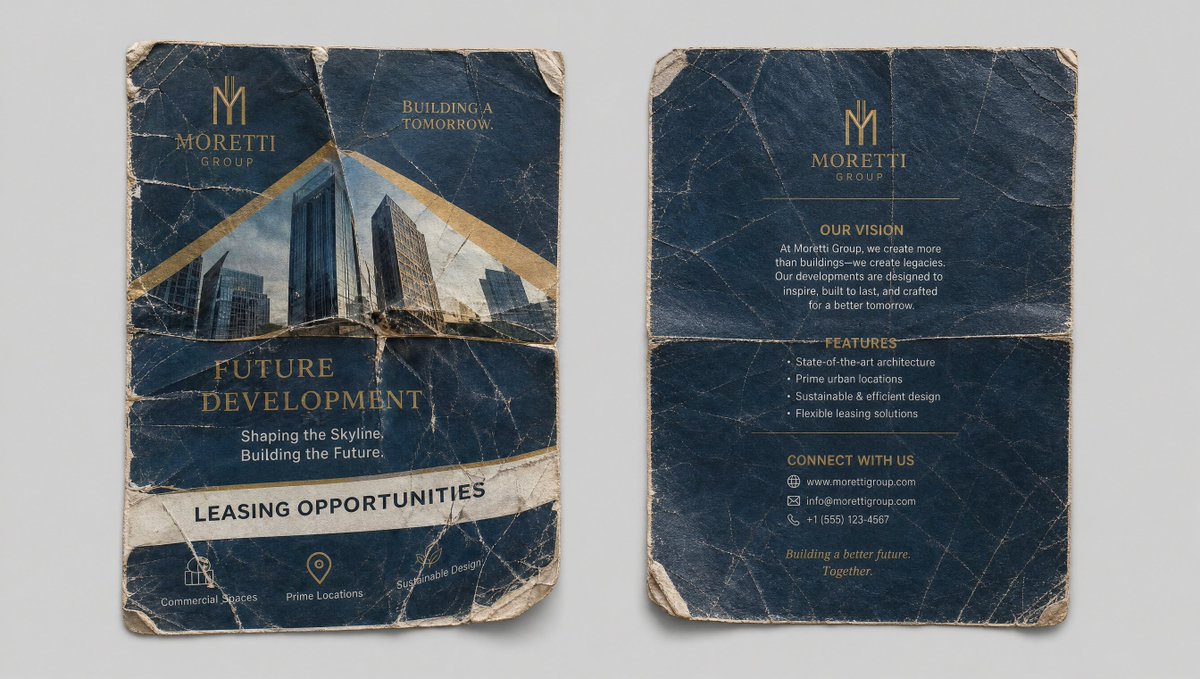
Create a photorealistic reference sheet of a crumpled, aged flyer with detailed front and back panels, perfect for design assets.
PROMPT · EN
Clean reference sheet, two panels side by side on a neutral light gray background. Left panel: Front of the crumpled, well-worn "argflyer title: Future Development" flyer. Highly detailed texture with creases, tears, and wear. Visible text: "argcompany name: Moretti Group", "Future Development", "Shaping the Skyline. Building the Future.", "Leasing Opportunities", with images of modern buildings. Right panel: Back of the same crumpled flyer, showing any reverse side details, creases, and texture. Photorealistic, high detail on paper texture, folds, and wear. Same quality and lighting as the uploaded flyer image. Clean, organized layout perfect for use as a reference element. --ar 16:9
Sobre este prompt
Create a photorealistic reference sheet of a crumpled, aged flyer with detailed front and back panels, perfect for design assets. Use it as a Arte Conceitual starting point for GPT Image 2: keep the visual structure and style constraints intact, then swap in your own subject, brand, or scene.
Start by replacing flyer title and company name, then keep the camera, composition, and material cues in the same order. This makes the output easier to compare across variations.
Como usar este prompt
- Copy the full prompt text, including the
--ar 16:9ratio. - Paste it into your chosen AI image generator (e.g., Midjourney, DALL-E 3, Stable Diffusion).
- Replace the variables in curly braces
{}(like{flyer title}and{company name}) with your own text. - Generate the image and review the texture quality and layout.
- Use the output as a visual reference for paper wear effects in your designs.


