
GPT Image 2Prompt de IA
Minecraft Teleport Compass HUD Screenshot — Sora 2 Prompt
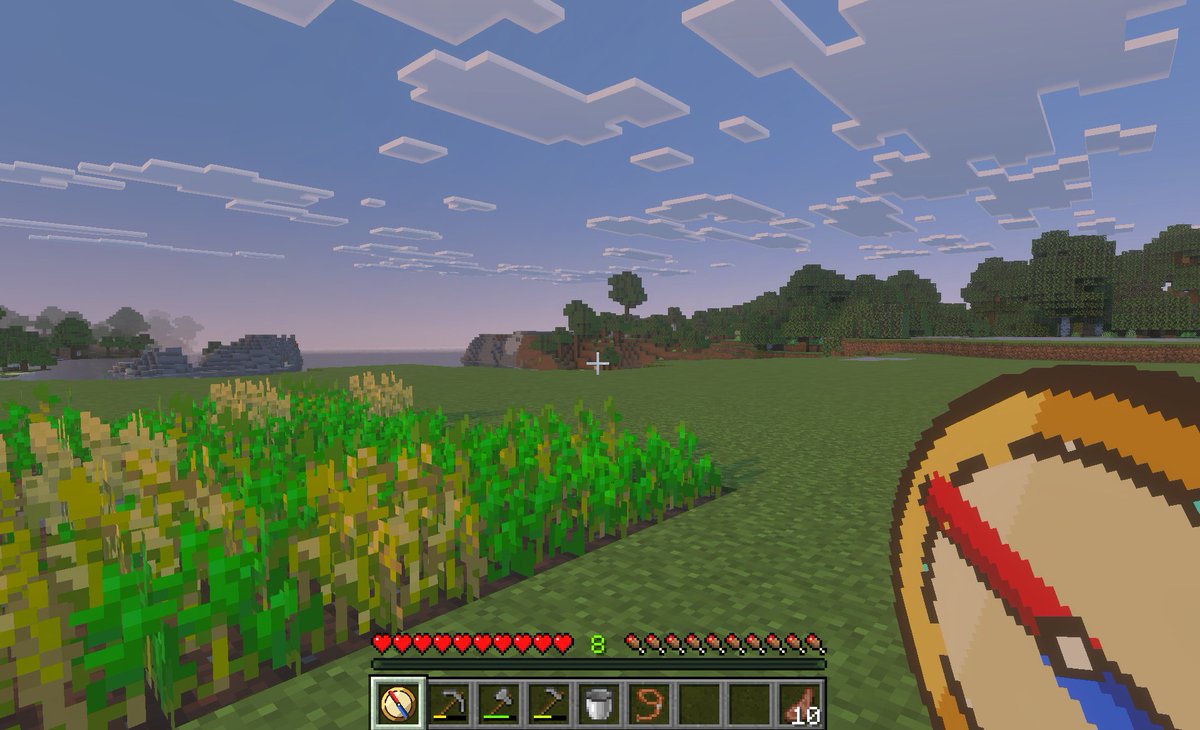
Generate a first-person Minecraft Bedrock screenshot with a custom teleport compass overlay, ideal for showcasing fast travel mods or location save concepts.
PROMPT · EN
一张 Minecraft Bedrock Edition 风格的黄昏时分第一人称游戏截图,展示了一个宁静的草地平原生物群系。左侧前景有一个小型长方形小麦农场,部分作物已成熟,部分仍呈绿色;中心是一片开阔的草地,远处是树林和低矮的方块状山丘,天空呈现出从浅蓝到粉色的晚霞,点缀着扁平的方形云朵。在画面中心附近放置一个白色小准星。在底部显示完整的生存模式 HUD:10 颗红心、10 个饥饿鸡腿、绿色的经验等级 argexperience level: 8 以及 9 格快捷栏。快捷栏必须包含 9 个格子,从左到右依次为:1 个选中的自定义指南针图标、1 把锄头、1 把镐、1 把斧头、1 个桶、1 个拴绳或绳索物品、2 个空位,以及 1 组标记为 argitem stack count: 10 的熟肉。在右下角前景处,叠加一张手持 argtool name: teleport compass 的超大自定义物品图形,绘制成简洁的像素艺术风格指南针,具有棕褐色表盘、深棕色边缘、奶油色中心,以及呈对角线倾斜的红蓝粗指针。选中的快捷栏位也应显示相同的自定义指南针图标。使图像看起来像是在平板电脑或 PC 上拍摄的游戏内截图,具有柔和的大气雾感、真实的体素纹理,以及适合儿童的快速旅行和位置保存导航模组氛围。
Sobre este prompt
Generate a first-person Minecraft Bedrock screenshot with a custom teleport compass overlay, ideal for showcasing fast travel mods or location save concepts. Use it as a Arte Conceitual starting point for GPT Image 2: keep the visual structure and style constraints intact, then swap in your own subject, brand, or scene.
Start by replacing experience level, item stack count, and tool name, then keep the camera, composition, and material cues in the same order. This makes the output easier to compare across variations.
Como usar este prompt
- Copy the prompt text above.
- Paste it into a text-to-image AI model like Sora, DALL·E 3, or Midjourney.
- Adjust the optional variables (experience level, item count, tool name) as needed.
- Generate the image and iterate if required. For best results, use a model that handles pixel art and HUD details.


