
GPT Image 2Prompt de IA
Crowd Mosaic Selfie — Surreal Aerial Portrait Prompt
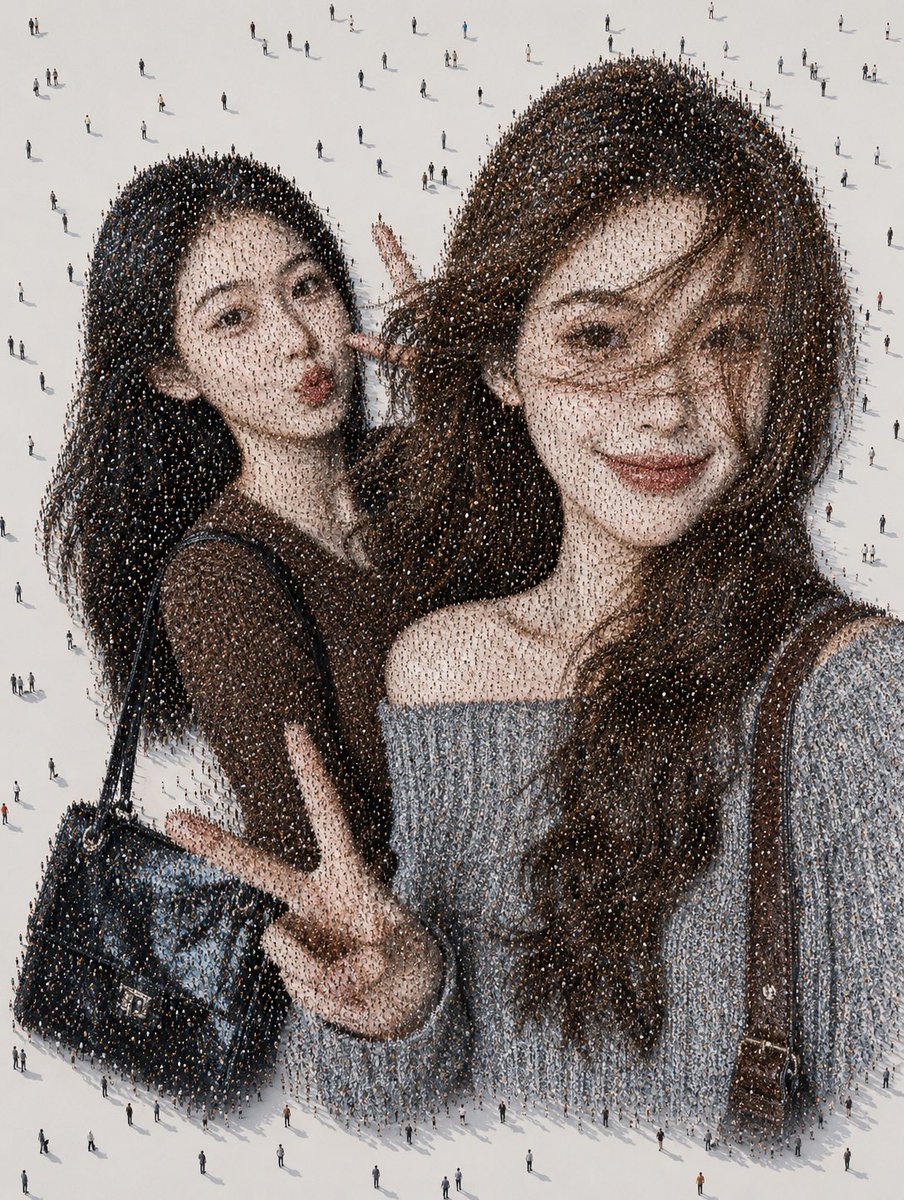
Generate a stunning aerial portrait of a friendship selfie made entirely of thousands of tiny people, perfect for viral social experiments.
PROMPT · EN
创作一张超现实的航拍照片马赛克肖像,画面中 argnumber of friends: 两位 年轻女性正在拍摄近距离自拍,整张图像由广阔浅色混凝土广场上成千上万个从上方俯瞰的微小行人构成。从远处看,人群构成了两位深棕色长发女性好友的逼真自拍;近看时,每一缕头发、衣物阴影、肤色、手提包和背景纹理都由一个个投下细小阴影的行人组成。画面中明确包含两个主要人物:左侧女性身穿深色短袖上衣,肩背亮面黑色手提包,身体向内倾斜,单手比出剪刀手;右侧女性位于前景且体型较大,身穿露肩浅灰色针织衫,长卷发垂在一侧肩头,背着棕色肩带。用柔和边缘的纯色灰褐色方块遮住两人的脸部,总共两个遮脸方块,左侧人物的较小,右侧人物的较大。采用高角度无人机视角,背景为干净的灰白色广场,肖像边缘散布着零星的行人,呈现逼真的长阴影、极高的人群密度细节、孤独感与集体规模的交织、柔和的中性色调以及超写实的微缩人群马赛克错觉。图像初看应是一张随意的闺蜜自拍,放大后则呈现为成千上万个互不相关的路人。使用 argclothing colors: 深棕色上衣和浅灰色露肩毛衣、argbag styles: 亮面黑色手提包和棕色肩带、argbackground color: 浅灰白色广场 以及 argmood: 孤独而亲密的人群马赛克感。
Sobre este prompt
Generate a stunning aerial portrait of a friendship selfie made entirely of thousands of tiny people, perfect for viral social experiments. Use it as a Arte Conceitual starting point for GPT Image 2: keep the visual structure and style constraints intact, then swap in your own subject, brand, or scene.
Start by replacing number of friends, clothing colors, bag styles, and background color, then keep the camera, composition, and material cues in the same order. This makes the output easier to compare across variations.
Como usar este prompt
- Copy the full prompt below and paste it into Sora 2 or a compatible AI video/image model.
- Customize the variables in curly braces: number of friends, clothing colors, bag styles, background color, and mood.
- Adjust the
number of friendsargument to change how many figures appear in the mosaic selfie. - Generate the image and zoom in to see each individual pedestrian forming the larger portrait.
- Experiment with different background colors and moods for unique viral-worthy results.


