
GPT Image 2Prompt de IA
Post-Apocalyptic City Street — Sora 2 Prompt
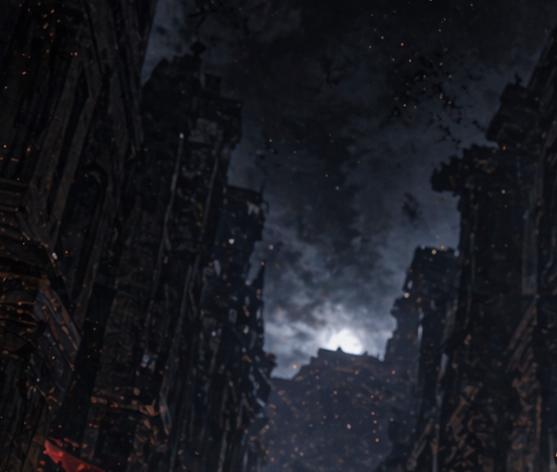
Generate a dark cinematic concept art scene of a ruined city street with collapsed buildings, smoke, and drifting embers — ideal for post-apocalyptic visuals.
PROMPT · EN
这是一条夜晚黑暗的末日城市街道,从地面视角向上仰望,两侧是如峡谷般狭窄的破败高楼。建筑受损严重且部分坍塌,呈现出参差不齐的轮廓、破碎的立面以及融入阴影中的黑色哥特工业风细节。浓重的烟柱和风暴云层充斥着天空中央,地平线附近透出的冷冽苍白光芒为其提供了背光,营造出极具戏剧性的高对比度视觉焦点。整体色调接近单色,以深海军蓝、炭灰、黑和柔和的钢蓝色为主,空气中散布着细小的橙色余烬,在整个场景中飘浮。氛围凄凉、阴森且具有电影感,宛如灾后废土或被轰炸后的城市废墟。绘画风格的数字概念艺术,柔和的大气雾霾,厚重的质感,带有微妙的胶片颗粒感,画面中无人、无车辆、无清晰可见的标志,采用广角构图,废墟结构细节丰富,建筑形成的强烈垂直构图以及占据上半部分的压抑烟雾天空,营造出不祥的预感。
Sobre este prompt
Generate a dark cinematic concept art scene of a ruined city street with collapsed buildings, smoke, and drifting embers — ideal for post-apocalyptic visuals. Use it as a Arte Conceitual starting point for GPT Image 2: keep the visual structure and style constraints intact, then swap in your own subject, brand, or scene.
Start with small changes to subject, scene, camera, and color, then generate a few variations to compare composition and detail without turning the page copy into keyword stuffing.
Como usar este prompt
- Copy the prompt text from above.
- Open your preferred AI image or video model (such as Sora 2, Midjourney, or Stable Diffusion).
- Paste the prompt into the model's input field.
- Adjust parameters like aspect ratio (e.g., 16:9 for widescreen) or style strength if available.
- Generate the image and iterate by varying seed values or adding minor tweaks to control detail.


