
GPT Image 2Prompt de IA
Split Portrait Prompt — Cinematic Studio Face Swap
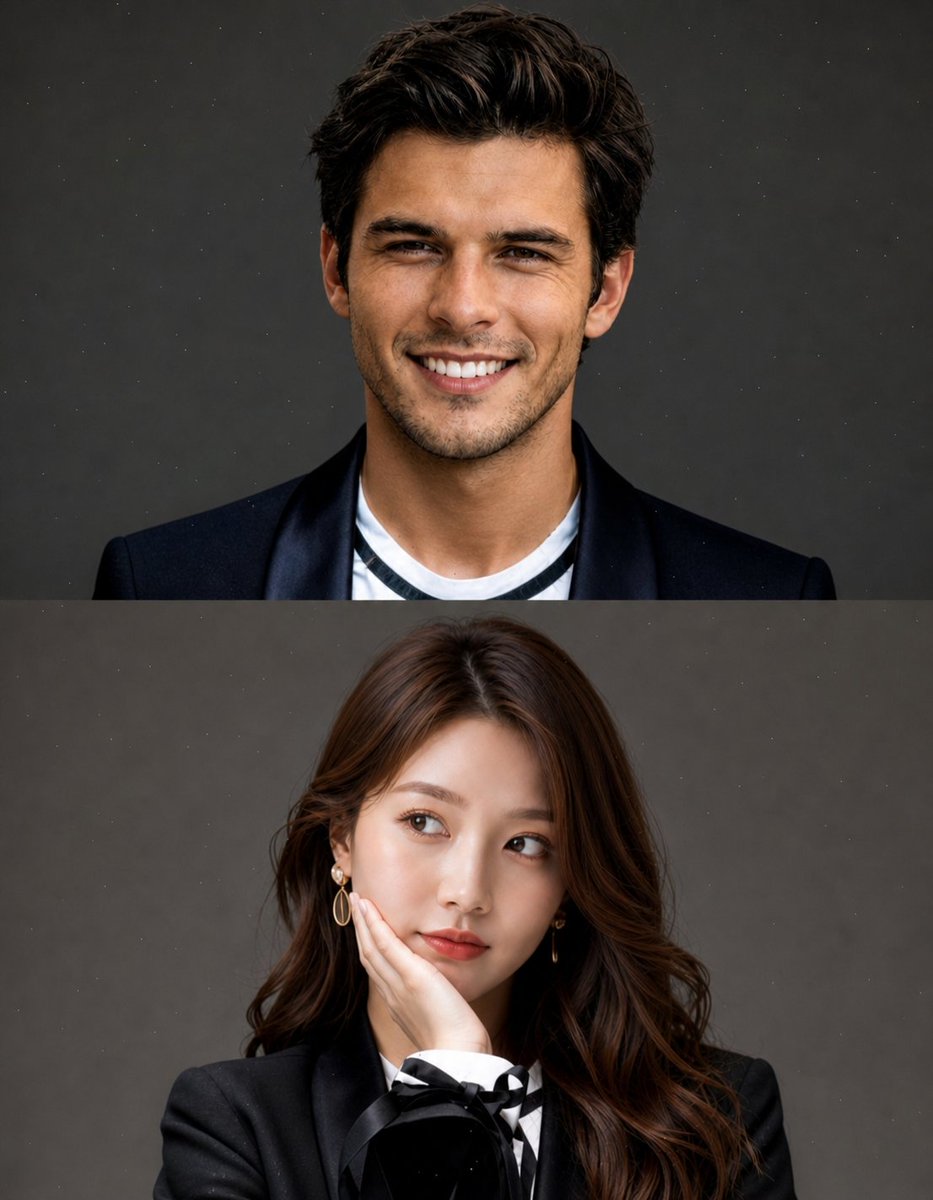
Create a high-end, vertically split portrait with seamless face swaps, perfect for editor-style photography and AI-generated composites.
PROMPT · EN
创建一个高质量、摄影棚风格的分割人像构图,包含两个堆叠部分(顶部和底部)。
布局:
垂直分割(上半部分 + 下半部分)
简洁、极简的美学风格
无文字、无水印、无遮罩
背景带有细微的颗粒或灰尘质感
柔和的电影级灯光 顶部区域:
使用 [REFERENCE IMAGE 1 – FACE ONLY]
仅替换面部,保留原始姿势和表情(大笑、愉悦、略带俏皮)
短发凌乱造型
服装:argtop outfit: 黑色西装外套搭配休闲内搭
argbackground: 中性灰摄影棚背景
自然的肤色,逼真的融合效果 底部区域:
使用 [REFERENCE IMAGE 2 – FACE ONLY]
仅替换面部,保留原始姿势(手托脸颊、侧视、沉思表情)
长发,柔和造型
服装:argbottom outfit: 优雅的黑色西装外套,带有精致细节(蝴蝶结或丝带)
相同的背景:中性灰摄影棚背景
保持柔和的女性化灯光
重要提示:
换脸效果必须自然且无缝
匹配两个部分的灯光、肤色和色彩分级
保持原始身体、姿势和构图不变
高度写实、清晰对焦、高端编辑摄影风格
风格关键词:超写实、摄影棚人像、柔和灯光、编辑时尚、85mm 镜头、浅景深、电影质感、高细节
Sobre este prompt
Create a high-end, vertically split portrait with seamless face swaps, perfect for editor-style photography and AI-generated composites. Use it as a Arte Conceitual starting point for GPT Image 2: keep the visual structure and style constraints intact, then swap in your own subject, brand, or scene.
Start by replacing top outfit, background, and bottom outfit, then keep the camera, composition, and material cues in the same order. This makes the output easier to compare across variations.
Como usar este prompt
- Copy the entire prompt and paste it into your Sora 2 or compatible AI image generator.
- Replace [REFERENCE IMAGE 1] and [REFERENCE IMAGE 2] with your desired face images (face-only crops work best).
- Adjust the argument variables—
top outfit,bottom outfit, andbackground—to customize clothing and setting. - Generate the image and review the face swap blending for natural skin tone and lighting consistency.
- If needed, re-roll or tweak the prompt for better alignment of poses and lighting between the two halves.


