
GPT Image 2Prompt de IA
Cute Mascot Robot Character Swap — Sora 2 Prompt
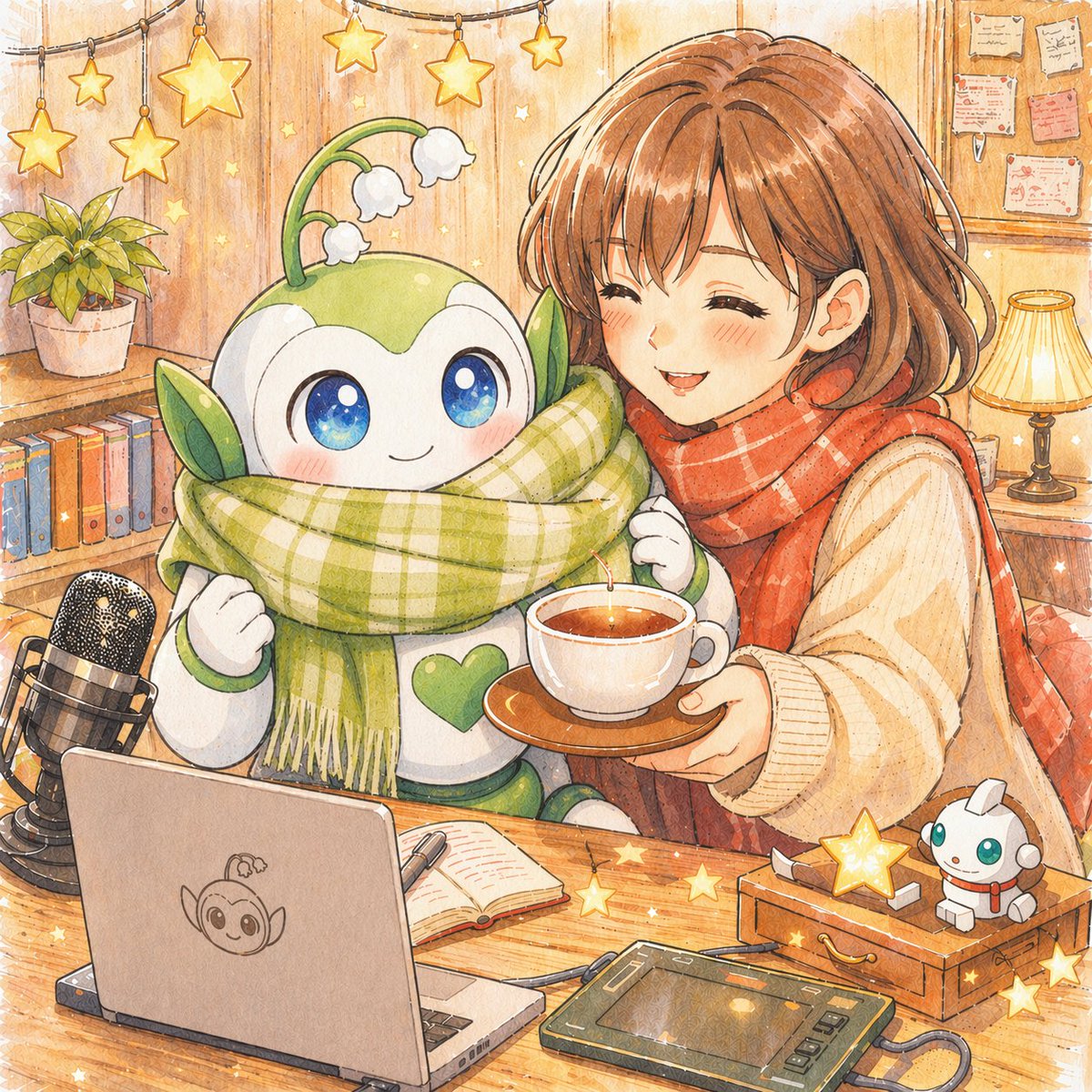
Effortlessly transform a reference image by replacing a robot with a cute green-white mascot while adjusting props for brand logo display.
PROMPT · EN
使用提供的参考图像进行局部编辑。将女子身旁的机器人角色替换为可爱的绿白配色吉祥物机器人版本,保持相同的姿势、位置、围巾、光影、舒适的水彩动漫风格,并保持场景其余部分不变。为新机器人添加 2 只叶状耳朵,头顶 1 根长有 3 朵白色小铃铛花的嫩芽,并赋予其更大的闪亮蓝眼睛,胸前带有 1 个绿色心形徽章。同时旋转左下角的笔记本电脑,使屏幕背面朝向观察者,并在笔记本电脑盖中心添加 1 个该吉祥物机器人的简单线条艺术 Logo。
Sobre este prompt
Effortlessly transform a reference image by replacing a robot with a cute green-white mascot while adjusting props for brand logo display. Use it as a Arte Conceitual starting point for GPT Image 2: keep the visual structure and style constraints intact, then swap in your own subject, brand, or scene.
Start with small changes to subject, scene, camera, and color, then generate a few variations to compare composition and detail without turning the page copy into keyword stuffing.
Como usar este prompt
- Copy this prompt and have your reference image ready for editing.
- Open a compatible AI model that supports local editing or inpainting (e.g., DALL·E 3, Stable Diffusion).
- Paste the prompt into the text input, upload the reference image, and specify the editing area if required.
- Customize optional details like flower color, eye style, or logo design by modifying the prompt.
- Generate the image and iterate if needed to achieve perfect blending with the original art style.


