
GPT Image 2Prompt de IA
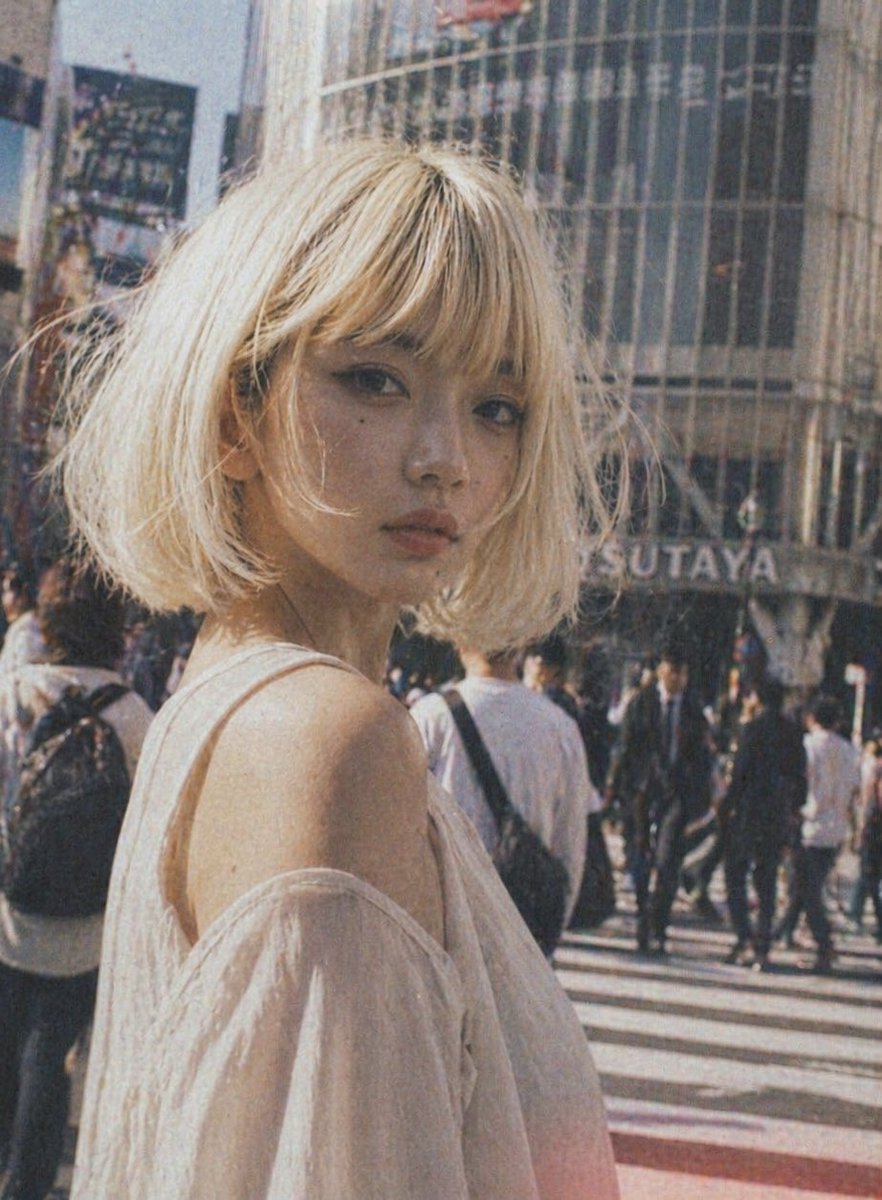
Vintage Shibuya Street Portrait — Sora 2 Prompt
Create a nostalgic fashion portrait of a young woman in a bustling Tokyo street, with a vintage film aesthetic and customizable details.
PROMPT · EN
一张年轻女性站在繁忙的东京十字路口白天的街拍时尚肖像,取景范围为上半身,她微微背对镜头,突显出裸露的肩部。她留着一头凌乱的短波波头,发色为 arghair color: 铂金色,质感轻盈柔和,身形娇小。她穿着一件 argclothing color: 白色 的露肩上衣,面料轻薄半透明,垂坠感十足,营造出浪漫轻盈的氛围。将她置于画面左侧前景,采用浅景深效果,背景是熙熙攘攘的过街行人。在她身后,加入一栋带有弧形玻璃的建筑,并可见 argbackground sign: TSUTAYA 的标志,以此呈现涩谷风情。采用温暖的复古胶片美学,色调略显褪色,带有明显的颗粒感、轻微模糊、柔和的阳光、柔和的对比度,以及怀旧的模拟快照氛围。整体基调应显得时尚、自然且具有电影感,如同在繁华都市中抓拍的时尚大片。
Sobre este prompt
Create a nostalgic fashion portrait of a young woman in a bustling Tokyo street, with a vintage film aesthetic and customizable details. Use it as a Arte Conceitual starting point for GPT Image 2: keep the visual structure and style constraints intact, then swap in your own subject, brand, or scene.
Start by replacing hair color, clothing color, and background sign, then keep the camera, composition, and material cues in the same order. This makes the output easier to compare across variations.
Como usar este prompt
- Copy the prompt from the page.
- Open Sora 2 or any compatible AI image generator.
- (Optional) Tweak the variables like
hair color,clothing color, orbackground signto customize the look. - Generate the image and adjust settings if needed.
- Refine the output by iterating with different variable values for your desired aesthetic.


