
GPT Image 2Prompt de IA
Old Photo Restoration to DSLR Portraits — Sora 2 Prompt
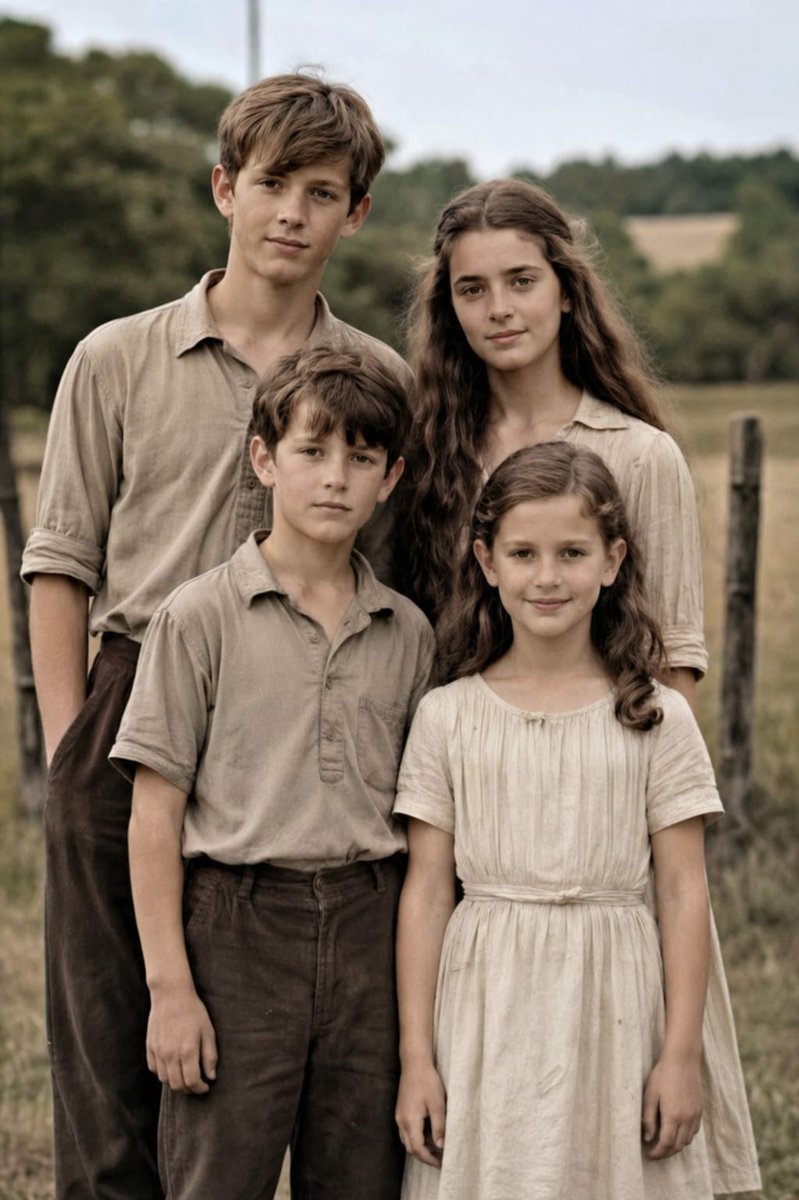
Transform damaged family photos into vivid, high-resolution DSLR portraits with accurate colors, enhanced details, and a natural shallow depth of field.
PROMPT · EN
使用提供的参考图像,将受损的家庭老照片修复为自然、现代的高分辨率人像,同时保持原有的 4 人构图、姿势、取景、服装及户外乡村背景不变。去除所有可见的岁月痕迹,包括撕裂、裂纹、折痕、污渍、磨损的纸张边缘、划痕及褪色。将黑白/棕褐色图像转换为逼真的柔和色彩,保留准确的肤色和中性大地色系的服装。增强细节,锐化织物与头发纹理,改善对比度与动态范围,并将其提升至专业级的 DSLR 画质,实现清晰对焦与微妙的浅景深效果,如同使用 argcamera model: Canon EOS R6 II 拍摄一般。确保最终结果高度写实、自然,并忠实于原始人物的面部特征与比例。
Sobre este prompt
Transform damaged family photos into vivid, high-resolution DSLR portraits with accurate colors, enhanced details, and a natural shallow depth of field. Use it as a Arte Conceitual starting point for GPT Image 2: keep the visual structure and style constraints intact, then swap in your own subject, brand, or scene.
Start by replacing camera model, then keep the camera, composition, and material cues in the same order. This makes the output easier to compare across variations.
Como usar este prompt
- Copy the prompt from this page.
- Upload your vintage family photo as a reference image.
- Optionally modify the camera model variable (e.g., "Canon EOS R6 II" default) to match your preferred DSLR.
- Use an AI image model like Sora 2 that supports detailed image restoration.
- Generate and download your restored high-quality portrait.


