
GPT Image 2Prompt de IA
Film-Like Green Screen Group Photo — Sora 2 Prompt
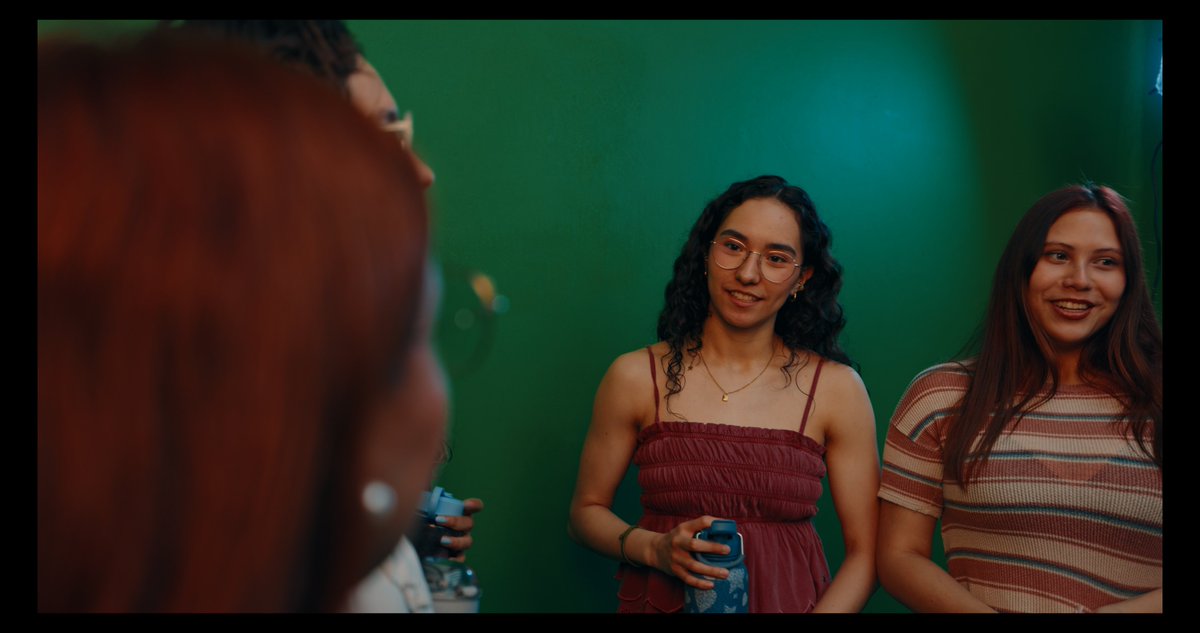
Create a realistic behind-the-scenes studio photo of four young people against a chroma green screen with cinematic lighting, ideal for film production and AI video workflow visuals.
PROMPT · EN
一张电影感十足的抓拍照片,4 位年轻人站在平滑的摄影棚绿幕墙前,构图如同幕后色度键测试。在画面最左侧前景,一位留着鲜艳铜红色头发的女性非常靠近镜头且处于重度虚焦状态,仅露出头部后侧和部分肩膀,营造出强烈的景深和过肩构图感。背景中偏左侧,一位留着深色短卷发并佩戴眼镜的男性部分可见,画面经过裁剪,仅露出部分脸部和躯干,他胸前拿着 1 个蓝色水瓶。画面中心,一位中等肤色、留着深色齐肩卷发的女性面朝镜头,表情自然,身穿酒红色褶皱细肩带连衣裙,佩戴精致的金项链,双手在腰间拿着 1 个带有蓝色图案的水瓶。右侧,另一位留着深棕色长直发的女性面朝镜头,身穿横条纹(米色、棕色和暗红色)修身短袖针织衫。灯光呈现出电影般的氛围感,带有青绿色和温暖的红调,柔和的阴影,浅景深,真实的皮肤质感,细腻的胶片颗粒,以及随性的纪录片风格。中景镜头,平视构图,室内摄影棚环境,除 2 个可见的水瓶外无其他道具,纯色绿幕背景填满画面,姿态自然,写实摄影,变形镜头风格调色。
Sobre este prompt
Create a realistic behind-the-scenes studio photo of four young people against a chroma green screen with cinematic lighting, ideal for film production and AI video workflow visuals. Use it as a Arte Conceitual starting point for GPT Image 2: keep the visual structure and style constraints intact, then swap in your own subject, brand, or scene.
Start with small changes to subject, scene, camera, and color, then generate a few variations to compare composition and detail without turning the page copy into keyword stuffing.
Como usar este prompt
- Copy the prompt text from this page.
- Open your AI image or video generator (e.g., Sora, Midjourney, Runway).
- Paste the prompt into the model's input field.
- Optionally adjust details like the number of people or clothing colors to fit your scene.
- Generate the image or video and fine-tune if necessary.


