
GPT Image 2Prompt de IA
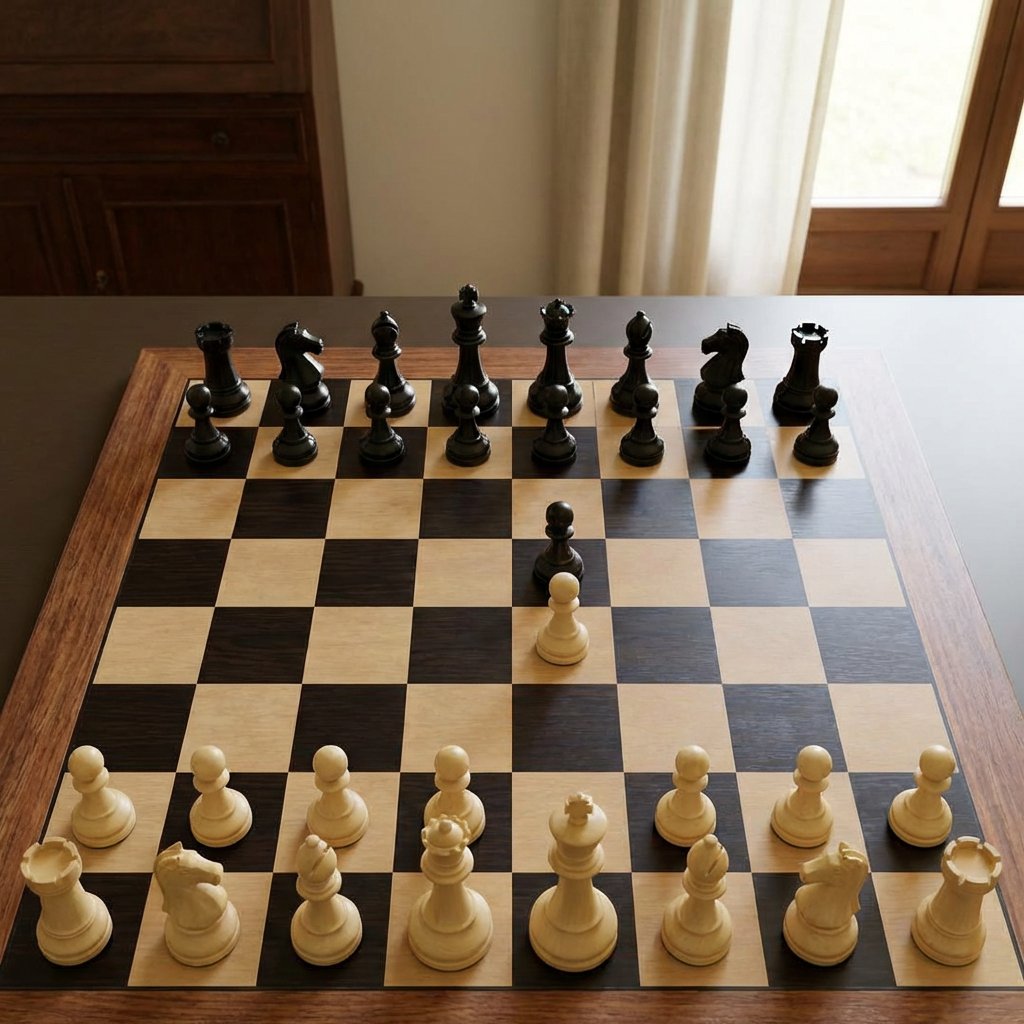
Staunton Chess Photo Prompt: Mid-Opening Board
Create a lifelike chessboard photo with perfect Staunton piece placement and soft lighting, ideal for testing AI image fidelity and chess accuracy.
PROMPT · EN
一张逼真的室内照片,展示了放置在深色木桌上的木制国际象棋棋盘,视角为略微抬高的正面角度,棋子采用 Staunton 风格,处于开局中期位置。棋盘由浅色枫木和深色胡桃木方格组成,带有木质边框;棋子为亮面黑色和哑光象牙色。展示全部 32 枚棋子,无被吃掉的棋子:16 枚黑色棋子和 16 枚白色棋子。黑色棋子位于远端,按标准底线顺序从左至右排列:车、马、象、后、王、象、马、车,前方有 8 枚黑色兵。白色棋子位于近端,按标准底线顺序从左至右排列:车、马、象、后、王、象、马、车,前方有 8 枚白色兵。仅移动了 2 枚中心兵:一枚黑色兵向前推进两格至 e5,一枚白色兵向前推进两格至 e4,在相邻的中心格面对面。其余棋子保持初始位置。使用来自右侧的自然窗光,光影柔和,背景为温馨的家居室内环境,配有米色窗帘和木制柜子,浅景深,比例真实,呈现干净的数码摄影质感,构图居中,棋盘几何结构准确。
Sobre este prompt
Create a lifelike chessboard photo with perfect Staunton piece placement and soft lighting, ideal for testing AI image fidelity and chess accuracy. Use it as a Arte Conceitual starting point for GPT Image 2: keep the visual structure and style constraints intact, then swap in your own subject, brand, or scene.
Start with small changes to subject, scene, camera, and color, then generate a few variations to compare composition and detail without turning the page copy into keyword stuffing.
Como usar este prompt
- Copy the prompt text provided.
- Paste it into your AI image generation tool (e.g., Sora, Midjourney, DALL·E).
- For best results, ensure the model supports high-fidelity still images.
- Optionally, tweak the background or lighting description to fit your scene.
- Generate and inspect the output for precise chess piece arrangement.


