
Prompt de IA
Artisan Pour-Over Brewing Infographic — Sora 2 Prompt
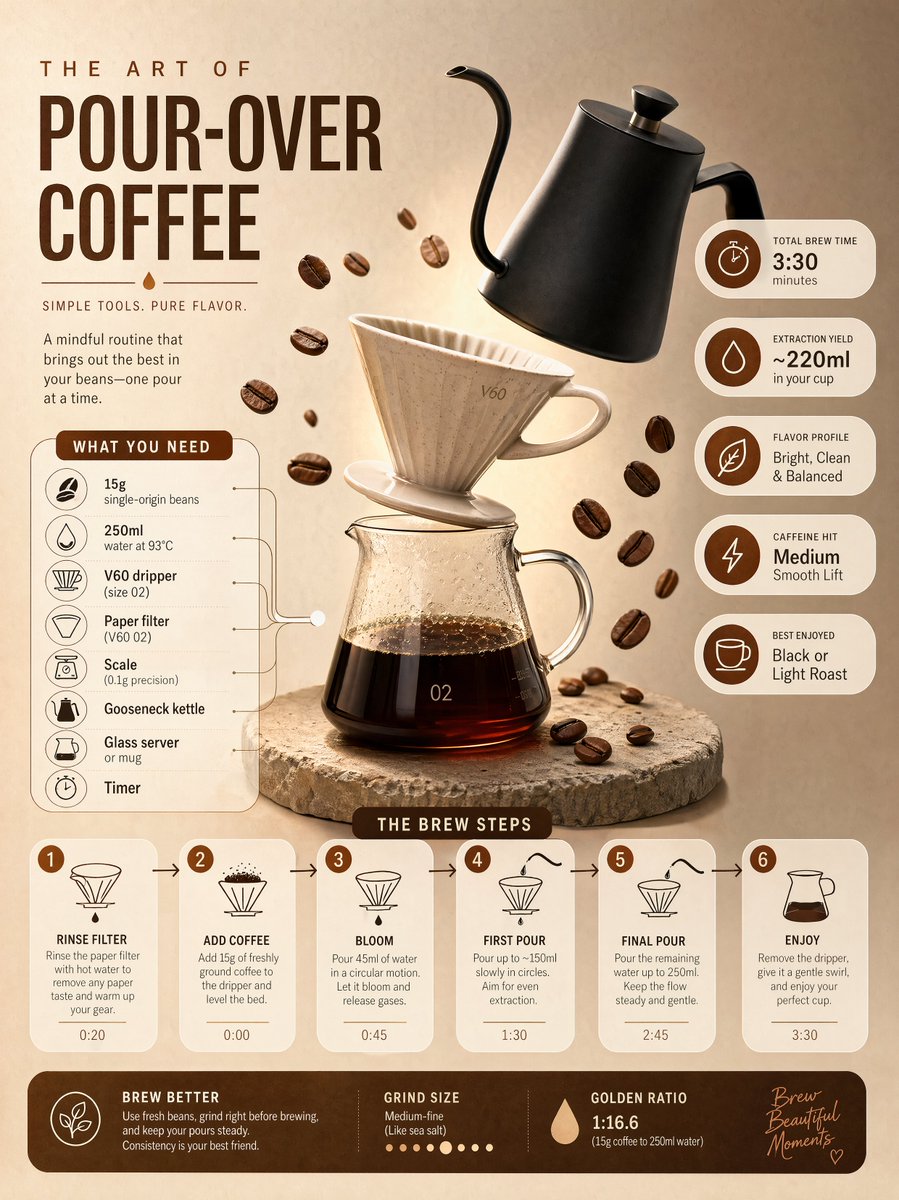
Craft a visually striking pour-over coffee infographic with step-by-step panels, stats badges, and a warm morning cafe glow.
PROMPT · EN
Ultra-clean modern editorial infographic on the topic of a [POUR-OVER COFFEE BREWING] routine. Hero visual: a stylized flat-lay or floating arrangement of 3–4 objects (a ceramic V60 dripper, a matte black gooseneck kettle, and scattered roasted coffee beans) — slightly angled or in soft perspective, glowing subtly. Ingredients Section: Label it ‘What You Need’ — include 6–8 items with small icons next to each (e.g., '15g single-origin beans', '250ml water at 93°C'). Arranged in a cluster connected visually to the hero. Steps Section: 5–6 numbered panels with arrows or connecting lines forming a logical flow. Each step has a short action label and a small relevant icon. Panels use glassmorphism or frosted card styling. Stats Badges: 4–5 floating pill-shaped badges showing relevant metadata — total brew time, extraction yield, flavor profile, caffeine hit — displayed as clean minimal bubbles. Visual Style: Artisan, warm editorial background — roasted brown, oat cream, or soft copper tones. Rich espresso accent colors. Bold modern sans-serif typography. Clean vector icons. Subtle grain or filter-paper texture. Composition: Hero object cluster centered or slightly offset. Ingredients on one side. Steps flow opposite or below with connecting lines. Stat badges scattered as floating pills. Generous negative space. Lighting: Soft, warm morning cafe light feel emanating from the hero cluster. Premium lifestyle editorial aesthetic, social-feed optimized. Ultra-crisp. No watermark.
Sobre este prompt
Craft a visually striking pour-over coffee infographic with step-by-step panels, stats badges, and a warm morning cafe glow. Use it as a Arte Conceitual starting point for an AI model: keep the visual structure and style constraints intact, then swap in your own subject, brand, or scene.
Common directions include chatgpt, 手冲, 信息图, and 极简风. Treat these tags as creative cues; the prompt structure and preview image are the more useful guide.
Start with small changes to subject, scene, camera, and color, then generate a few variations to compare composition and detail without turning the page copy into keyword stuffing.
Como usar este prompt
- Copy the prompt text from the description above.
- Paste it into your preferred AI image generation model (e.g., Sora 2, Midjourney, or Stable Diffusion).
- Optionally, customize the bracketed terms (like the coffee type or specific objects) to suit your needs.
- Generate the image and refine by adjusting parameters for ultra-crisp output.
- Download and use in your editorial or social media project.


