
Retro Tokusatsu Armor — Realistic Cosplay Portrait Prompt
Create a realistic, candid-style portrait photo of a woman in a worn, vintage Japanese sci-fi hero suit, complete with customizable hair and gritty armor details.
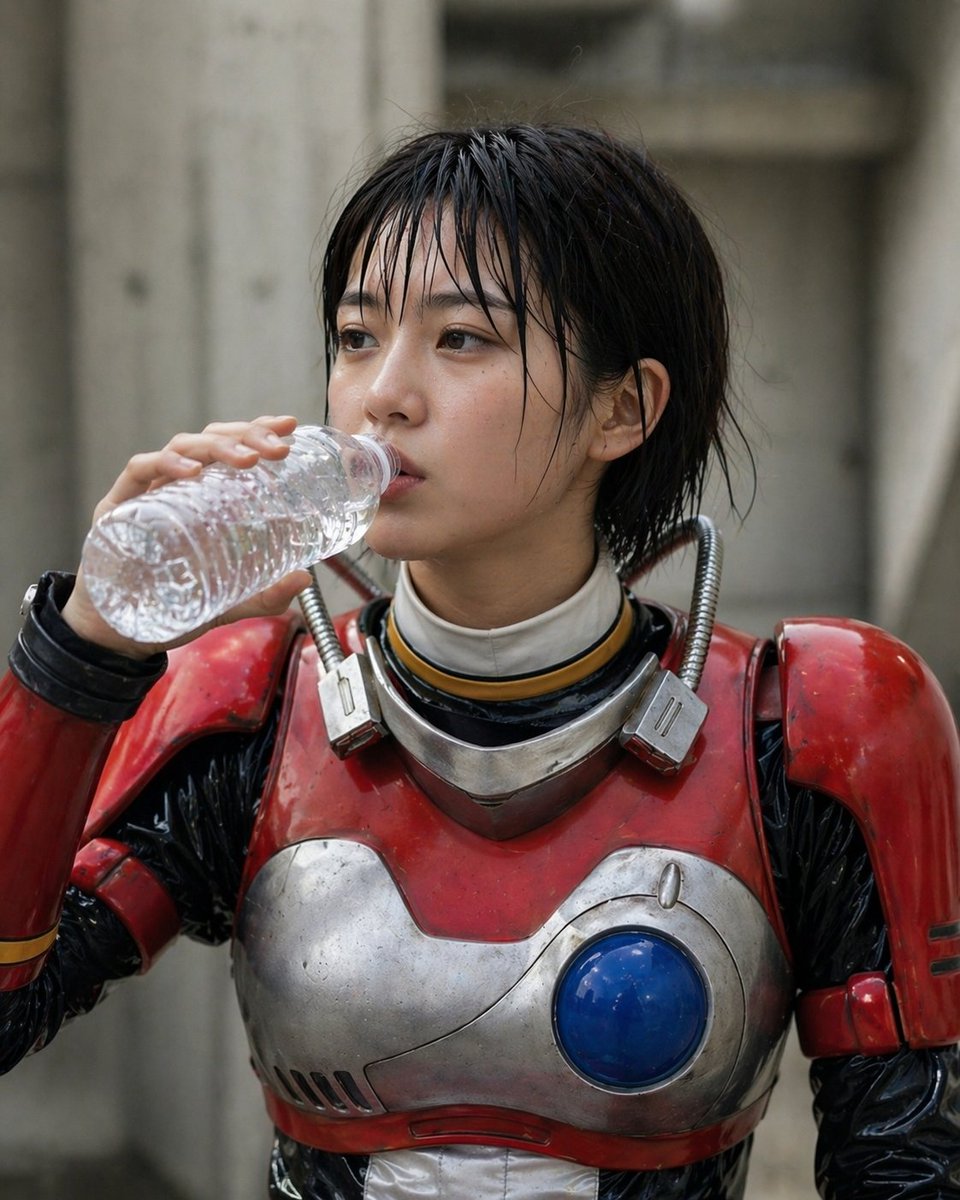
A realistic live-action-style portrait photo of a young Japanese woman in a retro sci-fi tokusatsu armored suit, framed from mid torso to just above the head, standing outdoors against a softly blurred concrete industrial background. She has arghair color: black short wet hair in a messy bob tucked behind one ear, and her face is mostly hidden by a large rectangular blur censorship block centered over the face. She is holding 1 clear crinkled plastic water bottle in one hand, raised to her mouth as if drinking. The costume is a worn vintage hero suit with 4 visible main armor components: 2 glossy red shoulder pauldrons, 1 red-and-silver chest plate with scratches and grime, and 1 circular blue orb embedded on the right side of the chest. Under the armor is a shiny black bodysuit with a white high neck undersuit collar and a thin gold ring detail at the neck. Around the collar are 2 short ribbed metallic hoses connected to 2 small rectangular metal modules near the shoulders. The armor should look practical, scuffed, slightly dirty, and heavy, like an old Japanese special-effects superhero costume rather than sleek modern armor. Natural overcast daylight, shallow depth of field, muted gray concrete tones in the background, documentary cosplay photography, candid moment, highly detailed textures, realistic skin and fabric, vertical composition.
Sobre este prompt
Create a realistic, candid-style portrait photo of a woman in a worn, vintage Japanese sci-fi hero suit, complete with customizable hair and gritty armor details. Use it as a Arte Conceitual starting point for GPT Image 2: keep the visual structure and style constraints intact, then swap in your own subject, brand, or scene.
Common directions include gptimage2api prompts, gptimage2api, and en. Treat these tags as creative cues; the prompt structure and preview image are the more useful guide.
Start by replacing hair color, then keep the camera, composition, and material cues in the same order. This makes the output easier to compare across variations.
Como usar este prompt
- Copy the entire prompt text provided above.
- Select a compatible AI image generator like Sora 2 or Midjourney.
- Replace the default hair color in the
{argument}tag with your preferred choice (e.g., 'blonde', 'pink'). - Generate the image to receive a vertical, detailed, documentary-style portrait.


